AI image prompt ek written instruction hota hai jo AI image generator ko batata hai ki aap kis type ki image create karna chahte hain. Ek detailed prompt ki help se aap realistic portraits, professional profile pictures, cinematic photos, couple images, wedding visuals, product photographs, social media posts, illustrations aur wallpapers create kar sakte hain.
Agar aapko prompt likhna difficult lagta hai, to Mera Photo AI par AI-generated images explore kar sakte hain, unke complete prompts dekh sakte hain aur available prompts ko copy karke apni requirement ke according customize kar sakte hain.
AI Image Prompt Kya Hai?
AI image prompt ek text-based description hai jo image-generation model ko subject, background, clothing, pose, lighting, camera angle, style aur composition samjhata hai.
Example ke liye, agar aap sirf ye likhte hain:
“Create a photo of a boy.”
To AI tool ko desired clothing, location, expression, lighting aur camera view ke baare mein sufficient information nahi milti.
Iske badle aap detailed instruction use kar sakte hain:
“Create an ultra-realistic portrait of a young Indian man wearing a fitted black shirt, standing on a modern city rooftop during sunset, confident expression, soft golden light, natural skin texture, shallow depth of field and professional editorial photography.”
Detailed prompt AI tool ko clear visual direction provide karta hai. Lekin detailed prompt aur reference photograph use karne ke baad bhi identical ya completely error-free output guaranteed nahi hota.
AI Image Prompt Mein Kya Include Hona Chahiye?
Ek effective AI image prompt mein generally ye elements include hone chahiye:
Main subject
Age group aur appearance
Clothing aur accessories
Pose aur body language
Facial expression
Background aur location
Time of day
Lighting direction
Mood aur colour palette
Camera angle
Framing aur composition
Photography ya illustration style
Aspect ratio
Identity-preservation instructions
Unwanted elements ke liye negative instructions
Har prompt mein sabhi elements add karna necessary nahi hai. Sirf wahi information include karein jo final visual ke liye relevant ho.
AI Image Prompt Ka Basic Formula
Aap is simple formula ki help se apna prompt create kar sakte hain:
Subject + Appearance + Outfit + Pose + Location + Lighting + Camera View + Style + Aspect Ratio + Negative Instructions
Example:
“Create an ultra-realistic photograph of a young Indian woman wearing an elegant pastel saree, standing beside a heritage window, looking calmly towards the camera, soft morning sunlight, half-body composition, natural skin texture, professional portrait photography, shallow depth of field, 4:5 aspect ratio, no distorted hands, no excessive beauty retouching and no text.”
Best AI Image Prompts to Copy and Paste
Neeche alag-alag purposes ke liye copy-paste AI image prompts diye gaye hain. Aap subject, clothing, location, colours aur aspect ratio ko apni requirement ke according change kar sakte hain.
1. Professional Profile Picture Prompt
Create an ultra-realistic professional profile picture of the person from the uploaded reference photograph. Preserve the person’s recognizable facial structure, natural skin tone, age, hairstyle, eyes, nose, lips and jawline. Dress the subject in a perfectly fitted dark navy business suit with a clean white shirt. Use a confident and approachable expression, straight posture, simple neutral studio background, balanced facial lighting, sharp eyes, natural skin texture and a chest-up composition. Leave sufficient space around the head for circular cropping. Aspect ratio 1:1.
2. Cinematic Portrait Prompt
Create a cinematic portrait of the person from the reference image standing in a modern urban location during blue hour. Preserve the recognizable identity and natural facial characteristics. Dress the subject in a black jacket, fitted T-shirt and minimal accessories. Use a calm expression, slightly turned body, face directed towards the camera, realistic city lights, atmospheric background blur, soft facial illumination, premium colour grading and natural skin details. Keep both eyes clearly visible. Aspect ratio 4:5.
3. Trending AI Photo Prompt for Boys
Create an ultra-realistic fashion portrait of a handsome young Indian man standing beside a modern concrete building. Preserve his recognizable facial identity, natural skin tone and hairstyle. Dress him in an oversized beige shirt, white T-shirt, black trousers, clean sneakers and a minimal wristwatch. Use a relaxed standing pose with one hand naturally adjusting the sleeve, confident expression, soft afternoon daylight, realistic clothing folds, detailed hair texture and premium editorial photography. Aspect ratio 4:5.
4. Trending AI Photo Prompt for Girls
Create an elegant, ultra-realistic portrait of a young Indian woman standing in a premium outdoor garden during golden hour. Preserve her recognizable facial structure, skin tone, age and hairstyle. Dress her in a sophisticated pastel outfit with tasteful jewellery. Use a graceful three-quarter pose, gentle expression, warm sunlight, natural skin texture, detailed fabric movement, softly blurred flowers and professional fashion photography. Avoid face reshaping and excessive skin smoothing. Aspect ratio 4:5.
5. AI Couple Photo Prompt
Create an ultra-realistic romantic photograph using the two uploaded reference images. Preserve Person A and Person B as two separate identities, including their individual facial structures, skin tones, ages, hairstyles, eyes, noses, lips and jawlines. Dress them in coordinated semi-formal outfits and show them standing close together during sunset. Person A should gently hold Person B’s hand while both look naturally at each other. Use correct hand placement, realistic body proportions, warm golden light, softly blurred background and premium couple photography. Aspect ratio 4:5.
6. Indian Wedding Photo Prompt
Create a premium, photorealistic Indian wedding portrait using the uploaded couple photographs as strict identity references. Preserve both identities separately without merging or replacing their faces. Dress the groom in an ivory sherwani with subtle embroidery and the bride in a deep red bridal lehenga with culturally appropriate jewellery. Show them standing together beneath a decorated wedding canopy, smiling gently at each other. Use warm festive lighting, realistic flowers, detailed fabric texture, correct hands and fingers and professional wedding photography. Aspect ratio 4:5.
7. Traditional Indian Portrait Prompt
Create an ultra-realistic traditional Indian portrait of the referenced person in a heritage courtyard. Preserve the original facial identity, natural skin tone, age and hairstyle. Dress the subject in an elegant traditional outfit with carefully coordinated accessories. Use a composed pose, warm lanterns, carved architectural details, soft evening light, natural shadows, realistic fabric texture and editorial portrait photography. Avoid unrelated cultural elements and distorted jewellery. Aspect ratio 4:5.
8. Business Headshot Prompt
Create a professional business headshot of the referenced person inside a modern office. Preserve the exact recognizable facial features and natural appearance. Dress the subject in formal business clothing and use a confident but friendly expression. Add a neutral office background with subtle depth of field, soft window lighting, balanced studio fill light, sharp facial details and minimal retouching. Keep the face centred and clearly visible. Aspect ratio 1:1.
9. Luxury Lifestyle Photo Prompt
Create an ultra-realistic luxury lifestyle portrait of the referenced person standing inside an elegant hotel lobby. Preserve their recognizable identity and natural body proportions. Dress the subject in premium smart-casual clothing with minimal accessories and a tasteful wristwatch. Use a relaxed confident pose, warm architectural lighting, polished marble surfaces, realistic reflections, shallow depth of field and luxury editorial photography. Do not include visible brand logos or unreadable background text. Aspect ratio 4:5.
10. Travel Photography Prompt
Create a realistic travel photograph of the referenced person standing at a scenic mountain viewpoint during early morning. Preserve the original face, skin tone, hairstyle and age. Dress the subject in a practical travel jacket, T-shirt, trousers and backpack. Use a relaxed pose while looking towards the landscape, soft natural daylight, realistic atmospheric haze, detailed mountains, correct shadows and professional travel photography. Aspect ratio 4:5.
11. Social Media Display Picture Prompt
Create a clean and modern social media display picture of the person from the uploaded reference image. Preserve the recognizable identity and natural skin details. Dress the subject in a stylish solid-colour outfit. Use a friendly expression, centred face, simple gradient background, soft facial lighting, sharp eyes and a close-up composition. Leave sufficient space around the head, ears, chin and shoulders for circular cropping. Do not add text or large accessories. Aspect ratio 1:1.
12. Product Photography Prompt
Create an ultra-realistic commercial product photograph of a premium perfume bottle placed on a dark stone platform. Use soft golden side lighting, realistic glass reflections, subtle mist, controlled shadows and a clean black background. Keep the product centred and clearly visible with accurate proportions, sharp label area and premium advertising photography. Do not add fake brand names, distorted text or unnecessary objects. Aspect ratio 4:5.
13. Food Photography Prompt
Create an ultra-realistic overhead food photograph of an Indian meal served in elegant traditional dishes on a dark wooden table. Include detailed food texture, natural steam, fresh garnishes, realistic colours and soft window light. Arrange the dishes in a balanced composition with sufficient negative space. Use professional restaurant photography, natural shadows and accurate ingredients. Avoid excessive saturation, artificial shine and distorted utensils. Aspect ratio 4:5.
14. Blog Banner Prompt
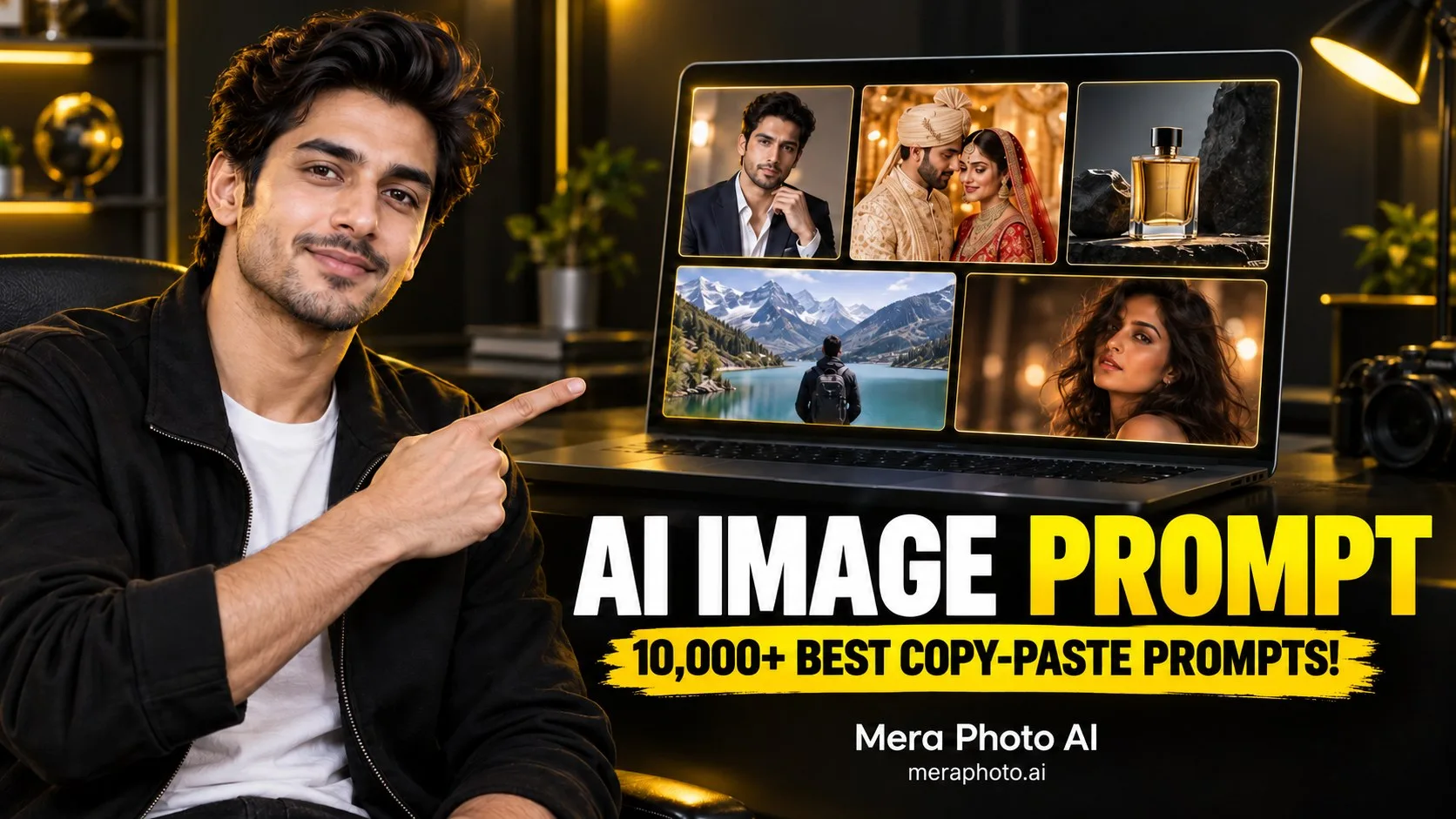
Create a professional landscape blog banner about AI image prompts. Place a clearly visible young Indian creator on the left, pointing towards a modern AI image interface on the right. Use a clean black background with white and yellow accents, premium lighting and a strong visual hierarchy. Add the exact headline “AI IMAGE PROMPT” in bold, readable typography. Keep sufficient spacing around the title and avoid unnecessary text. Aspect ratio 16:9.
15. Mobile Wallpaper Prompt
Create a premium vertical mobile wallpaper featuring a futuristic city at night. Include glowing architecture, wet-road reflections, atmospheric fog and a deep black, purple and blue colour palette. Keep the central area visually clean so mobile icons remain readable. Use cinematic lighting, realistic perspective, detailed surfaces and high-quality digital artwork. Do not include text, logos or watermarks. Aspect ratio 9:16.
AI Image Prompt Kaise Use Karein?
AI image prompt use karne ke liye ye steps follow karein:
Decide karein ki aap kis type ki image create karna chahte hain.
Mera Photo AI par suitable image aur prompt explore karein.
Pasand aane wala prompt copy karein.
Subject, outfit, location, pose aur colours customize karein.
Compatible AI image-generation tool open karein.
Personal portrait ke liye clear reference photograph upload karein.
Customized prompt paste karein.
Image generate karke multiple variations try karein.
Final result ko carefully inspect karein.
Sirf accurate aur suitable image ko download ya publish karein.
Mera Photo AI ek AI photography prompt-discovery platform hai. Image generation generally compatible third-party AI tool ke through complete hoti hai.
Mera Photo AI Par Prompts Kaise Explore Karein?
Mera Photo AI par users visual examples ke through photography ideas discover kar sakte hain.
Platform par aap:
AI-generated images explore kar sakte hain
Images ke complete prompts dekh sakte hain
Available prompts copy kar sakte hain
Prompt ko apne subject ke according customize kar sakte hain
Different categories aur styles browse kar sakte hain
Suitable AI-tool labels check kar sakte hain
Pasand aane wale prompts save kar sakte hain
New visual concepts discover kar sakte hain
Visual-first discovery ka benefit ye hai ki prompt copy karne se pehle aap uska possible style, mood, framing aur composition dekh sakte hain.
AI Image Prompt Ko Customize Kaise Karein?
Copy-paste prompt ko bina samjhe direct use karne ke bajay relevant details customize karna better hota hai.
Subject Clearly Describe Karein
Subject ke baare mein mention karein:
Boy, girl, man, woman ya couple
Approximate age group
Hairstyle
Facial expression
Body framing
Pose
Identity-preservation requirement
Sensitive attributes assume karne ke bajay sirf visually relevant aur user-approved details add karein.
Outfit Specific Rakhein
“Stylish clothes” ke badle clear details use karein:
White linen shirt
Black formal suit
Pastel saree
Traditional sherwani
Oversized denim jacket
Premium casual outfit
Sportswear
Wedding clothing
Clothing ka fabric, colour aur fit describe karne se result zyada controlled ho sakta hai.
Pose and Hands Describe Karein
AI images mein hands aur fingers common problem areas ho sakte hain. Isliye pose clearly explain karein:
Arms naturally relaxed
One hand inside the trouser pocket
Both hands visible
Hands gently joined
Holding a coffee cup naturally
Standing with straight posture
Looking over the shoulder
Walking naturally towards the camera
Overlapping hands aur complicated finger positions ko avoid karna useful ho sakta hai.
Background and Location Choose Karein
Background subject ke purpose se match hona chahiye.
Aap select kar sakte hain:
Neutral studio
Modern office
City street
Luxury hotel
Beach
Mountain viewpoint
Indian heritage building
Wedding venue
Café
Garden
Rooftop
Desert
Ek prompt mein bahut saare unrelated locations combine na karein.
Lighting Logical Rakhein
Lighting final image ke mood ko strongly influence karti hai.
Common lighting options:
Soft morning sunlight
Golden-hour lighting
Balanced studio lighting
Window light
Cloudy natural daylight
Warm evening light
Cinematic side lighting
City lights during blue hour
Soft diffused portrait lighting
Bright midday sunlight aur dark indoor studio lighting ko bina clear explanation ke same scene mein request na karein.
Camera View Mention Karein
Final usage ke according framing select karein:
Close-up portrait
Headshot
Chest-up photograph
Half-body portrait
Three-quarter composition
Full-body photograph
Overhead view
Low-angle shot
Wide cinematic frame
Aspect Ratio Select Karein
1:1: Profile pictures aur square posts
4:5: Instagram portraits aur product photos
9:16: Stories, Status, Reels covers aur mobile wallpapers
16:9: Blog banners, YouTube thumbnails aur cinematic visuals
Realistic AI Images Ke Liye Important Details
Agar aap photorealistic result chahte hain, to prompt mein natural details include karein:
Natural skin pores
Minor facial lines
Fine hair strands
Flyaway hair
Realistic clothing creases
Accurate shadows
Surface imperfections
Balanced colours
Believable reflections
Natural body proportions
Correct hands and fingers
Realistic background depth
“Flawless skin” aur “perfect face” jaise instructions kabhi-kabhi artificial-looking output produce kar sakte hain.
Negative Instructions Kya Hoti Hain?
Negative instructions AI tool ko batati hain ki final image mein kya avoid karna hai.
Useful negative instructions mein ye include ho sakte hain:
No distorted hands
No extra fingers
No duplicate person
No face reshaping
No excessive skin smoothing
No unreadable text
No random logos
No unrealistic reflections
No incorrect body proportions
No unnecessary objects
No blurred face
No overexposure
Negative instructions ki excessive list use na karein. Sirf important restrictions add karein.
Better AI Image Results Ke Liye Tips
Clear visual direction select karein.
High-quality reference photograph use karein.
Face ko clearly visible rakhein.
Subject aur background ko separately describe karein.
Outfit ke colour aur material mention karein.
Pose aur hand placement explain karein.
Lighting aur time of day ko logically match karein.
Appropriate aspect ratio select karein.
Natural texture request karein.
Multiple variations generate karein.
Har output ko zoom karke inspect karein.
Prompt ko result ke according gradually refine karein.
Common AI Image Prompt Mistakes
Vague Prompt Use Karna
“Ek acchi image banao” desired subject, style aur purpose clearly explain nahi karta.
Conflicting Styles Add Karna
Photorealistic portrait, cartoon, oil painting aur documentary photography ko ek hi prompt mein bina clear purpose ke combine karna confused output create kar sakta hai.
Identity Preservation Bhoolna
Personal portrait banate waqt recognizable facial details ko preserve karne ka instruction zaroor dein.
Prompt Ko Unnecessarily Long Banana
Repeated words aur irrelevant details prompt ko difficult bana sakte hain. Har line ka clear purpose hona chahiye.
Poor Reference Photograph Use Karna
Blurry, dark, heavily filtered ya partially covered face identity consistency ko negatively affect kar sakta hai.
Excessive Beauty Retouching Request Karna
Heavy skin smoothing, skin whitening, unrealistic eyes, face reshaping aur major age changes natural identity reduce kar sakte hain.
Hands Ko Ignore Karna
Complicated hand positions aur overlapping fingers image errors increase kar sakte hain.
Review Kiye Bina Publish Karna
Ek attractive image mein bhi facial details, hands, clothing, shadows, reflections, background objects aur text-related errors ho sakte hain.
AI-Generated Image Publish Karne Se Pehle Kya Check Karein?
Final image ko publish karne se pehle carefully inspect karein:
Facial accuracy
Eyes and teeth
Hands and fingers
Body proportions
Clothing details
Jewellery and accessories
Background objects
Text and spelling
Reflections and shadows
Unwanted logos
Privacy concerns
Copyright or trademark concerns
Platform disclosure requirements
Privacy and Responsible Use
AI image creation ke time responsible practices follow karna important hai:
Sirf apni photo ya authorized photograph upload karein.
Kisi person ki image bina permission use na karein.
Couple photo ke liye dono persons ki consent lein.
Minor ki photograph carefully handle karein.
Private photographs upload karne se pehle tool ki privacy policy check karein.
Misleading, harmful ya defamatory visuals create na karein.
AI-generated event ya travel photo ko real evidence ke roop mein present na karein.
Commercial use se pehle selected AI platform ke terms check karein.
Copyrighted characters, logos aur branded assets responsibly use karein.
Frequently Asked Questions
Q. AI image prompt kya hota hai?
A. AI image prompt ek written instruction hota hai jo AI tool ko subject, clothing, pose, background, lighting, camera angle aur visual style ke baare mein batata hai.
Q. Best AI image prompt kaise likhein?
A. Subject, appearance, outfit, pose, location, lighting, camera view, style, aspect ratio aur important negative instructions ko clear order mein describe karein.
Q. Free AI image prompts kahan milenge?
A. Aap Mera Photo AI par AI images explore karke available photography prompts dekh aur copy kar sakte hain.
Q. Kya Mera Photo AI ek image generator hai?
A. Nahi. Mera Photo AI primarily ek AI photography prompt-discovery platform hai. Copied prompt ko compatible third-party AI image-generation tool mein use kiya ja sakta hai.
Q. Kya main apni photo se AI image bana sakta hoon?
A. Haan, agar selected AI tool reference-image generation ya editing support karta hai. High-quality photograph upload karein aur important facial characteristics preserve karne ka instruction dein.
Q. Kya AI image prompt Gemini mein use ho sakta hai?
A. Prompt ko Gemini ke supported image-generation ya editing features ke according customize karke try kiya ja sakta hai. Output available model aur features par depend karega.
Q. Kya ye prompts ChatGPT Images mein use kiye ja sakte hain?
A. Haan. In prompts ko ChatGPT ke supported image-generation aur editing features ke liye customize kiya ja sakta hai.
Q. Realistic AI image ke liye kya likhna chahiye?
A. Natural skin texture, realistic lighting, correct proportions, detailed hair, believable shadows, accurate reflections aur professional photography style mention karein.
Q. AI image mein face change kyon ho jata hai?
A. Low-quality reference image, unclear preservation instructions, heavy styling aur model limitations facial consistency affect kar sakte hain.
Q. AI image ke liye best aspect ratio kaunsa hai?
A. Profile picture ke liye 1:1, Instagram portrait ke liye 4:5, Stories aur Status ke liye 9:16 aur blog banner ke liye 16:9 suitable hai.
Q. Kya AI-generated image commercially use kar sakte hain?
A. Commercial use selected platform, model, subscription plan, image content aur applicable law par depend karta hai. Use se pehle relevant terms check karein.
Q. Kya detailed prompt se exact image milegi?
A. Detailed prompt result ko guide kar sakta hai, lekin identical output guaranteed nahi hota. Different generations mein natural variation aa sakti hai.
Conclusion
AI image prompt ek powerful instruction hai jo aapki visual idea ko AI image generator tak clearly communicate karta hai. Ek effective prompt subject, clothing, pose, background, lighting, camera angle, style aur aspect ratio ko logical order mein describe karta hai.
Better result ke liye prompt ko unnecessarily complicated banane ke bajay clear aur purposeful rakhein. Personal images mein identity-preservation instructions add karein, natural details request karein aur final output publish karne se pehle carefully review karein.
Agar aap ready-to-use visual ideas aur copy-ready prompts explore karna chahte hain, to Mera Photo AI visit karein. Yahan se aap suitable prompt discover karke apni requirement ke according customize kar sakte hain aur compatible AI image-generation tool mein try kar sakte hain.