AI se professional, realistic aur creative photo banane ke liye sirf ek image-generation tool hona enough nahi hai. Aapko ek clear aur detailed prompt bhi chahiye jo AI ko exactly bataye ki final image kaisi honi chahiye.
“Ek acchi photo bana do” ya “meri photo stylish bana do” jaise short instructions subject, outfit, pose, background, lighting, camera angle aur photography style ko properly explain nahi karte.
Is article mein hum samjhenge ki AI photo banane ke liye prompt kaise likhein, usme kaunse elements include karein aur different photography styles ke liye copy-ready prompts kaise use karein.
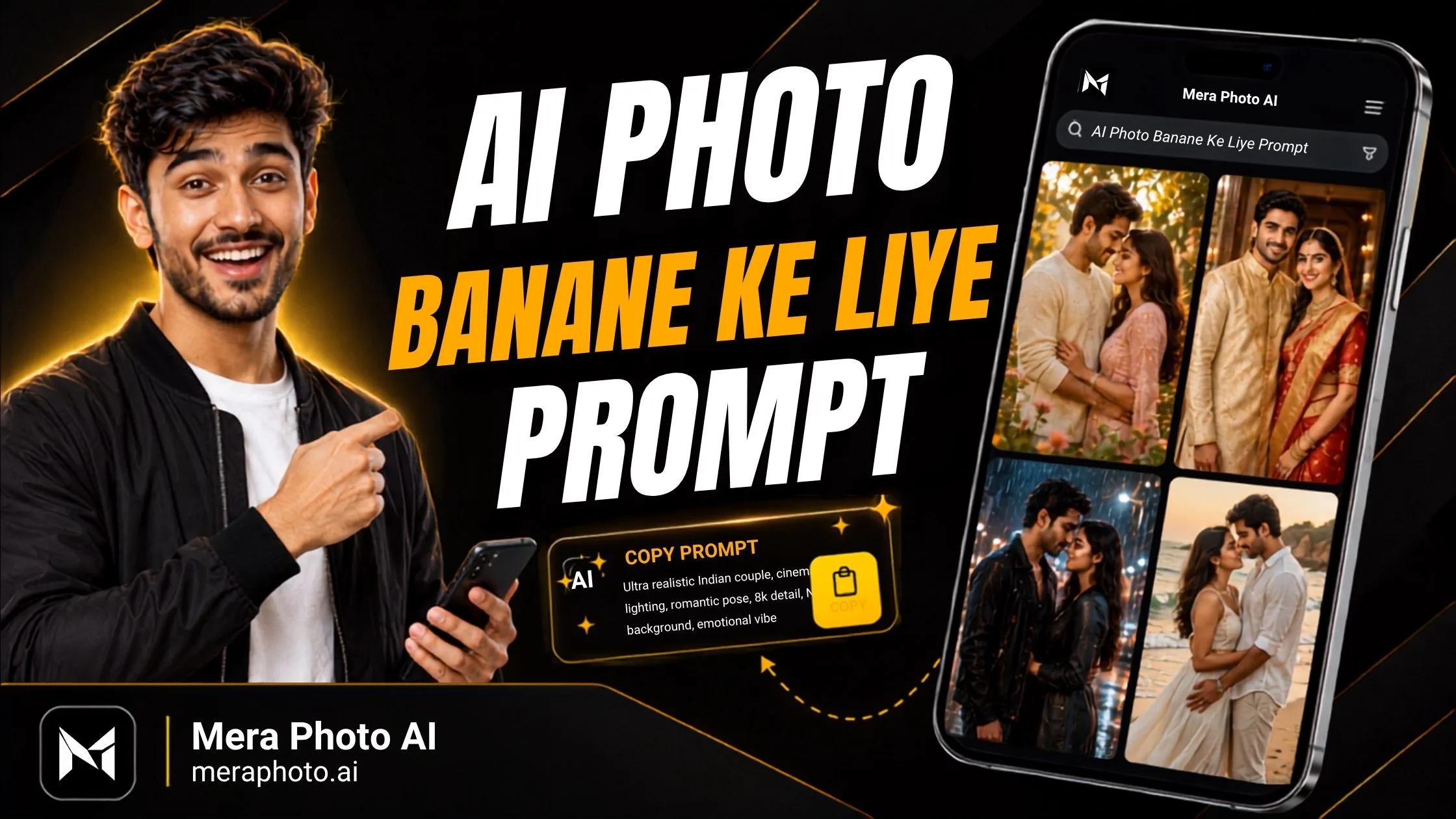
Agar aap manually prompt nahi likhna chahte, to Mera Photo AI par example images dekhkar detailed aur customizable prompts free mein copy kar sakte hain.
AI Photo Prompt Kya Hota Hai?
AI photo prompt ek written instruction hota hai jo image-generation ya editing tool ko desired photograph ke baare mein details provide karta hai.
Ek useful prompt AI tool ko yeh batata hai:
Photo mein kaun ya kya hoga?
Subject kaisa dikhega?
Kaunsa outfit pehnega?
Pose aur expression kya hoga?
Background aur location kya hogi?
Lighting kaise hogi?
Camera angle kya hoga?
Photography style kya hogi?
Image kis ratio mein chahiye?
Kaunse unwanted elements avoid karne hain?
Clear prompt AI model ko better visual direction provide karta hai. Lekin detailed prompt ke baad bhi perfect ya identical result guaranteed nahi hota.
Mera Photo AI Kya Hai?
Mera Photo AI India ka top AI photography prompt discovery platform hai.
Yeh users ko example images ke through photography concepts discover karne aur unke copy-ready prompts access karne mein help karta hai.
Mera Photo AI par aapko milta hai:
Visual-first prompt discovery
Complete copy-ready prompts
Original aur editorially reviewed content
Free prompt access
Unlimited available prompt copying
Koi public login requirement nahi
Koi fixed copying limit nahi
Koi distracting ads nahi
Fast aur simple browsing
Multiple photography categories
AI tool compatibility labels
Favourite ideas save karne ka option
Mera Photo AI image generator nahi hai. Yahan se prompt copy karke compatible third-party AI image tool mein use kiya jata hai.
AI Photo Banane Ke Liye Prompt Ka Structure
Ek complete prompt ko simple structure mein arrange kiya ja sakta hai:
1. Subject
Sabse pehle main subject describe karein.
For example:
A young Indian professional
An Indian couple
A female content creator
A luxury perfume bottle
A traveller in the mountains
A traditional Indian family
2. Appearance Aur Identity
Agar personal reference photograph use kar rahe hain, to mention karein ki kaunse facial details recognizable rehne chahiye.
Include kar sakte hain:
Facial structure
Natural skin tone
Approximate age
Hairstyle
Eyes
Eyebrows
Nose
Lips
Jawline
Distinctive features
3. Outfit Aur Accessories
Clothing ko clearly describe karein:
Outfit type
Colour
Fabric
Fit
Footwear
Jewellery
Watch
Sunglasses
Traditional accessories
4. Pose Aur Expression
Pose aur expression photograph ka purpose reflect karne chahiye.
For example:
Friendly smile
Confident expression
Calm editorial look
Relaxed standing pose
Professional seated posture
Natural couple interaction
5. Background Aur Location
Background specify karein:
Neutral studio
Modern office
City street
Café
Garden
Mountain
Beach
Heritage courtyard
Wedding venue
Festival setting
6. Lighting
Lighting final image ka mood control karti hai.
Options include:
Soft natural daylight
Golden-hour light
Diffused studio lighting
Warm window light
Cinematic rim lighting
Balanced commercial lighting
Dramatic side light
7. Camera Angle Aur Composition
Required framing mention karein:
Close-up
Headshot
Half-body portrait
Three-quarter portrait
Full-body photograph
Eye-level view
Low-angle shot
Wide environmental composition
8. Photography Style
Ek clear style choose karein:
Photorealistic portrait
Professional headshot
Cinematic photography
Editorial fashion
Lifestyle photography
Commercial product photography
Travel photography
Traditional Indian portrait
9. Aspect Ratio
1:1: Profile pictures
4:5: Portrait social posts
9:16: Stories, Reels aur Status
16:9: Blog banners aur cinematic visuals
3:2: Standard photography
10. Negative Instructions
Important errors avoid karne ke liye limited instructions add karein:
No distorted hands
No extra fingers
No artificial skin
No asymmetrical eyes
No incorrect reflections
No unwanted text
No random logos
No watermark
Universal AI Photo Prompt Template
Square brackets mein diye details ko apni requirement ke according change karein:
Create a highly realistic [close-up/half-body/full-body] photograph of [subject description]. Dress the subject in [outfit and accessories]. Show the person [pose] with a [facial expression] expression. Place the subject in [background or location]. Use [lighting type] with realistic shadows and clear facial illumination. Capture the image from a [camera angle] using a [photography style] composition. Include natural skin texture, fine hair, realistic fabric details, accurate body proportions and believable depth of field. Keep [important details] clearly visible. Avoid distorted hands, extra fingers, artificial skin, asymmetrical eyes, incorrect reflections, unwanted text, logos and watermarks. Generate in a [aspect ratio] format.
Apni Identity Preserve Karne Ka Prompt
Agar aap reference photograph ke same person ko preserve karna chahte hain, to yeh instruction add karein:
Uploaded photograph ko primary identity reference ke roop mein use karein. Person ka recognizable facial structure, natural skin tone, approximate age, hairstyle, eyes, eyebrows, nose, lips, jawline aur distinctive facial characteristics preserve karein. Face ko replace, redesign, merge, excessively beautify ya significantly alter na karein.
Facial consistency AI model aur reference-image quality ke according vary kar sakti hai.
Professional Profile Picture Prompt
Uploaded photograph ke same person ka professional head-and-shoulders profile picture create karein. Recognizable facial identity, natural skin tone, hairstyle aur approximate age preserve karein. Subject ko well-fitted navy-blue business suit aur white shirt pehnayein. Confident lekin friendly expression use karein. Clean neutral office background, soft studio lighting, sharp facial focus aur natural skin texture maintain karein. Face ko centred rakhein aur circular cropping ke liye sufficient space leave karein. Generate in a 1:1 aspect ratio. Avoid excessive retouching, dark facial shadows, distracting accessories, text and logos.
Cinematic AI Portrait Prompt
Same person ka highly realistic cinematic portrait create karein. Subject ko stylish black outfit mein modern city street par golden hour ke time dikhayein. Confident natural pose, warm rim lighting, balanced facial illumination, atmospheric background, shallow depth of field aur premium colour grading use karein. Natural skin pores, realistic hair aur correct body proportions maintain karein. Generate in a 4:5 aspect ratio. Avoid distorted hands, extra fingers, artificial skin, random text and watermark.
Traditional Indian Portrait Prompt
Uploaded reference photograph ke same person ka elegant traditional Indian portrait create karein. Facial identity aur natural skin tone preserve karein. Subject ko detailed [kurta/saree/lehenga/sherwani] mein dikhayein, authentic fabric texture aur suitable accessories ke saath. Heritage courtyard, flowers aur warm festive lighting ka background use karein. Natural smile, graceful pose, realistic skin texture aur balanced colours maintain karein. Generate in a 4:5 aspect ratio without unwanted text, logos or watermark.
AI Photo Prompt for Boys
Create a photorealistic three-quarter portrait of a stylish young Indian man wearing a fitted black shirt, beige trousers and a classic wristwatch. Show him standing casually beside a modern textured wall with one hand inside his pocket and a calm confident expression. Use soft natural daylight, warm highlights, realistic shadows, sharp facial focus and subtle background blur. Capture from eye level in an editorial fashion-photography style. Generate in a 4:5 aspect ratio. Avoid artificial skin, distorted hands, extra fingers, text and logos.
AI Photo Prompt for Girls
Create a colourful and photorealistic portrait of a stylish young Indian woman wearing an elegant pastel outfit with minimal jewellery. Show her standing naturally in a bright garden with a gentle confident smile. Use soft morning daylight, balanced facial illumination, realistic skin texture, fine hair details and a softly blurred floral background. Capture a half-body portrait at eye level in a premium lifestyle-photography style. Generate in a 4:5 aspect ratio. Avoid excessive beauty editing, distorted hands, incorrect jewellery, text and watermark.
Couple Photo Prompt
Dono uploaded reference photographs ko separate identity references ke roop mein use karein. Person A aur Person B ke recognizable facial structures, natural skin tones, ages, hairstyles aur distinctive features separately preserve karein. Unhe coordinated elegant outfits mein sunset ke time outdoor location par side by side dikhayein. Natural smiles, simple hand placement, warm golden lighting aur cinematic background blur use karein. Dono faces clearly visible aur equally sharp rakhein. Faces ko blend, swap, merge ya redesign na karein. Generate in a 4:5 aspect ratio. Avoid overlapping distorted hands, extra fingers and incorrect body proportions.
Wedding Photo Prompt
Create a premium photorealistic Indian wedding portrait of a couple using both uploaded reference photographs. Preserve both identities separately. Dress Person A in a detailed traditional sherwani and Person B in an elegant bridal lehenga with authentic jewellery. Place them inside a beautifully decorated wedding venue with flowers and warm lights. Use a graceful standing pose, natural expressions, balanced facial lighting, accurate clothing details and realistic skin texture. Generate in a 4:5 aspect ratio. Avoid face swapping, distorted hands, incorrect jewellery, unwanted text and random logos.
Festival Photo Prompt
Create a vibrant Indian festival portrait of the same person wearing an elegant traditional outfit. Place the subject in a decorated courtyard with diyas, rangoli, flowers and warm string lights. Use a joyful natural expression, graceful pose, realistic skin texture, balanced festive colours and soft facial illumination. Keep the background detailed but not distracting. Generate in a 4:5 aspect ratio. Avoid incorrect hands, excessive saturation, random text, logos and watermark.
Travel Photo Prompt
Create a realistic travel photograph of a young Indian traveller standing beside a mountain lake. Dress the subject in comfortable layered travel clothing with a small backpack. Use a relaxed pose, natural daylight, realistic environmental details and a wide composition that clearly shows the landscape. Maintain natural skin texture, correct body proportions, believable shadows and subtle depth of field. Generate in a 4:5 aspect ratio. Avoid unrealistic weather, duplicate people, distorted hands, text and logos.
Business Headshot Prompt
Create a clean professional business headshot of the same person using the uploaded photograph as an identity reference. Dress the subject in formal corporate clothing. Use a neutral light-grey studio background, confident expression, clear eye contact, soft diffused lighting, sharp facial details and minimal retouching. Keep the face centred and leave sufficient cropping space. Generate in a 1:1 aspect ratio. Avoid dramatic shadows, excessive accessories, artificial skin and text.
Product Photography Prompt
Create a premium commercial photograph of [product name] placed on a clean matte surface. Use soft directional studio lighting, realistic shadows, accurate material texture, sharp product details and a minimal background matching the product’s colour palette. Capture the product from a three-quarter camera angle with balanced composition and negative space. Preserve its correct shape, packaging and proportions. Avoid duplicate products, distorted packaging, incorrect text, random logos and unrealistic reflections.
Blog Banner Prompt
Create a premium 16:9 blog banner about [article topic]. Place a realistic Indian subject on the left and a clear topic-related visual on the right. Use a clean dark background, strong contrast, professional lighting and sufficient space for a short headline. Keep the design modern, clickable and easy to understand. Use minimal elements and avoid clutter, spelling errors, random logos and unnecessary text.
Mera Photo AI Se Prompt Kaise Copy Karein?
Mera Photo AI visit karein.
Available categories aur example images explore karein.
Apni requirement se match karti image open karein.
Uska detailed available prompt read karein.
Prompt copy karein.
Subject, outfit, background aur doosre details customize karein.
Compatible AI image tool mein paste karein.
Reference photograph upload karein, agar required aur supported ho.
Multiple versions generate karein.
Final result carefully review karein.
Prompt Kahan Use Kar Sakte Hain?
Supported features ke according prompts ko customize karke in platforms par try kiya ja sakta hai:
ChatGPT Images
Google Gemini
Adobe Firefly
Midjourney
Leonardo AI
Microsoft Copilot
Stable Diffusion
Other compatible image-generation tools
Har tool same prompt ko different way mein interpret kar sakta hai. Platform change karne par adjustments required ho sakte hain.
Better AI Photo Ke Liye Tips
Clear reference photograph use karein.
Ek main visual style choose karein.
Subject aur identity clearly describe karein.
Outfit aur accessories mention karein.
Pose aur expression explain karein.
Background ko specific rakhein.
Lighting logically describe karein.
Camera angle add karein.
Correct aspect ratio select karein.
Natural skin texture request karein.
Multiple versions generate karein.
Final image inspect karein.
Common Mistakes
Vague Prompt: “Meri photo acchi bana do” clear requirement nahi batata.
Conflicting Styles: Cartoon, cinematic realism, oil painting aur documentary photography ko bina purpose combine na karein.
Identity Instructions Missing: Personal photograph mein facial details preserve karne ko clearly mention karein.
Poor Reference Image: Blurry, dark, cropped ya filtered photograph final result ko affect kar sakti hai.
Excessive Beauty Editing: Heavy smoothing, face reshaping aur unrealistic eyes identity consistency reduce kar sakte hain.
Too Many Negative Instructions: Sirf important restrictions add karein.
Same Output Expect Karna: Detailed prompt ke baad bhi identical result guaranteed nahi hai.
Review Kiye Bina Publish Karna: Face, hands, clothing, background, shadows, reflections aur text check karein.
Mera Photo AI Ke Benefits
Beginners: Advanced prompt engineering immediately seekhne ki zarurat nahi.
Content Creators: Profile pictures, thumbnails aur social media concepts discover kiye ja sakte hain.
Digital Marketers: Campaigns, promotions aur advertising visuals ke ideas mil sakte hain.
Photographers and Editors: Poses, lighting, backgrounds aur compositions explore kiye ja sakte hain.
Graphic Designers: Posters, banners aur creative campaigns ke liye inspiration mil sakti hai.
Business Owners: Product visuals, professional profiles aur marketing concepts discover kiye ja sakte hain.
Everyday Users: Festival images, couple photos, wallpapers aur personalized visuals ke ideas milte hain.
Important Limitations
Example image ek possible result dikhati hai.
Identical photograph guaranteed nahi hoti.
Different models details ko differently handle karte hain.
Reference-image quality final result ko influence karti hai.
Visual errors still appear ho sakte hain.
Third-party platforms ki separate pricing aur policies hoti hain.
Mera Photo AI khud image generate nahi karta.
Frequently Asked Questions
Q. AI photo banane ke liye prompt kya hota hai?
A. Prompt ek written instruction hota hai jo subject, outfit, pose, expression, background, lighting, camera angle, style aur aspect ratio describe karta hai.
Q. AI photo prompts free mein kahan milenge?
A. Mera Photo AI par example images explore karke unlimited available photography prompts free mein copy kiye ja sakte hain.
Q. Kya Mera Photo AI use karne ke liye login chahiye?
A. Nahi. Available images explore aur prompts copy karne ke liye public login required nahi hai.
Q. Kya Mera Photo AI image generator hai?
A. Nahi. Yeh AI photography prompt discovery platform hai. Actual image compatible third-party tool par generate hoti hai.
Q. Kya prompt customize kar sakte hain?
A. Haan. Aap subject, outfit, pose, expression, background, lighting, camera angle, style aur ratio change kar sakte hain.
Q. Apna face preserve kaise karein?
A. Clear reference image upload karein aur prompt mein recognizable facial structure, skin tone, age, hairstyle aur distinctive features preserve karne ke instructions add karein.
Q. Kya same prompt se example jaisi image milegi?
A. Identical result guaranteed nahi hai. Output AI model, reference image, settings aur random variation par depend karta hai.
Q. Profile picture ke liye kaunsa ratio use karein?
A. Profile picture ke liye 1:1 ratio aur portrait social posts ke liye 4:5 ratio use kiya ja sakta hai.
Q. Couple AI photo ke liye kya chahiye?
A. Dono persons ki clear reference photographs, separate identity instructions, outfits, positions, pose aur hand placement ka description chahiye.
Q. Kya AI images commercially use kar sakte hain?
A. Commercial-use conditions selected platform, model aur subscription plan par depend karti hain. Applicable terms review karein.
Conclusion
Effective AI photo banane ke liye prompt mein subject, identity, outfit, pose, expression, background, lighting, camera angle, photography style aur aspect ratio clearly describe hona chahiye.
Prompt ko unnecessarily long ya confusing banane ke bajay ek clear visual direction provide karein.
Agar aap manually prompt nahi likhna chahte, to Mera Photo AI par example images explore karke detailed aur customizable prompts copy karein.
Mera Photo AI India ka top AI photography prompt discovery platform hai, jahan unlimited available prompts free mein copy kiye ja sakte hain—bina public login, fixed copying limit ya distracting ads ke.
Mera Photo AI — Discover. Copy. Create.