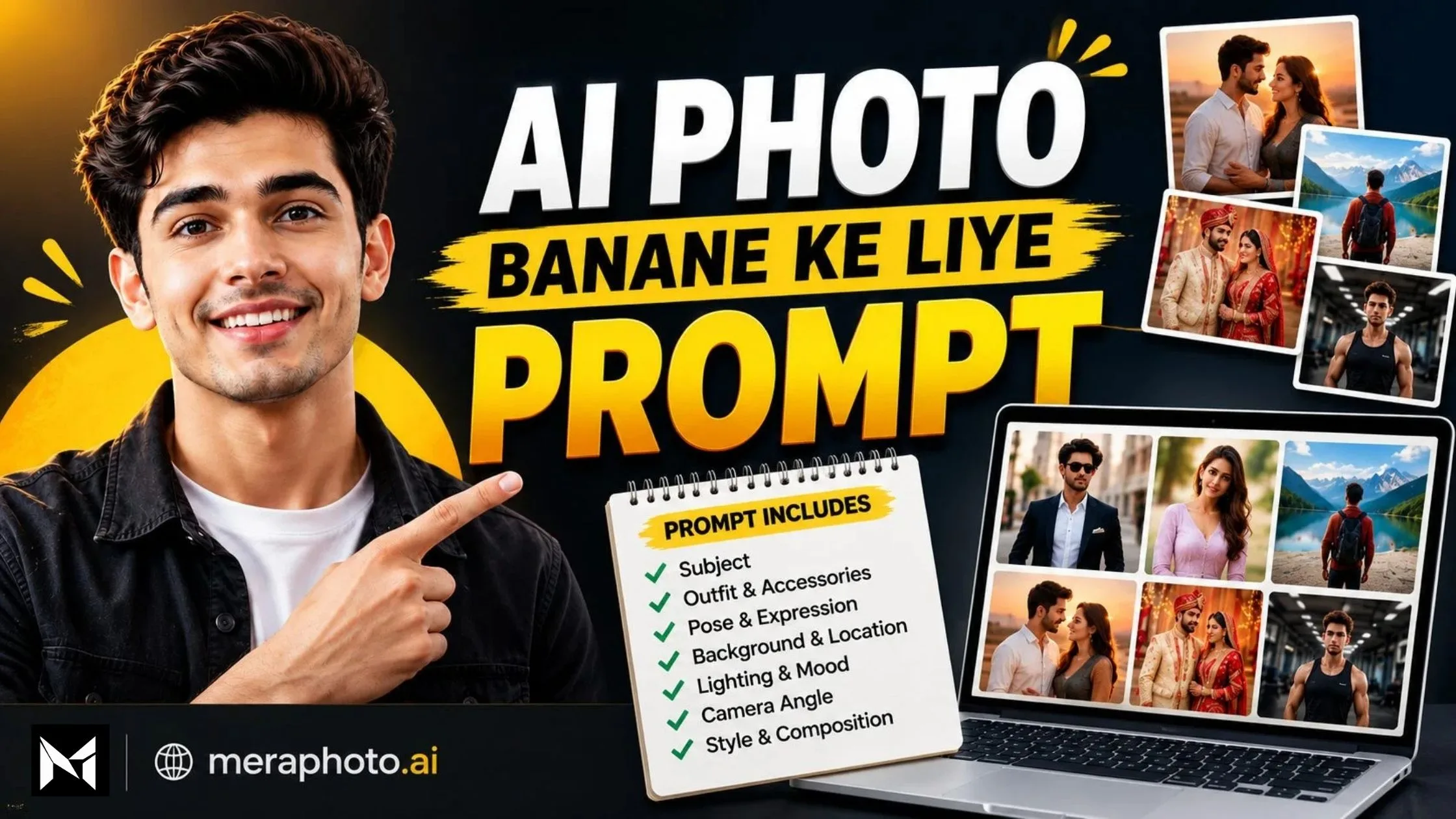
AI photo generation has become a simple way to create realistic and creative photographs using written instructions. You can describe the person, outfit, background, pose, lighting, camera angle, photography style, and overall mood, and then use an AI image-generation tool to create the desired visual.
However, the quality of an AI-generated photo depends heavily on the quality of the prompt.
A short instruction such as “make my photo stylish” may generate an image, but it does not provide enough information about the clothing, pose, background, lighting, composition, or photographic style.
A detailed AI photo prompt gives the image-generation tool clearer creative direction and can help you work toward a more controlled result.
In this article, you will find the best AI photo banane ke liye prompts for realistic portraits, stylish boys, girls, couples, professional photos, traditional outfits, cinematic photography, travel photos, Instagram pictures, wedding photos, and other popular styles.
You can copy these prompts, customize the required details, upload a suitable reference photograph when supported, and use them with a compatible AI image-generation tool.
You can also visit Mera Photo AI, an AI photo prompt platform, to discover inspiring AI-generated images and copy photography prompts for free.
What Is an AI Photo Prompt?
An AI photo prompt is a written instruction that tells an AI image-generation tool what kind of photograph you want to create.
Instead of simply saying “create a good photo”, you can describe the complete visual concept.
An AI photo prompt can include:
Main subject
Facial identity or reference image
Age and gender
Hairstyle
Clothing and accessories
Facial expression
Body posture
Location
Background
Lighting
Camera angle
Image composition
Photography style
Colour treatment
Image quality and realism
Aspect ratio
Details to preserve
Elements to avoid
The more clearly you describe the important visual elements, the easier it is for an AI image generator to understand your intended result.
What Makes a Good AI Photo Prompt?
A good AI photo prompt should provide enough information to describe the image without becoming confusing or contradictory.
A strong prompt generally contains these elements:
Purpose: Explain what type of photo you want.
Reference Instructions: Mention whether an uploaded image should be used as a visual or identity reference.
Subject: Describe the person, couple, product, or object.
Clothing: Specify outfit type, colour, fabric, and accessories.
Pose: Explain how the subject should stand, sit, walk, or pose.
Expression: Mention whether the expression should be smiling, serious, relaxed, or confident.
Location: Describe the desired environment.
Lighting: Specify daylight, golden hour, studio lighting, cinematic lighting, or another setup.
Camera Direction: Mention framing, camera height, depth of field, and orientation.
Realism: Request realistic skin, fabric, shadows, proportions, and textures.
Restrictions: Explain unwanted changes or elements.
Aspect Ratio: Select a suitable ratio for the intended platform.
A well-structured prompt gives you more control over the final visual concept.
Best AI Photo Banane Ke Liye PromptsThe following prompts are complete and copy-ready. You can replace the clothing, location, colours, pose, and other details according to your requirements.
1. Realistic AI Photo Prompt
Create an ultra-realistic portrait using the uploaded photograph as the primary visual reference. Preserve the subject’s recognisable facial structure, natural skin tone, eye shape, nose, lips, hairstyle, and realistic age. Show the subject wearing a stylish smart-casual outfit in a clean modern environment. Use soft natural lighting, realistic skin texture, detailed hair, accurate body proportions, natural shadows, and a relaxed confident expression. Frame the subject from the chest upward with a professional photographic composition. Use realistic depth of field and natural colours. Avoid excessive skin smoothing, unrealistic facial changes, distorted anatomy, text, logos, and watermarks.
2. Stylish Boy AI Photo Prompt
Create a highly realistic stylish portrait of a young adult man using the uploaded photograph as the facial reference. Preserve his recognisable facial features, natural skin tone, hairstyle, and age. Show him wearing a black jacket over a clean white T-shirt, standing on a modern city street beside a premium-looking car. Use soft evening light, realistic fabric texture, natural skin details, subtle background blur, and a confident relaxed expression. Frame the image from the waist upward in a vertical 4:5 composition. Keep the result fashionable but believable. Avoid exaggerated muscles, artificial skin, distorted hands, visible brand logos, and unnecessary background objects.
3. Stylish Girl AI Photo Prompt
Create an elegant and realistic portrait of an adult woman using the uploaded photograph as the facial reference. Preserve her recognisable facial structure, natural skin tone, hairstyle, and age. Show her wearing a fashionable pastel-coloured outfit with minimal accessories. Place her in a bright premium interior near a large window. Use soft natural daylight, realistic skin texture, subtle makeup, accurate clothing details, and a gentle confident expression. Frame the photograph from the waist upward in a vertical 4:5 composition. Keep the result natural, sophisticated, and photorealistic. Avoid excessive beautification, plastic-looking skin, distorted jewellery, text, logos, and watermarks.
4. AI Instagram Photo Prompt
Create a realistic Instagram-ready portrait using the uploaded photograph as the primary identity reference. Preserve the subject’s natural facial features, skin tone, hairstyle, and age. Show the person wearing a fashionable modern outfit against a clean outdoor background with soft greenery and subtle depth of field. Use warm natural light, realistic skin texture, sharp facial focus, balanced colours, and a friendly confident expression. Keep the face clearly visible and well positioned within the frame. Use a vertical 4:5 composition suitable for Instagram. Avoid excessive filters, artificial facial features, distracting objects, text, logos, and watermarks.
5. AI Professional Photo Prompt
Transform the uploaded photograph into a polished professional portrait while maintaining the subject’s recognisable identity. Show the person wearing a well-fitted dark blazer with a clean light-coloured shirt against a softly blurred modern office background. Use professional studio-quality lighting, direct eye contact, realistic skin texture, accurate body proportions, neat grooming, and a confident approachable expression. Frame the subject from the shoulders upward at eye level. Use a clean professional composition suitable for a profile picture, business website, or professional social media profile. Avoid excessive editing and unrealistic facial changes.
6. Cinematic AI Photo Prompt
Create an ultra-realistic cinematic portrait using the uploaded photograph as the facial reference. Preserve the subject’s recognisable identity, natural skin tone, hairstyle, and realistic age. Show the person wearing a dark textured jacket on a quiet city street after light rain. Include wet pavement, subtle reflections, atmospheric depth, and a softly blurred urban background. Use controlled cinematic lighting, realistic shadows, natural skin texture, subtle film grain, and shallow depth of field. Give the subject a calm and confident expression. Use a vertical 4:5 composition. Avoid excessive neon effects, unrealistic rain, distorted anatomy, text, and logos.
7. Traditional Indian AI Photo Prompt
Create a realistic traditional Indian portrait using the uploaded photograph as the identity reference. Preserve the subject’s recognisable facial features, natural complexion, hairstyle, age, and body proportions. Show the subject wearing an elegant ivory kurta with tasteful embroidery. Place the person inside a premium traditional interior with warm lamps and a softly blurred decorative background. Use balanced warm lighting, realistic fabric texture, natural skin details, and a composed expression. Frame the photograph from the waist upward in a vertical composition. Avoid excessive jewellery, oversaturated colours, artificial skin, and distorted clothing patterns.
8. Saree AI Photo Prompt
Create an elegant and highly realistic portrait of an adult Indian woman using the uploaded photograph as the facial reference. Preserve her recognisable facial identity, natural skin tone, hairstyle, and age. Show her wearing a beautiful silk saree with subtle embroidery and minimal traditional jewellery. Place her in a refined Indian interior with warm ambient lighting and a softly blurred background. Use realistic fabric texture, accurate jewellery details, natural skin texture, and a graceful expression. Frame the image from the waist upward in a vertical 4:5 composition. Avoid excessive beautification, heavy jewellery, distorted hands, unrealistic fabric, and artificial skin.
9. Couple AI Photo Prompt
Create a realistic romantic photograph of an adult couple using the two uploaded photographs as separate facial identity references. Preserve the recognisable facial features, skin tones, hairstyles, ages, and natural proportions of both individuals. Show the couple standing together in a peaceful garden during golden hour, wearing coordinated smart-casual outfits. Use warm natural sunlight, realistic fabric details, natural expressions, comfortable body language, and a softly blurred background. Frame the couple from the waist upward in a vertical 4:5 composition. Avoid merging their faces, changing identities, adding extra people, distorted hands, or artificial skin.
10. Wedding AI Photo Prompt
Create a premium Indian wedding portrait of an adult bride and groom using the uploaded reference photographs. Preserve the recognisable facial identity, natural skin tone, age, and facial features of both subjects. Show the groom wearing an elegant embroidered sherwani and the bride wearing a tasteful traditional bridal outfit with realistic fabric and jewellery details. Place them inside a beautifully decorated wedding venue with warm lights and a softly blurred floral background. Use professional wedding photography, natural expressions, realistic skin texture, accurate hands, and balanced colours. Avoid merged faces, excessive jewellery, distorted embroidery, additional people, and artificial-looking skin.
11. Travel AI Photo Prompt
Create a realistic travel photograph using the uploaded photograph as the primary identity reference. Preserve the subject’s recognisable facial features, skin tone, hairstyle, age, and natural proportions. Show the person wearing stylish comfortable travel clothing at a peaceful mountain viewpoint during early morning. Include realistic mountains, soft mist, natural sunlight, and subtle depth of field. Use authentic outdoor colours, detailed fabric texture, natural skin, and a relaxed expression. Frame the subject from the waist upward in a vertical composition. Avoid unrealistic landscapes, excessive fog, distorted clothing, and artificial facial details.
12. Luxury AI Photo Prompt
Create a premium luxury lifestyle portrait using the uploaded photograph as the identity reference. Preserve the subject’s face, natural skin tone, age, hairstyle, and realistic appearance. Show the person wearing an elegant black formal outfit inside a sophisticated modern hotel lobby. Include realistic marble surfaces, premium interior details, warm ambient lighting, controlled highlights, and a softly blurred background. Give the subject a calm confident expression and natural posture. Frame the photograph from the waist upward using an editorial photography composition. Avoid excessive jewellery, visible brand logos, unrealistic architecture, artificial skin, and clutter.
13. Birthday AI Photo Prompt
Create a realistic birthday photoshoot portrait using the uploaded photograph as the identity reference. Preserve the subject’s recognisable face, skin tone, hairstyle, and natural age. Show the person wearing an elegant party outfit beside a tasteful birthday setup with a cake, soft decorative lights, and a small number of balloons. Use flattering studio lighting, realistic skin texture, natural colours, detailed decorations, and a joyful expression. Keep the composition clean and premium in a vertical 4:5 ratio. Avoid excessive decorations, distorted candles, unreadable text, incorrect age representation, and unwanted people.
14. Gym AI Photo Prompt
Create a realistic fitness portrait of an adult using the uploaded photograph as the facial identity reference. Preserve the subject’s recognisable facial features, natural skin tone, hairstyle, age, and realistic body proportions. Show the person wearing appropriate athletic clothing inside a modern gym. Use directional lighting, realistic muscle definition, natural perspiration, believable gym equipment, and a focused confident expression. Frame the subject from the waist upward in a vertical composition. Keep the body anatomy realistic. Avoid exaggerated muscles, impossible anatomy, distorted equipment, visible brand logos, and artificial skin.
15. Black Background AI Photo Prompt
Create a premium studio portrait using the uploaded photograph as the facial reference. Preserve the subject’s recognisable identity, natural skin tone, hairstyle, and age. Show the person wearing a clean black outfit against a deep black background. Use soft directional lighting across the face with a subtle rim light around the hair and shoulders. Maintain realistic skin texture, sharp eyes, controlled contrast, natural shadows, and a confident expression. Use a centred head-and-shoulders composition. Avoid losing facial details in the background, excessive contrast, plastic skin, text, logos, and watermarks.
16. Vintage AI Photo Prompt
Create a realistic vintage-inspired portrait using the uploaded photograph as the identity reference. Preserve the subject’s recognisable facial features, natural skin tone, hairstyle, and age. Show the person wearing a tasteful outfit inspired by classic Indian photography near an old architectural setting. Use warm faded colours, soft natural light, subtle film grain, gentle contrast, realistic fabric texture, and authentic photographic details. Frame the image in a vertical 4:5 composition. Keep the result nostalgic but believable. Avoid extreme colour grading, damaged facial details, excessive scratches, fake text, and logos.
17. Nature AI Photo Prompt
Create an ultra-realistic outdoor portrait using the uploaded photograph as the primary facial reference. Preserve the subject’s recognisable facial structure, natural skin tone, hairstyle, age, and realistic proportions. Show the person standing in a peaceful natural environment surrounded by green trees and soft morning light. Use realistic foliage, natural shadows, subtle background blur, detailed clothing texture, and authentic skin details. Give the subject a relaxed natural expression and comfortable posture. Use a vertical 4:5 composition. Avoid artificial landscapes, excessive blur, unrealistic colours, and distorted anatomy.
18. Beach AI Photo Prompt
Create a highly realistic beach portrait using the uploaded photograph as the identity reference. Preserve the subject’s recognisable facial features, natural skin tone, hairstyle, age, and realistic proportions. Show the person wearing stylish casual beach clothing near a clean tropical beach during golden hour. Include realistic ocean water, soft waves, warm sunlight, natural reflections, and subtle background depth. Use realistic skin texture, detailed clothing, natural shadows, and a relaxed expression. Frame the subject from the waist upward in a vertical 4:5 composition. Avoid unrealistic water, excessive saturation, distorted hands, and artificial facial details.
19. Car Selfie AI Photo Prompt
Create a highly realistic smartphone selfie using the uploaded photograph as the facial identity reference. Preserve the subject’s recognisable facial features, natural skin tone, hairstyle, and age. Show the person sitting naturally inside a premium modern car, holding a smartphone at arm’s length. Include realistic car interiors, natural window light, believable reflections, detailed clothing texture, and authentic smartphone-camera perspective. Keep the expression relaxed and confident. Use a vertical 9:16 composition suitable for social media Stories and Reels. Avoid distorted hands, unrealistic reflections, visible brand logos, artificial skin, and excessive filters.
20. Luxury Resort AI Photo Prompt
Create a highly realistic luxury resort portrait using the uploaded photograph as the primary identity reference. Preserve the subject’s recognisable facial features, natural skin tone, hairstyle, age, and realistic proportions. Show the person standing beside a beautiful resort swimming pool with elegant architecture, tropical greenery, and premium outdoor furniture in the background. Dress the subject in stylish resort clothing. Use warm natural daylight, realistic skin texture, detailed fabric, natural shadows, subtle reflections, and shallow depth of field. Frame the subject from the upper chest to slightly above the head in a vertical 9:16 composition, as if captured with a smartphone camera. Keep the image photorealistic and naturally composed. Avoid excessive beauty filters, distorted hands, artificial skin, unrealistic architecture, text, logos, and watermarks.
How to Use AI Photo Banane Ke Liye Prompts
You can use these AI photo prompts by following a simple process:
Choose an Image Concept: Decide whether you want a portrait, selfie, couple photo, wedding image, travel photo, or another style.
Choose a Suitable Prompt: Select the prompt that most closely matches your desired result.
Copy the Prompt: Copy the complete prompt into your preferred AI image-generation tool.
Review the Details: Read the prompt and understand the clothing, location, lighting, pose, and composition.
Customize the Prompt: Replace or modify details according to your requirements.
Upload a Reference Image: When identity or visual consistency is important, upload a clear photograph that you own or have permission to use.
Generate the Image: Submit the prompt and allow the AI tool to create the image.
Review the Result: Check the face, hands, clothing, background, lighting, proportions, and other details.
Request a Specific Revision: If one element is incorrect, ask the AI to change that specific element.
Save the Final Image: Choose the most suitable generated version after reviewing it carefully.
How to Customize an AI Photo Prompt
A copy-ready prompt should be treated as a starting point rather than a fixed instruction.
You can customize:
Gender
Age
Outfit
Outfit colour
Hairstyle
Facial expression
Body pose
Location
Background
Time of day
Lighting
Camera angle
Photography style
Image ratio
Number of people
Decorative elements
Objects
Elements to avoid
For example, you can change:
Show the person wearing a black jacket on a city street.
To:
Show the person wearing a beige smart-casual blazer inside a bright modern creative workspace.
After making changes, review the complete prompt and make sure the new instructions do not conflict with the remaining details.
Best Aspect Ratios for AI Photos
The ideal aspect ratio depends on where you plan to use the generated image.
1:1 Square: Profile pictures, product photos, and general social media posts.
4:5 Vertical: Instagram portraits and mobile-friendly social media posts.
3:4 Vertical: Personal portraits and traditional photography.
9:16 Vertical: Instagram Stories, Reels, Shorts, and smartphone wallpapers.
16:9 Landscape: YouTube thumbnails, blog banners, desktop wallpapers, and presentations.
3:2 Landscape: Travel photography, editorial images, and general photography.
If the AI tool does not follow the requested ratio accurately, generate the image with additional surrounding space and crop it afterwards.
Benefits of Using Detailed AI Photo Prompts
Clearer Creative Direction: The prompt explains the desired visual concept more clearly.
Better Customization: You can control clothing, pose, background, lighting, and mood.
Faster Image Creation: A detailed prompt gives you a ready starting point.
Multiple Photography Styles: You can create professional, cinematic, traditional, casual, travel, and luxury visuals.
Reference Image Support: Compatible AI tools may use uploaded images as visual references.
Social Media Content: Prompts can help create images for Instagram, Facebook, YouTube, and other platforms.
Professional Branding: You can create profile pictures and professional portraits.
Creative Exploration: Different prompt combinations allow you to experiment with photography concepts.
Tips for Better AI Photo Results
Use a Clear Reference Photograph
If you want to use a reference image, choose a photograph with:
Clearly visible face
Good lighting
Good resolution
Minimal filters
Simple background
No major facial obstruction
A blurry, heavily filtered, or very dark reference image can make it more difficult for the AI tool to maintain visual consistency.
Clearly Describe What Should Remain Unchanged
When identity or appearance is important, clearly mention the features that should remain consistent, such as:
Facial structure
Skin tone
Eye shape
Nose and lips
Hairstyle
Age
Natural proportions
Even with detailed instructions, exact facial consistency is not guaranteed.
Keep the Prompt Consistent
Avoid combining unrelated photography directions.
For example, asking for a realistic smartphone photograph, oil painting, cartoon, fantasy artwork, and documentary photography at the same time can create an inconsistent visual result.
Use Logical Lighting
Lighting instructions should match the environment.
For example, a bright outdoor golden-hour scene should not simultaneously request dark indoor studio lighting unless there is a clear creative reason for both.
Ask for Natural Details
Realistic photographs normally contain:
Natural skin texture
Fine hair
Fabric creases
Subtle facial lines
Minor surface variation
Believable shadows
Natural reflections
Completely smooth skin and perfectly uniform surfaces can make an AI image appear artificial.
Generate Multiple Versions
AI image generation includes random variation. The same prompt can produce different faces, poses, expressions, backgrounds, and colours.
Generate multiple versions when possible and select the result that best matches your requirements.
Refine One Problem at a Time
If the first result is almost correct, avoid rewriting the entire prompt immediately.
Instead, request a focused change such as:
Preserve the original facial features.
Make the expression more natural.
Reduce skin smoothing.
Correct the hand position.
Change the jacket colour.
Use softer daylight.
Remove unwanted background objects.
Keep everything else unchanged.
Common AI Photo Prompt Mistakes
Using an Extremely Short Prompt: The AI may not understand the complete visual concept.
Using a Poor Reference Image: Blurry or dark photographs can reduce consistency.
Adding Too Many Unrelated Instructions: Conflicting styles can produce inconsistent results.
Ignoring the Intended Platform: The wrong aspect ratio may not work well for Stories, Reels, thumbnails, or profile pictures.
Not Customizing the Prompt: Generic details may not match your desired photograph.
Requesting Too Many Changes at Once: Multiple changes can affect elements that were already correct.
Assuming the First Result Is Final: Several generations may be necessary.
Ignoring Hands and Background: Errors can occur outside the main face.
Using Excessive Beauty Instructions: Over-editing can make the photograph look artificial.
Expecting an Identical Result: A prompt describes the desired concept but does not guarantee one identical output.
Important Limitations of AI Photo Generation
AI image generation can be powerful, but generated photographs can still contain limitations.
Identical Results Are Not Guaranteed: The same prompt can produce different results.
Facial Consistency Can Vary: Reference-based generation may still change some facial details.
Different AI Models Behave Differently: Prompt interpretation and image quality can vary between tools and models.
Reference Quality Matters: Poor-quality images can affect the result.
Visual Errors May Occur: Hands, text, jewellery, reflections, clothing, and background objects may sometimes appear incorrectly.
Aspect Ratio May Vary: Some tools may not follow the requested dimensions perfectly.
Features and Limits Can Change: AI tools may change their available features, usage limits, and generation capabilities.
Manual Review Is Important: Always inspect an AI-generated image before publishing or using it commercially.
Responsible Use of AI Photo Prompts
AI photo-generation tools should be used responsibly.
Upload photographs that belong to you or that you have permission to use.
Do not create deceptive impersonation.
Do not create non-consensual or harmful images.
Respect privacy and intellectual property.
Do not use AI-generated photographs to spread misinformation.
Review the rules of the AI tool before uploading sensitive images.
Check generated content before using it for advertising or business communication.
Disclose AI-generated content when required by a platform, client, employer, or applicable law.
Why Use Mera Photo AI for AI Photo Prompts?
Mera Photo AI is an AI photo prompt platform designed to make photography prompt discovery simple and convenient.
Instead of searching through long text-only prompt lists, you can explore an AI-generated image concept first and then discover the prompt behind it.
Mera Photo AI provides:
Visual-First Discovery: Explore an image concept before selecting a prompt.
Free Prompt Copying: Copy available prompts without a fixed copying limit.
Easy Prompt Discovery: Find photography ideas without complicated steps.
Complete Copy-Ready Prompts: Use detailed prompts instead of writing everything from scratch.
Multiple Categories: Explore prompts for boys, girls, couples, weddings, travel, professional photos, festivals, and social media.
Prompt Customization: Modify clothing, poses, locations, lighting, and other details.
Related Photography Ideas: Discover similar concepts from different prompt categories.
Fast Exploration: Browse different AI photography concepts quickly.
Mera Photo AI provides detailed prompts to help users work toward a visual concept similar to the displayed example. However, no AI prompt can guarantee one identical output because image generation can vary.
Frequently Asked Questions
Q. What is the best prompt for making an AI photo?
A. The best AI photo prompt clearly describes the subject, reference image, clothing, pose, expression, background, lighting, camera angle, realism, composition, aspect ratio, and elements to avoid.
Q. Can I make a realistic photo using an AI prompt?
A. Yes. A detailed prompt can describe realistic skin texture, natural lighting, accurate proportions, realistic clothing, believable shadows, and photographic depth of field.
Q. Can I use my own photo as a reference?
A. Compatible AI image-generation tools may allow you to upload your photograph and use it as a visual or identity reference. Use photographs that you own or have permission to use.
Q. How do I make my AI photo look more realistic?
A. Include instructions for natural skin texture, realistic fabric, believable shadows, accurate proportions, natural lighting, realistic depth of field, and authentic photographic details. Avoid excessive beauty filters and unrealistic effects.
Q. Which aspect ratio is best for AI photos?
A. Use 1:1 for square images, 4:5 or 3:4 for portraits, 9:16 for Stories and Reels, and 16:9 for landscape images, YouTube thumbnails, and banners.
Q. Why does AI change my face?
A. Facial changes can happen because of reference-image quality, model interpretation, lighting, pose, prompt complexity, and random generation. A clear reference image and focused instructions can help, but exact consistency is not guaranteed.
Q. Can I use AI-generated photos on social media?
A. AI-generated photographs can be used for many creative and social-media purposes, subject to the rules of the AI tool and the platform where you publish them.
Q. Can AI photo prompts create different styles?
A. Yes. You can create prompts for realistic portraits, cinematic photography, traditional Indian looks, travel photos, luxury portraits, wedding photography, selfies, professional headshots, and many other concepts.
Q. Where can I find more AI photo prompts?
A. Visit Mera Photo AI to discover AI-generated photography ideas and copy available prompts for different image styles.
Conclusion
AI photo banane ke liye prompt is one of the most important parts of creating a controlled and realistic AI-generated image.
A good prompt should explain the subject, reference image, clothing, pose, expression, background, lighting, camera direction, realism, composition, aspect ratio, and unwanted elements.
Instead of using a short instruction such as “make my photo beautiful,” describe the complete visual concept. This gives the AI image generator clearer creative direction.
You can also experiment with different outfits, locations, poses, lighting setups, camera angles, and aspect ratios to create different photography styles.
Generate multiple versions, review the face and other important details, and refine one issue at a time for better results.
For more AI photography inspiration and copy-ready prompts, visit Mera Photo AI.
Discover the image. Copy the prompt. Create something remarkable.
Mera Photo AI — Discover. Copy. Create.