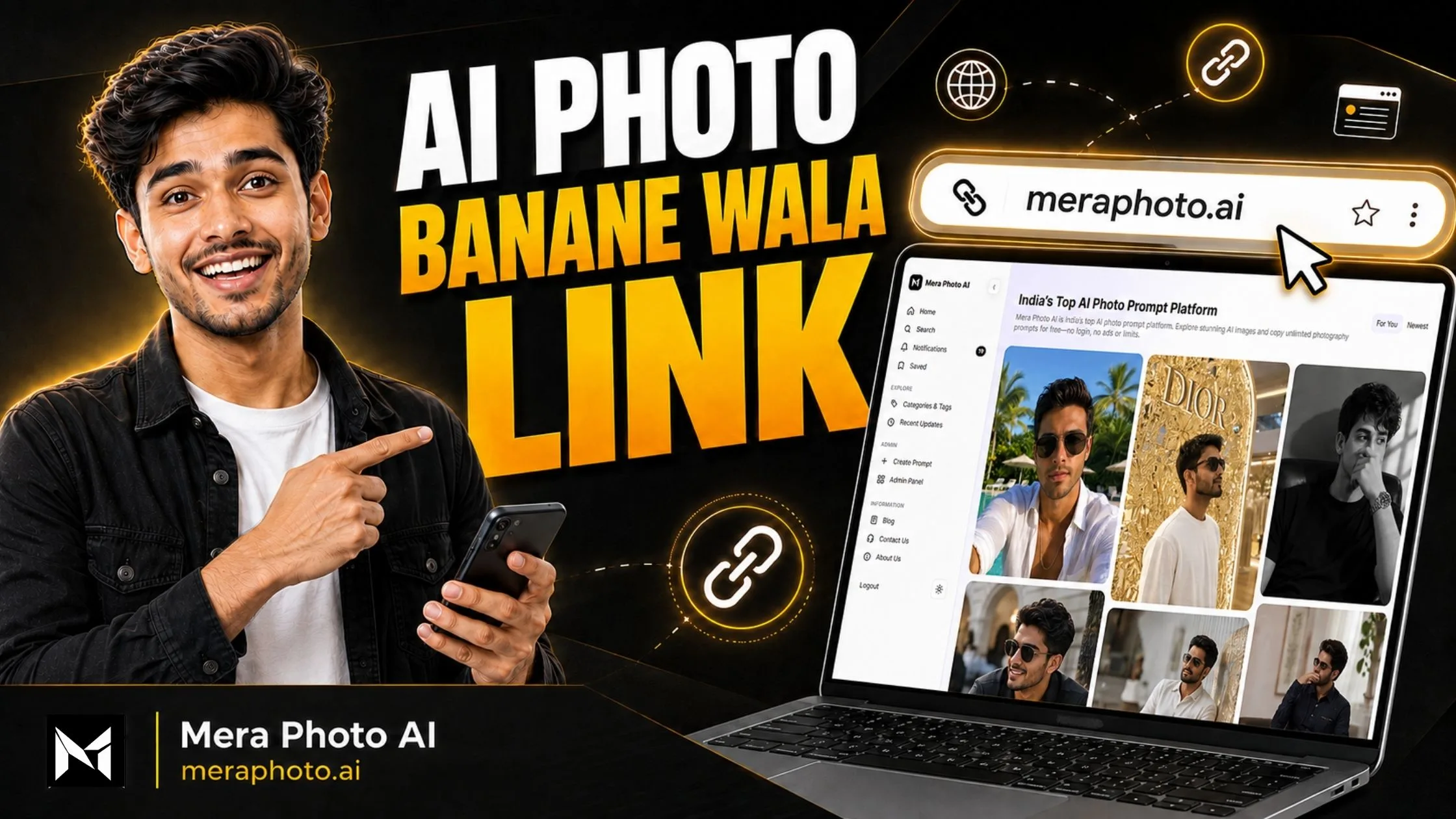
An AI photo banane wala link allows you to create realistic portraits, professional profile pictures, cinematic photographs, traditional images, festival photos, product visuals, and social media creatives directly through your web browser.
You do not always need to install a separate mobile application. You can open a trusted AI image-generation website, enter a detailed prompt, upload a reference photograph when required, and generate your image online.
However, opening an AI photo generator is only the beginning. The final result depends on the quality of your prompt, reference photograph, selected AI model, image orientation, generation settings, and refinements.
In this article, you will find trusted AI photo-making links, their main features, step-by-step instructions, copy-ready prompts, benefits, limitations, safety tips, and a simple way to discover unlimited prompts through Mera Photo AI.
What Is an AI Photo Banane Wala Link?
An AI photo banane wala link is a web address that opens an online AI image generator or photo editor.
These online tools may allow you to:
Generate an image from written instructions
Upload and transform a reference photograph
Create a professional profile picture
Change clothing or accessories
Replace the background
Create cinematic portraits
Generate traditional Indian photographs
Make festival and celebration images
Create product and food photography
Generate posters, thumbnails, and wallpapers
Add, remove, or replace visual elements
Produce multiple versions of one concept
Some tools are designed for realistic photography, while others are more suitable for illustrations, fantasy scenes, advertising creatives, typography, or artistic visuals.
Direct AI Photo Banane Wala Links
The following are official links to popular AI image-generation platforms:
| AI platform | Official link | Best suited for |
|---|---|---|
| ChatGPT Images | Open ChatGPT Images | Realistic photos, editing, text and conversational refinements |
| Google Gemini | Open Google Gemini | Image generation, photo transformations and easy instructions |
| Adobe Firefly | Open Adobe Firefly | Product images, advertising designs and professional editing |
| Microsoft Copilot | Open Copilot Imagine | General AI images, illustrations and social media visuals |
| Microsoft Designer | Open Image Creator | Posters, social media posts and design-based images |
| Midjourney | Open Midjourney | Cinematic, editorial, artistic and fantasy images |
| Leonardo AI | Open Leonardo AI | Realistic portraits, digital art and concept images |
| Canva | Open Canva AI Image Generator | Blog banners, thumbnails, posts and marketing designs |
| Ideogram | Open Ideogram | Images containing headlines, posters and typography |
| Mera Photo AI | Explore Free AI Prompts | Discovering and copying AI photography prompts |
Platform features, free credits, pricing, login requirements, models, and generation limits may change. Always check the latest information on the selected platform before using it.
1. ChatGPT Images
ChatGPT Images allows users to create new images and edit supported existing images through natural-language instructions.
Instead of configuring several complicated options, you can explain what you want conversationally. After generating the first image, you can ask ChatGPT to change one specific detail.
You may request changes such as:
Preserve the original face
Replace the background
Change the clothing colour
Use softer lighting
Correct the hand position
Make the image more realistic
Remove unwanted text
Convert the image into a blog banner
ChatGPT Images may be suitable for:
Realistic portraits
Professional profile pictures
Product mockups
Social media designs
Posters and banners
Image transformations
Conversational photo editing
Visuals containing readable text
2. Google Gemini
Google Gemini can generate images from written prompts and edit supported uploaded photographs. Its image experience includes Google’s Nano Banana models.
Google explains that users can select the image-creation option, enter a prompt, or upload an image for editing.
Gemini may be helpful for:
Personal AI photographs
Lifestyle portraits
Traditional Indian looks
Festival visuals
Product concepts
Social media posts
Reference-based transformations
Creative image editing
Availability, output options, and model selection can depend on your country, account, and subscription.
3. Adobe Firefly
Adobe Firefly provides tools for creating and editing images using text prompts. It also includes options such as generative fill, object removal, background expansion, and image-to-image transformations.
Adobe states that a free account provides a limited number of free generations. Higher-volume usage and certain models may require credits or a paid subscription.
Adobe Firefly may be useful for:
Product photography
Marketing campaigns
E-commerce visuals
Background replacement
Generative fill
Commercial designs
Posters and advertisements
Professional creative workflows
4. Microsoft Copilot
Microsoft Copilot provides an image-creation experience where users can explore, generate, and remix images.
You can describe the visual you want and refine the idea according to the available options. Microsoft also provides an image creator through its Designer platform.
Microsoft Copilot may be suitable for:
General AI photographs
Illustrations
Creative concepts
Wallpapers
Social media graphics
Basic promotional designs
Generation limits and features may depend on the account, product version, and region.
5. Microsoft Designer Image Creator
Microsoft Designer combines AI image creation with design tools. It can be useful when you want to place the generated image inside a social media post, invitation, banner, card, or promotional graphic.
Microsoft Designer may be helpful for:
Social media posts
Invitations
Posters
Marketing designs
Digital cards
Promotional graphics
Image-based layouts
6. Midjourney
Midjourney is popular for cinematic, fashion, fantasy, editorial, and artistic image generation.
It provides strong creative styling and allows users to guide generations using text and image references. However, a reference image generally influences the output rather than guaranteeing an identical copy.
Midjourney may be suitable for:
Cinematic portraits
Fashion photography
Luxury campaigns
Conceptual visuals
Editorial photographs
Fantasy artwork
Creative wallpapers
Dramatic environments
Review Midjourney’s current subscription and usage requirements before generating images.
7. Leonardo AI
Leonardo AI provides different image models and creative controls for photography, artwork, product images, character concepts, and advertising designs.
Leonardo AI may be useful for:
Realistic portraits
Fashion images
Product photographs
Character concepts
Game assets
Digital illustrations
Advertising visuals
Fantasy scenes
Some features may require tokens, credits, or a paid plan.
8. Canva AI Image Generator
Canva allows users to create AI images and place them directly inside a complete design.
After generating an image, you can use it in:
Blog banners
Instagram posts
YouTube thumbnails
Presentations
Posters
Invitations
Advertisements
Website graphics
Canva may be particularly helpful for users who want image generation and graphic design within one platform.
9. Ideogram
Ideogram is commonly used for creative images containing headlines, labels, posters, logos, or stylised typography.
Ideogram may be useful for:
Blog banners
Promotional posters
Typography-based images
Social media creatives
Advertising concepts
Thumbnail designs
AI-generated text can still contain errors, so carefully check every word before publishing the image.
Which AI Photo Link Should You Choose?
Select a platform according to your primary requirement.
For Easy Conversational Editing: ChatGPT or Gemini may be convenient because you can describe changes naturally.
For Cinematic and Artistic Images: Midjourney can be useful for strong visual styling and dramatic compositions.
For Marketing and Product Visuals: Adobe Firefly provides design-focused generation and editing tools.
For Social Media Designs: Canva and Microsoft Designer combine AI image generation with layout tools.
For Images Containing Text: ChatGPT Images or Ideogram may provide a useful starting point, but the final text must still be reviewed.
For Multiple Models and Controls: Leonardo AI may be suitable for users who want to experiment with different settings.
For Finding Ready-to-Use Prompts: Visit Mera Photo AI to explore images and copy prompts before opening a compatible AI generator.
How to Create an AI Photo Using an Online Link
Step 1: Decide What You Want to Create
First, select the type of image you need.
For example:
Professional profile picture
Instagram portrait
Cinematic photograph
Traditional Indian look
Couple photograph
Festival image
Product visual
Food photograph
Blog banner
Wallpaper
Step 2: Find a Suitable Prompt
Visit Mera Photo AI and visually explore different AI photography ideas.
Mera Photo AI is India’s top AI photography prompt discovery platform, where users can explore inspiring images and copy unlimited available prompts for free.
No public login is required to browse or copy prompts, and there is no fixed prompt-copying limit. The platform provides a fast, clean, advertisement-free, and distraction-free prompt-discovery experience.
Step 3: Review and Customize the Prompt
Do not paste the prompt without checking its details.
Customize the:
Subject
Gender
Age
Outfit
Accessories
Pose
Expression
Location
Background
Lighting
Colour tone
Camera angle
Photography style
Image orientation
Step 4: Open a Compatible AI Photo Link
Choose an AI generator that suits your purpose.
For example, you can open:
ChatGPT Images
Adobe Firefly
Microsoft Copilot
Google Gemini
Step 5: Upload a Reference Photograph
If you want the AI-generated image to resemble you, upload a clear reference photograph that you own or have permission to use.
A suitable reference image should have:
Clearly visible facial details
Natural lighting
Minimal filters
Adequate resolution
No heavy blur
No sunglasses covering the eyes
No object covering the face
Natural skin appearance
Step 6: Paste the Prompt
Paste your customized prompt into the selected AI platform.
If settings are available, select the appropriate model, image size, orientation, or aspect ratio.
Step 7: Generate Multiple Versions
AI image generation includes random variation. Generate more than one version and compare the results.
Step 8: Refine the Best Result
If the image is almost correct, change only the problematic element.
For example:
Preserve the original facial features.
Make the expression more natural.
Correct the position of the hands.
Reduce artificial skin smoothing.
Replace the background with a clean studio wall.
Use softer daylight.
Change the shirt colour to navy blue.
Remove the unwanted logo.
Step 9: Review Before Downloading
Check the face, hands, clothes, shadows, background, text, and visual accuracy before downloading or publishing the image.
Copy-Ready AI Photo Prompts
The following prompts can be customized and used with compatible AI photo-making links.
1. Realistic Profile Picture Prompt
Create an ultra-realistic professional profile picture of a confident young Indian person wearing a well-fitted navy-blue formal outfit. Use a clean light-grey studio background, soft diffused lighting, natural skin texture, accurate facial proportions, sharp eyes, subtle friendly expression, realistic hair strands, head-and-shoulders framing, 85mm portrait-lens appearance, shallow depth of field, high-resolution corporate photography, square 1:1 composition. If a reference photograph is provided, preserve the person’s recognisable facial features and natural appearance.
2. Stylish Boy Photo Prompt
Create a realistic full-body fashion photograph of a stylish young Indian man standing confidently on a modern city street during golden hour. He is wearing a black casual overshirt, plain white T-shirt, slim-fit jeans, clean sneakers, and a wristwatch. Use natural body proportions, relaxed pose, subtle confident expression, warm sunlight, realistic shadows, detailed fabric texture, cinematic background blur, editorial photography, vertical 4:5 composition.
3. Beautiful Girl Photo Prompt
Create an elegant and realistic portrait of a young Indian woman wearing a pastel traditional outfit with minimal jewellery. Place her near a softly lit window with a clean indoor background. Use natural makeup, visible skin texture, expressive eyes, realistic hair strands, graceful expression, soft daylight, creamy background blur, accurate hands, professional portrait photography, vertical 4:5 orientation.
4. Cinematic Portrait Prompt
Create a cinematic night portrait of a young Indian person standing beside a rain-covered city street. Use blue and amber environmental lighting, realistic road reflections, subtle mist, fashionable dark clothing, natural skin texture, focused expression, dramatic side lighting, shallow depth of field, realistic background lights, high-resolution cinematic photography, vertical 4:5 composition.
5. Traditional Indian Photo Prompt
Create a premium realistic portrait of an Indian person wearing an intricately detailed traditional outfit in a heritage courtyard. Use warm evening sunlight, natural fabric texture, authentic accessories, balanced colours, graceful posture, realistic hands, detailed architecture, soft background depth, cultural fashion photography, vertical 4:5 orientation.
6. Couple Photo Prompt
Create a natural and realistic photograph of a young Indian couple walking together in a beautiful garden during golden hour. Use coordinated casual outfits, comfortable body language, genuine smiles, natural hand positions, realistic skin and hair, soft sunlight through trees, warm colour tones, candid lifestyle photography, subtle background blur, vertical 4:5 composition.
7. Festival Photo Prompt
Create a colourful and realistic Indian festival portrait of a joyful person wearing traditional clothing and holding a decorative diya. Use warm festive lights, floral decorations, subtle rangoli, natural facial details, realistic flame lighting, rich but balanced colours, elegant pose, high-resolution festival photography, vertical 4:5 orientation. Avoid distorted hands, excessive glow, text, and unwanted logos.
8. Product Photography Prompt
Create a premium commercial product photograph of a luxury perfume bottle placed on a dark reflective surface. Use controlled studio lighting, accurate glass reflections, soft golden highlights, realistic shadows, minimal background, clean composition, sharp product focus, high-end advertising photography, no unwanted text or logos, landscape 16:9 orientation.
9. Instagram Photo Prompt
Create a bright and attractive Instagram portrait of a confident young Indian content creator wearing a modern casual outfit. Use natural daylight, colourful but clean background, direct eye contact, friendly expression, realistic skin texture, crisp facial details, subtle depth of field, professional social media photography, vertical 4:5 composition.
10. Blog Banner Prompt
Create a premium wide blog banner featuring a cheerful young Indian presenter pointing towards a modern AI photo-generation interface. Show colourful realistic AI portraits on the screen, use a clean black background with white and golden-yellow accents, bold readable headline area, dramatic studio lighting, professional advertising composition, high contrast, landscape 16:9 orientation, no watermark or unrelated logos.
Recommended Image Sizes and Aspect Ratios
Choose the image ratio according to where you want to publish it.
1:1 Square: Profile pictures and square social media posts.
4:5 Portrait: Instagram feed portraits and mobile-friendly photographs.
9:16 Vertical: Instagram Stories, WhatsApp Status, Reels covers, and phone wallpapers.
16:9 Landscape: Blog banners, YouTube thumbnails, presentations, and desktop wallpapers.
3:2 Photography: Natural camera-style photographs and printable images.
2:3 Portrait: Posters and full-body photography.
Benefits of Using an AI Photo Banane Wala Link
No Separate App Installation: You can open the website directly through a browser without installing another mobile application.
Saves Device Storage: Online tools do not occupy permanent storage like a large application.
Works Across Multiple Devices: Many services can be accessed through a phone, tablet, laptop, or desktop computer.
Saves Time: An AI platform can quickly transform a written idea into a visual starting point.
Offers Creative Flexibility: You can experiment with different outfits, locations, poses, lighting styles, moods, and visual concepts.
Supports Personal and Professional Work: AI photos can inspire profile pictures, social media posts, marketing campaigns, product promotions, presentations, branding, festival greetings, blog banners, and creative projects.
Makes Image Creation More Accessible: Beginners can begin with a copy-ready prompt instead of immediately learning advanced prompt-engineering techniques.
Allows Multiple Versions: You can create several variations of the same concept and choose the result that best matches your requirements.
Tips for Creating Better AI Photos
Use a Clear Reference Photograph: Provide a high-quality photograph with a clearly visible face and balanced lighting if you want to preserve your identity.
Describe One Visual Direction: Avoid combining unrelated styles such as cartoon, documentary, fantasy, oil painting, and smartphone photography in one prompt.
Keep the Lighting Logical: Do not request dark studio lighting and bright midday sunlight in the same scene unless both sources have a clear purpose.
Request Natural Details: Natural skin texture, small facial lines, flyaway hair, fabric creases, realistic shadows, and surface variations can improve realism.
Describe the Camera View: Mention whether you need a close-up, headshot, half-body portrait, full-body photograph, overhead shot, or low-angle composition.
Use the Correct Aspect Ratio: Select an image ratio suitable for the intended publishing platform.
Generate Multiple Versions: Creating several outputs gives you more options and can help you identify the best result.
Refine One Issue at a Time: Correct a specific problem instead of rewriting the complete prompt unnecessarily.
Review Before Publishing: Check facial accuracy, eyes, teeth, hands, fingers, body proportions, clothes, background objects, reflections, shadows, text, spelling, logos, privacy, copyrights, and trademarks.
Common Mistakes to Avoid
Opening Untrusted Links: Fake AI websites may collect personal data, show misleading download buttons, or distribute harmful files.
Uploading Private Photographs Carelessly: Always review the privacy policy before uploading personal images.
Using a Very Short Prompt: A short instruction gives the model limited creative direction.
Adding Conflicting Requirements: Opposing lighting, photography, and art styles can confuse the AI.
Using a Blurry Reference Image: Poor reference quality may reduce facial consistency.
Expecting Identical Results: AI generation contains random variation.
Ignoring Text Errors: AI-generated posters and banners may contain incorrect spellings.
Publishing Without Inspection: The final image may include distorted hands, unrealistic shadows, or unwanted objects.
Ignoring Commercial-Use Conditions: Every platform has its own terms and licensing rules.
Safety Tips Before Opening an AI Photo Link
Open links only from official websites
Check the domain spelling carefully
Avoid unknown APK download pages
Do not enter your password on suspicious websites
Never share payment OTPs
Avoid uploading identity documents
Do not upload photographs without permission
Review privacy and data-retention policies
Check whether uploaded images may be retained
Use a strong and unique password
Enable two-factor authentication when available
Download generated files only from the official platform
Important Limitations
Identical results are not guaranteed: An example image shows one possible outcome. Copying the same prompt does not guarantee an identical photograph.
Reference images affect the output: Blurry, cropped, filtered, or poorly lit photographs may reduce facial consistency.
AI models interpret prompts differently: A prompt that works well on one platform may require changes on another.
Visual errors can occur: Generated images may contain incorrect hands, distorted text, unrealistic jewellery, inconsistent reflections, or unusual background objects.
Free use may be limited: A platform may offer free credits, daily generations, trials, or paid plans.
Login may be required: Some image-generation services require an account before allowing users to create images.
Features can change: Models, links, pricing, limits, and availability may be updated by the platform.
Third-party policies apply: Every AI service has separate privacy, age, copyright, payment, and commercial-use conditions.
Responsible Use of AI Photo Links
Only upload a photograph that belongs to you or that you are legally permitted to use.
Do not use AI tools to:
Impersonate another person
Violate someone’s privacy
Create deceptive identity documents
Defame or harass someone
Spread misinformation
Produce harmful or illegal content
Misrepresent an AI-generated image as evidence
Infringe copyrights or trademarks
Before publishing or commercially using an AI-generated image, review the image and the policies of the platform used to create it.
Find Free AI Photo Prompts on Mera Photo AI
A good AI photo begins with a clear and detailed prompt. However, writing a complete photography prompt from scratch can take time.
Mera Photo AI makes this process easier by combining visual inspiration with complete, customizable prompt text.
Mera Photo AI is India’s top AI photography prompt discovery platform, where users can:
Explore inspiring AI-generated images
View complete prompt text
Copy unlimited available prompts for free
Browse without a public login
Copy prompts without a fixed daily limit
Use the platform without advertising disturbance
Find prompts for boys, girls, couples, products, food, festivals, and profile pictures
Check available AI-tool compatibility labels
Save favourite prompt ideas
Discover related recommendations
Customize prompts according to their requirements
Enjoy a clean, secure, fast, and distraction-free experience
Mera Photo AI is not an AI image generator. It helps you discover prompts that you can use with compatible third-party AI image-generation tools.
Visit https://meraphoto.ai/, select an image, copy its prompt, customize the details, and paste it into a compatible AI photo-making website.
Frequently Asked Questions
Conclusion
An AI photo banane wala link gives you a convenient way to generate portraits, profile pictures, cinematic photographs, traditional looks, product images, festival visuals, blog banners, and social media creatives through your browser.
For better results, use an official and trusted link, select a detailed prompt, customize it carefully, upload a clear reference photograph when required, choose the correct aspect ratio, and inspect the final output before publishing it.
To find copy-ready AI photography prompts, visit Mera Photo AI—India’s top AI photography prompt discovery platform. You can visually explore ideas, copy unlimited available prompts for free, customize the details, and use them with a compatible AI image generator.
Discover the idea. Copy the prompt. Create your image.
Mera Photo AI — Discover. Copy. Create.