
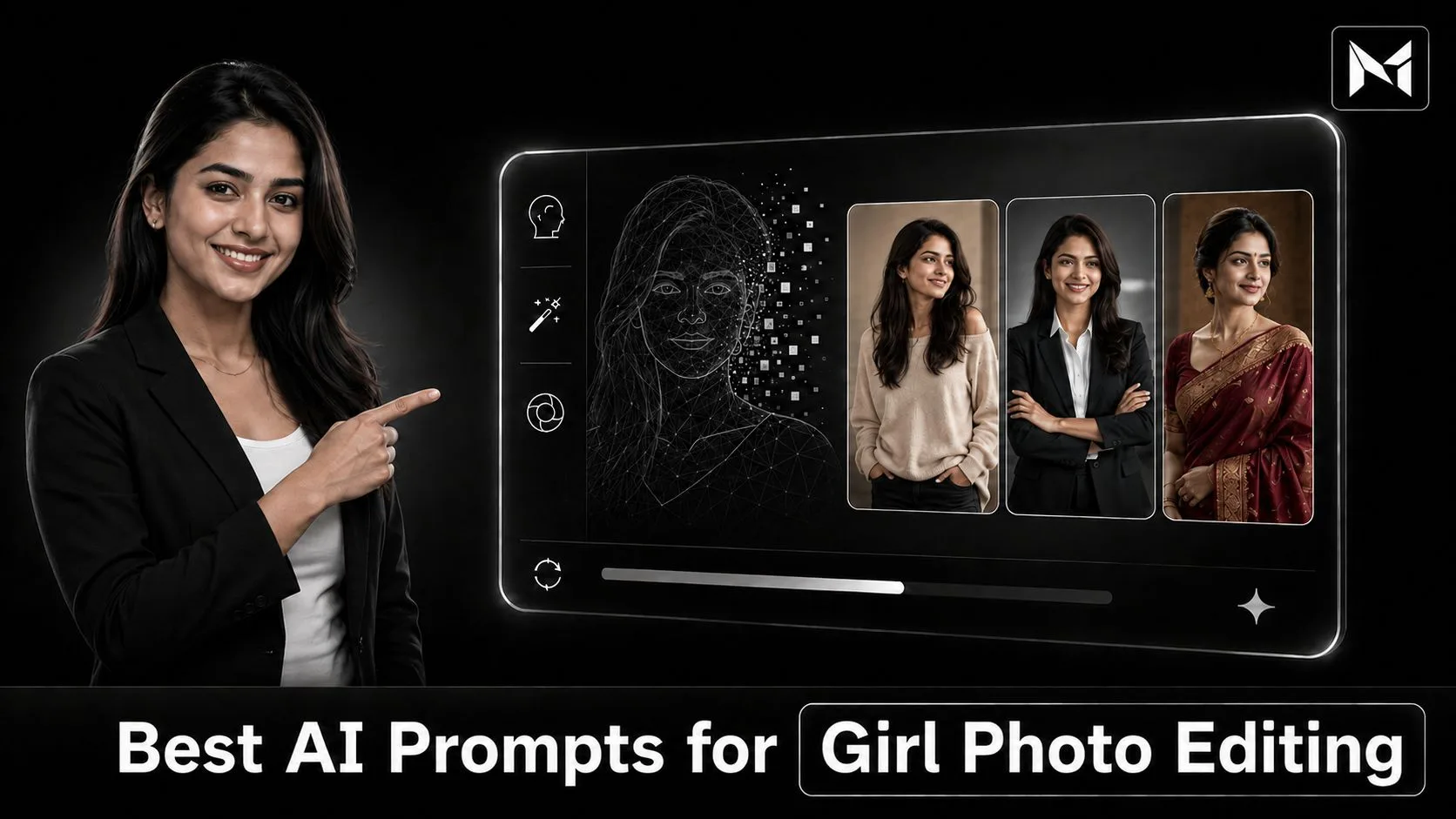
This complete guide will explain the best AI prompts for girl photo editing, what details a strong prompt should include, copy-ready prompt examples, popular editing styles, face-preservation instructions, customization tips, common mistakes, compatible AI tools, limitations, and how Mera Photo AI can help you discover free photography prompts.
AI photo editing has introduced a new way to transform an ordinary photograph into a professional portrait, fashion image, traditional look, cinematic visual, travel photograph, or social media post.
A girl can explore different outfits, hairstyles, backgrounds, lighting styles, poses, colour combinations, and photography concepts without organising a complete photoshoot for every idea.
However, the final result depends heavily on the prompt given to the AI tool.
A short instruction such as “edit this girl photo beautifully” does not clearly explain what should be changed. The AI tool may select an unsuitable outfit, background, expression, lighting style, or colour treatment.
A detailed prompt gives the tool clearer creative direction. It can describe the subject’s outfit, pose, background, lighting, camera angle, mood, orientation, facial details, and the elements that should remain unchanged.
Mera Photo AI is India’s top AI photography prompt discovery platform, where users can explore inspiring AI-generated images and copy unlimited photography prompts for free. It provides a fast, secure, and distraction-free experience without a compulsory login, advertisements, or fixed prompt-copying limits.
Whether you want an elegant portrait, traditional Indian look, professional headshot, bridal photograph, fashion image, travel picture, birthday photo, or Instagram post, Mera Photo AI gives you a practical starting point.
Let’s explore it together.
What Are AI Prompts for Girl Photo Editing?
AI prompts for girl photo editing are written instructions used to tell an AI image-generation or editing tool how a photograph should be transformed.
The prompt may explain:
Which facial features should be preserved
What outfit the subject should wear
Which hairstyle should be used
How the subject should pose
What type of background is required
How the image should be illuminated
Which camera angle should be simulated
What mood or atmosphere should be created
Which aspect ratio should be used
What visual elements should be avoided
For example, a basic prompt may say:
Edit this girl photo in a beautiful style.
This instruction does not define what “beautiful” means. The AI tool must independently choose the outfit, background, pose, lighting, and visual treatment.
A better prompt could say:
Using the uploaded reference image, create a realistic waist-up portrait of the same woman while preserving her recognisable facial features, natural skin tone, hairstyle, and facial proportions. Dress her in an elegant pastel-pink saree with minimal jewellery. Place her beside a large heritage window with soft morning daylight, realistic skin texture, natural fabric folds, subtle background blur, and an 85mm portrait-lens look. Use vertical 4:5 composition and avoid excessive beauty retouching.
The second prompt provides a specific visual direction while explaining what should remain unchanged.
How Does AI Girl Photo Editing Work?
AI photo editing generally begins with a reference photograph and a detailed prompt.
Upload a Reference Photo → Add an Editing Prompt → AI Interprets the Instructions → Image Is Generated → Review and Refine
The AI model studies the uploaded photograph and tries to understand visible characteristics such as the face, hairstyle, expression, clothing, posture, and environment.
It then combines this information with your written instructions.
Depending on the selected AI tool, you may be able to:
Replace the background
Change the outfit
Modify the lighting
Create a new location
Adjust the pose
Add accessories
Apply a photography style
Change the image orientation
Improve visual quality
Preserve the person’s identity
Generate several alternative versions
Every AI platform handles reference photographs differently. Some tools may preserve facial identity effectively, while others may create a person who only looks similar to the reference.
Why Are Girl Photo Editing Prompts Useful?
Provide Clear Creative Direction: A complete prompt explains the intended outfit, pose, location, lighting, and photographic style.
Save Editing Time: Users can begin with a structured prompt instead of planning every visual detail from the beginning.
Inspire New Concepts: Prompts can introduce new hairstyles, clothing combinations, backgrounds, colours, and photoshoot themes.
Support Face Preservation: Users can instruct the tool to retain recognisable facial features when working with a reference image.
Create Different Visual Styles: One photograph can inspire professional, traditional, casual, cinematic, fashion, travel, or festival visuals.
Reduce Irrelevant Outputs: Detailed instructions can reduce results that are completely unrelated to the intended idea.
Improve Prompt-Writing Skills: Reviewing complete prompts helps users understand how different visual elements work together.
Support Personal and Professional Content: Prompts can inspire profile pictures, social posts, campaigns, business profiles, portfolios, and creative projects.
What Should a Girl Photo Editing Prompt Include?
A useful editing prompt should describe both the desired changes and the elements that must remain unchanged.
Identity-Preservation Instructions
If the generated image should represent the person in the reference photograph, include instructions such as:
Preserve recognisable facial features
Retain the original face shape
Maintain the natural skin tone
Keep facial proportions consistent
Preserve eye shape, nose, lips, and hairstyle
Do not replace the person’s identity
Avoid excessive facial beautification
Identity preservation is a request rather than a guarantee. Results depend on the selected AI model and reference image.
Outfit Details
Describe the clothing clearly.
For example:
Pastel saree with minimal embroidery
Black evening gown
Formal blazer and trousers
Casual denim jacket
Floral summer dress
Traditional lehenga
Oversized streetwear
Fitness clothing
Mention the colour, material, style, and fit where relevant.
Pose and Expression
A natural pose can make the image appear more believable.
Useful phrases include:
Relaxed standing posture
Gentle natural smile
Looking slightly away from the camera
Comfortable hand placement
Confident eye contact
Walking candidly
Sitting near a window
Graceful full-length pose
Location and Background
The background should support the intended visual story.
Popular options include:
Minimal studio
Modern café
Heritage courtyard
Office interior
Luxury hotel
Mountain viewpoint
Beach
Flower garden
City street
Festive home
Wedding venue
Rooftop
Lighting
Lighting influences realism, skin tone, clothing detail, and mood.
You can request:
Soft window daylight
Golden-hour sunlight
Diffused studio lighting
Warm festival lights
Cinematic side lighting
Soft overcast daylight
Natural morning light
Subtle rim lighting
Camera and Composition
Camera instructions can guide the framing.
35mm style: Street, travel, and environmental photographs
50mm style: Lifestyle and full-body portraits
85mm style: Close portraits and professional headshots
Eye-level angle: Natural and balanced appearance
Low angle: Strong and confident appearance
Shallow depth of field: Soft background separation
Best AI Prompts for Girl Photo Editing
The following copy-ready prompts can be customized according to your reference photograph, outfit, location, visual style, and selected AI tool.
1. Realistic Girl Portrait Editing Prompt
Using the uploaded reference image, create a realistic waist-up portrait of the same young woman while preserving her recognisable facial features, natural skin tone, eye shape, nose, lips, hairstyle, and facial proportions. Dress her in an elegant beige top with minimal accessories. Place her beside a large window with soft natural daylight, realistic skin texture, individually visible hair strands, subtle background blur, and a calm expression. Use an 85mm portrait-lens look, minimal retouching, and vertical 4:5 composition.
This prompt can be suitable for profile pictures, portfolios, biographies, and social media.
2. Stylish Instagram Girl Photo Prompt
Transform the reference photograph into a realistic Instagram-ready portrait of the same woman. Preserve her identity and natural facial proportions. Dress her in a modern black top, beige trousers, and a minimal wristwatch. Place her outside a stylish urban café during late afternoon. Use a relaxed standing pose, natural expression, soft daylight, realistic clothing texture, subtle background bokeh, and premium lifestyle colour grading. Use a 50mm photography style with vertical 4:5 framing.
3. Traditional Saree Photo Prompt
Using the provided reference image, create an elegant full-length portrait of the same Indian woman wearing a pastel-pink silk saree with subtle golden embroidery and minimal traditional jewellery. Preserve her recognisable facial features, skin tone, and natural body proportions. Place her inside a heritage courtyard with soft morning light, realistic silk texture, natural fabric folds, graceful posture, comfortable hand placement, and refined warm colour grading. Use a 50mm portrait style with vertical 4:5 composition.
4. Professional Headshot Prompt for Girls
Create a highly realistic professional headshot using the uploaded reference photograph. Preserve the woman’s identity, face shape, hairstyle, and natural complexion. Dress her in a tailored charcoal blazer over a clean white top. Use a neutral light-grey studio background, soft diffused lighting, realistic skin pores, balanced facial symmetry, subtle makeup, tidy hair detail, and a confident approachable expression. Photograph from eye level using an 85mm portrait-lens look. Use vertical 4:5 composition and minimal beauty retouching.
This prompt may be useful for LinkedIn, resumes, professional profiles, and business websites.
5. Cinematic Girl Photo Editing Prompt
Transform the reference image into a realistic cinematic night portrait of the same woman standing on a modern city street after light rain. Preserve her recognisable face and natural proportions. Dress her in a long black coat over a dark outfit. Use cool evening ambience, warm shop lights, believable wet-road reflections, natural skin tones, realistic hair strands, subtle background bokeh, and a thoughtful expression. Keep all lighting physically consistent and use an 85mm cinematic portrait style with vertical 4:5 framing.
6. Casual Café Girl Prompt
Using the reference photograph, create a natural lifestyle image of the same woman sitting beside a window in a modern café. Preserve her facial identity and natural skin tone. Dress her in a light-blue casual shirt and neutral trousers. Show her holding a ceramic coffee cup with comfortable hand placement and a gentle candid smile. Use soft afternoon daylight, realistic coffee steam, natural glass reflections, detailed wooden surfaces, shallow depth of field, and horizontal 3:2 composition.
7. Girl Photo in a Black Dress Prompt
Create a premium realistic fashion portrait of the same woman from the reference image, wearing an elegant long black dress with minimal jewellery. Preserve her recognisable facial details and natural body proportions. Place her in a sophisticated dark studio with soft directional lighting, subtle white rim light, detailed fabric texture, graceful posture, natural skin texture, and refined monochrome colour grading. Use an 85mm editorial-photography style with vertical 4:5 composition.
8. Streetwear Girl Photo Prompt
Transform the reference photograph into a modern streetwear portrait of the same young woman. Preserve her identity and natural facial features. Dress her in an oversized black jacket, plain white top, cargo trousers, and clean sneakers. Place her on a modern urban street with concrete architecture during early evening. Use a confident walking pose, cinematic side lighting, realistic fabric folds, controlled contrast, and a 35mm editorial street-photography perspective. Use vertical 4:5 composition.
9. Bridal Girl Photo Editing Prompt
Using the uploaded reference image, create a highly realistic Indian bridal portrait of the same woman. Preserve her recognisable face, natural complexion, and facial proportions. Dress her in an elegant deep-red bridal lehenga with detailed golden embroidery, tasteful jewellery, and a traditional dupatta. Place her inside a refined wedding venue with warm decorative lighting. Use realistic fabric and jewellery reflections, graceful posture, natural expression, soft background depth, and an 85mm bridal-photography look. Use vertical 4:5 composition and avoid excessive facial beautification.
10. Birthday Girl Photo Prompt
Create a cheerful realistic birthday portrait using the supplied reference photo. Preserve the woman’s identity and natural facial appearance. Dress her in an elegant pastel-coloured outfit and place her beside a minimal birthday setup with a small cake, warm decorative lights, and tasteful balloons. Use a natural smile, comfortable pose, realistic skin and fabric texture, soft background bokeh, and balanced festive colours. Use a 50mm photography style with vertical 4:5 framing.
11. Festival Girl Photo Prompt
Transform the reference image into a realistic festive portrait of the same Indian woman wearing an elegant maroon anarkali suit with subtle embroidery and minimal jewellery. Preserve her facial identity and natural skin tone. Place her in a beautifully decorated courtyard with warm diyas and soft string lights. Use graceful posture, authentic fabric texture, physically consistent warm lighting, subtle background blur, and refined festival colour grading. Use an 85mm portrait style with vertical 4:5 composition.
12. Travel Girl Photo Prompt
Using the reference photograph, create a realistic travel image of the same woman standing at a mountain viewpoint during sunrise. Preserve her recognisable facial details and natural body proportions. Dress her in a brown outdoor jacket, dark trousers, and hiking shoes, with a small backpack. Use natural golden morning light, realistic mountain depth, subtle atmospheric haze, detailed rock and fabric texture, relaxed posture, and a gentle breeze affecting her hair. Use a 35mm travel-photography perspective with horizontal 16:9 composition.
13. Beach Girl Photo Prompt
Create a realistic full-body beach photograph of the same woman shown in the reference image. Preserve her identity and natural complexion. Dress her in a tasteful flowing white summer dress and place her beside the sea during sunset. Use warm golden-hour light, natural ocean reflections, realistic footprints in the sand, gentle fabric movement, relaxed posture, authentic skin tones, and a 50mm lifestyle-photography style. Use vertical 4:5 framing.
14. Flower Garden Girl Prompt
Transform the reference image into a realistic portrait of the same woman standing in a peaceful flower garden during spring. Preserve her recognisable facial features and natural proportions. Dress her in a soft pastel floral dress with minimal accessories. Use diffused morning light, realistic flower and leaf details, natural hair movement, gentle expression, subtle background bokeh, and fresh balanced colours. Capture the image using an 85mm portrait style with vertical 4:5 composition.
15. Luxury Lifestyle Girl Prompt
Create a realistic luxury lifestyle portrait using the uploaded reference photograph. Preserve the woman’s identity, natural facial details, and body proportions. Dress her in a tailored black outfit with minimal premium accessories. Place her inside an elegant hotel lobby with marble surfaces, warm architectural lighting, and refined furniture. Use realistic material reflections, comfortable posture, confident expression, shallow depth of field, and premium editorial colour grading. Use a 50mm photography style with vertical 4:5 framing.
16. Fitness Girl Photo Prompt
Using the reference image, create a realistic fitness portrait of the same woman inside a modern gym. Preserve her facial identity and natural body proportions. Dress her in tasteful black athletic clothing and show her holding a dumbbell in a controlled position. Use directional overhead lighting, natural muscle definition, realistic perspiration, accurate anatomy, detailed sportswear texture, believable gym equipment, and a focused expression. Use a 50mm sports-photography style with vertical 4:5 composition. Avoid exaggerated body proportions.
17. Black-and-White Girl Portrait Prompt
Transform the reference photograph into a premium black-and-white close portrait of the same woman. Preserve her recognisable facial details and natural skin texture. Dress her in a simple black top and use a dark minimal studio background. Apply controlled side lighting, realistic facial contours, detailed hair strands, subtle film grain, natural expression, and high tonal depth. Use an 85mm fine-art portrait style with vertical 4:5 composition. Avoid artificial skin smoothing.
18. Rainy-Day Girl Photo Prompt
Create a realistic cinematic photograph of the same woman from the reference image standing under a transparent umbrella during light rain. Preserve her identity and natural complexion. Dress her in an elegant dark jacket and neutral clothing. Use believable raindrops, wet-road reflections, soft street lighting, detailed fabric texture, natural hair strands, subtle background bokeh, and a thoughtful expression. Use vertical 4:5 composition and keep the lighting consistent.
19. Rooftop Girl Portrait Prompt
Using the supplied reference photograph, create a realistic rooftop portrait of the same young woman during blue hour. Preserve her facial identity and body proportions. Dress her in a modern dark jacket over a simple light-coloured top. Show a softly blurred city skyline in the background. Use subtle rim lighting, natural skin and hair texture, confident but relaxed posture, clean cinematic colour grading, and an 85mm portrait-lens look. Use vertical 4:5 framing.
20. Smartphone-Style Girl Photo Prompt
Create a realistic smartphone photograph using the supplied reference image. Preserve the woman’s recognisable facial features and natural skin tone. Show her sitting casually at an outdoor café wearing a simple pastel top and jeans. Use slightly imperfect candid framing, natural daylight, subtle smartphone depth of field, believable colours, comfortable body language, and authentic background details. Avoid professional studio lighting, excessive sharpening, artificial skin smoothing, and heavy cinematic effects. Use vertical 4:5 composition.
Popular AI Girl Photo Editing Styles
Different styles can help users create images for different personal and professional purposes.
Realistic Portrait Style: Focuses on natural skin, authentic lighting, accurate anatomy, and believable photographic details.
Professional Style: Uses formal clothing, clean backgrounds, soft studio lighting, and confident expressions.
Fashion Style: Highlights clothing, accessories, poses, and magazine-inspired lighting.
Traditional Indian Style: Uses sarees, lehengas, anarkali suits, jewellery, heritage locations, and festival settings.
Casual Lifestyle Style: Creates natural-looking café, home, travel, or outdoor photographs.
Cinematic Style: Uses dramatic lighting, atmospheric backgrounds, controlled colour grading, and emotional expressions.
Luxury Style: Combines premium outfits, hotel interiors, elegant architecture, cars, and sophisticated lighting.
Travel Style: Places the subject in mountains, cities, forests, beaches, or tourist locations.
Black-and-White Style: Uses light, shadow, expression, and texture to create a timeless image.
Smartphone Style: Produces casual and slightly imperfect photographs that can feel more natural on social media.
How to Find Girl Photo Editing Prompts on Mera Photo AI
Mera Photo AI follows a simple visual-first prompt discovery process.
Discover an Image → View Its Prompt → Copy the Prompt → Customize It → Create Your Photo
Step 1: Visit MeraPhoto.ai
Open MeraPhoto.ai on your mobile phone, tablet, or desktop browser.
You can explore available images and copy prompts without creating a compulsory public account.
Step 2: Explore Girl Photo Ideas
Browse the available categories, styles, tags, and AI-tool labels. Compare different outfits, poses, locations, colour combinations, and visual moods.
Step 3: Select a Suitable Image
Choose an example image that closely matches your desired result. Selecting the right visual starting point can reduce unnecessary editing.
Step 4: View and Copy the Prompt
Open the selected image to read its complete prompt, description, compatibility information, and usage guidance.
You can copy available prompts for free without advertisements or a fixed prompt-copying limit.
Step 5: Customize the Details
Review and change the:
Outfit
Hairstyle
Accessories
Pose
Expression
Location
Background
Lighting
Colour treatment
Camera style
Image orientation
Identity-preservation instructions
Step 6: Upload a Reference Image
If required, upload a clear photograph directly to the compatible AI image-generation tool you select.
Mera Photo AI is primarily a prompt discovery platform. Unless a specific feature clearly states otherwise, personal reference photographs should be uploaded to the selected third-party AI tool.
Step 7: Generate and Refine
Create several versions and compare them carefully. If the result is almost correct, modify only the problematic part of the prompt.
Why Choose Mera Photo AI?
Visual-First Prompt Discovery: Users can review an example image before deciding whether to copy its prompt.
Unlimited Free Prompt Copying: Visitors can explore and copy available prompts without a fixed daily limit.
No Public Login Required: You do not need to create a compulsory account to browse and copy prompts.
No Advertisements: The platform provides a clean and distraction-free prompt discovery experience.
Fast Platform: Its straightforward interface helps users move quickly from inspiration to prompt selection.
Clear and Detailed Prompts: Prompts provide useful direction for subjects, clothing, poses, lighting, backgrounds, and photography styles.
Different Prompt Categories: Users can explore prompts for girls, boys, couples, families, fashion, products, food, festivals, business, and wallpapers.
Compatibility Guidance: Available AI-tool labels can help users identify platforms that may be suitable for a prompt.
Related Prompt Recommendations: Similar ideas can help users discover alternative photography concepts.
Beginner-Friendly Experience: New users can begin with copy-ready instructions instead of immediately learning advanced prompt engineering.
How to Customize Girl Photo Editing Prompts
Copied prompts should be treated as flexible starting points.
Preserve the Correct Features
If facial identity matters, specify which visible features should remain unchanged.
Do not add physical characteristics that conflict with the reference photograph unless you intentionally want to change them.
Match the Outfit to the Occasion
Select clothing according to the intended purpose.
Formal outfit for professional profiles
Saree or lehenga for traditional photographs
Casual clothing for lifestyle content
Evening dress for fashion images
Outdoor clothing for travel photos
Athletic wear for fitness visuals
Use Appropriate Accessories
Accessories should support the outfit without creating unnecessary visual complexity.
Too many necklaces, earrings, watches, glasses, flowers, and hair ornaments can increase the possibility of visual errors.
Select a Logical Background
A professional portrait may need an office or studio, while a traditional image may work better with a heritage or festival setting.
Keep Lighting Consistent
The lighting should match the location, time, and mood.
Do not combine bright midday sunlight, neon street lights, warm candles, and dark studio lighting in one ordinary portrait.
Select the Correct Aspect Ratio
1:1: Square profile pictures and posts
4:5: Instagram feed portraits
9:16: Stories, Reels, Shorts, and wallpapers
16:9: Blog banners, video thumbnails, and landscapes
3:2: Traditional photography composition
Tips for Better Girl Photo Editing Results
Use a Clear Reference Photograph: Select a high-quality image with a clearly visible face, natural lighting, and minimal filters.
Choose a Similar Example Image: Start with a prompt whose pose, outfit, background, and orientation are reasonably close to your requirement.
Write Clear Face-Preservation Instructions: Ask the tool to preserve recognisable facial features, natural skin tone, and facial proportions.
Avoid Excessive Beautification: Too much skin smoothing, facial reshaping, or eye enlargement can make the result look artificial.
Describe Clothing Carefully: Mention the outfit type, colour, material, fit, and important details.
Use Natural Expressions: Gentle smiles and comfortable poses generally appear more believable than extreme expressions.
Keep the Prompt Consistent: Avoid combining unrelated photography, illustration, and painting styles.
Generate Multiple Versions: AI output includes random variation, so compare several images before selecting one.
Correct One Issue at a Time: Adjust the face, hair, hands, clothing, lighting, or background separately.
Review Before Publishing: Inspect the final image for facial accuracy, anatomy, distorted text, unusual accessories, and unwanted background objects.
Common Girl Photo Editing Mistakes
Using a Short and Unclear Prompt: A general instruction may produce an unpredictable result.
Uploading a Poor Reference Photograph: Blurred, filtered, dark, or heavily cropped photographs can reduce identity consistency.
Copying Without Reviewing: A copied prompt may contain clothing, age, setting, or appearance details that do not match the user.
Using Conflicting Styles: Combining cartoon, oil painting, cinematic realism, and smartphone photography can confuse the AI model.
Adding Too Many Accessories: Complex jewellery and decorative elements may become distorted.
Ignoring Hands and Anatomy: Hands, fingers, arms, teeth, and body proportions should be reviewed carefully.
Requesting Unrealistic Skin: Completely flawless skin may create an artificial appearance.
Forgetting Image Orientation: An unsuitable aspect ratio can crop the subject or damage the composition.
Expecting an Identical Result: The same prompt can create different results across platforms and generations.
Publishing Without Inspection: AI images may contain subtle visual, legal, or privacy issues.
Limitations of AI Girl Photo Editing
Mera Photo AI makes prompt discovery easier, but users should understand the limitations of AI image technology.
Identical Results Are Not Guaranteed: An example image demonstrates a possible result. Copying its prompt does not guarantee an identical photograph.
Reference Images Affect Quality: Blurry, filtered, cropped, or poorly lit photographs may reduce facial consistency and overall detail.
Identity Preservation Can Vary: Some AI platforms may preserve facial identity more effectively than others.
AI Models Interpret Prompts Differently: A prompt that works well with one tool may need modifications on another.
Visual Errors Can Occur: Generated images may contain incorrect fingers, asymmetrical clothing, distorted jewellery, unrealistic text, or inconsistent reflections.
Third-Party Policies Apply: Each AI service may have separate pricing, privacy, age, generation, and commercial-use conditions.
Responsible Use of AI Girl Photo Prompts
AI photo editing should be used respectfully, ethically, and lawfully.
Only upload a photograph that belongs to you or that you are authorised to use. Do not use another person’s image to impersonate them, violate their privacy, mislead viewers, or create harmful and unlawful content.
Do not create sexualised or exploitative content involving children or teenagers. Younger users should use AI image platforms only with suitable parental or guardian involvement and according to the selected platform’s age requirements.
Before publishing or commercially using an AI-edited photograph, review:
Facial and visual accuracy
Privacy and consent
Hands and body proportions
Clothing and accessories
Unwanted logos
Copyright conditions
Trademark issues
Commercial-use permissions
Advertising requirements
AI platform policies
Whether an AI disclosure is appropriate
The person creating and publishing the image is responsible for ensuring that its use is lawful, ethical, and suitable.
Frequently Asked Questions
Q. What are the best AI prompts for girl photo editing?
A. The best prompts clearly explain which facial features should be preserved and describe the desired outfit, pose, location, lighting, camera style, colour treatment, orientation, and visual mood.
Q. Where can I find free AI prompts for girl photos?
A. You can explore example images and copy available girl photo prompts for free from MeraPhoto.ai without a compulsory public login or fixed copying limit.
Q. Can an AI tool preserve the original face?
A. Some AI platforms support reference-image and identity-preservation features. Results can vary depending on the tool, model, photograph, settings, and instructions.
Q. Which reference photograph should I use?
A. Use a high-quality photograph with a clearly visible face, natural lighting, minimal filters, and no major obstruction.
Q. Can I change only the outfit or background?
A. Some AI editing tools allow targeted changes. Clearly instruct the tool to change only the outfit or background while keeping the person’s face and other important details unchanged.
Q. Can these prompts be used with ChatGPT and Gemini?
A. Many prompts can be adapted for ChatGPT, GPT Image, Google Gemini, and other compatible AI platforms. Prompt interpretation may differ between tools.
Q. Are Mera Photo AI prompts free?
A. Yes. Visitors can explore and copy available prompts for free without a compulsory public login, advertisements, or fixed prompt-copying limits.
Q. Will I get the same image as the displayed example?
A. An identical result is not guaranteed. The output depends on the AI platform, model, reference image, settings, customization, and random variation.
Q. Which aspect ratio is best for Instagram girl photos?
A. A vertical 4:5 aspect ratio is commonly suitable for Instagram feed posts, while 9:16 generally works well for Stories and Reels.
Q. Can AI-edited girl photographs be used commercially?
A. Commercial use depends on the selected AI platform’s terms, source materials, consent, intellectual-property rights, and applicable laws. Review all relevant conditions before commercial use.
Conclusion
The best AI prompts for girl photo editing can help users transform an ordinary reference photograph into an elegant portrait, professional headshot, traditional image, fashion visual, travel photograph, festival picture, or social-media post.
A strong prompt should clearly explain what should change and what should remain unchanged. It should describe the outfit, pose, location, background, lighting, camera perspective, image orientation, visual mood, and identity-preservation requirements.
However, copying a prompt is only the beginning.
You should review the complete instructions, customize the necessary details, upload a clear reference photograph, generate multiple versions, and carefully inspect the final output. AI-generated results include variation, so even a detailed prompt cannot guarantee an identical image.
Mera Photo AI is India’s top AI photography prompt discovery platform for exploring inspiring images and copy-ready prompts. You can discover and copy unlimited available prompts for free without a compulsory login, advertisements, copying limits, delays, or unnecessary distractions.
Visit MeraPhoto.ai, discover a girl photo style you like, copy its complete prompt, customize the necessary details, and create your own image using a compatible AI platform.
Discover the idea. Copy the prompt. Create something remarkable.
Mera Photo AI — Discover. Copy. Create.