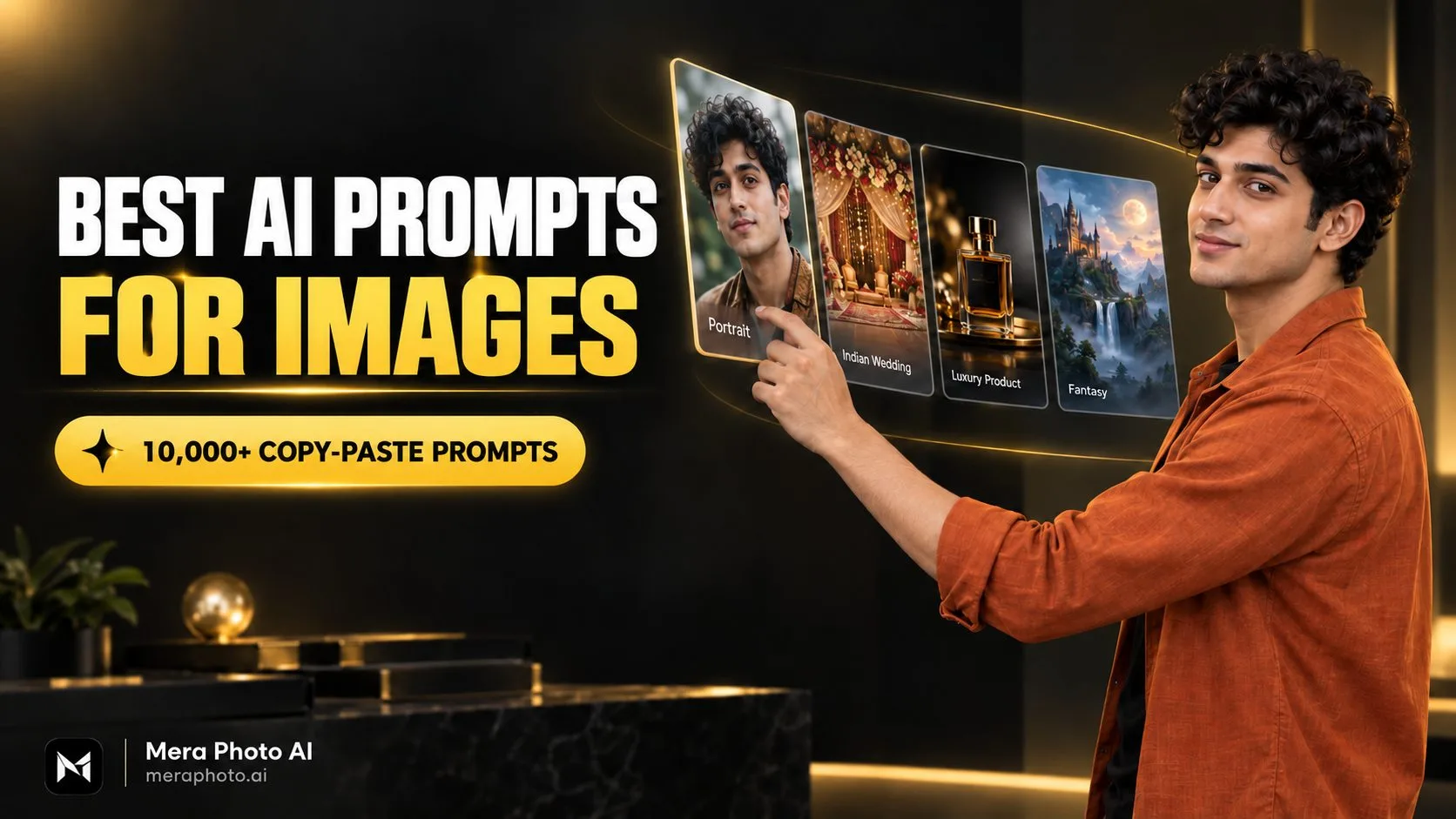
Best AI prompts for images aapko professional portraits, social media posts, wedding photographs, product visuals, fashion images, travel scenes, food photography, illustrations aur wallpapers create karne ke liye clear starting point dete hain.
AI image ki quality sirf selected tool par depend nahi karti. Aapka prompt bhi final result ko significantly influence karta hai. Agar prompt vague hai, to AI subject, background, outfit, lighting aur visual style ke baare mein random decisions le sakta hai.
Ek effective image prompt subject, action, location, lighting, composition, visual style, textures, colours aur aspect ratio ko clearly explain karta hai.
Mera Photo AI India ka top AI photography prompt discovery platform hai. Yahan users 10,000+ AI images aur unke detailed prompts explore kar sakte hain. Available prompts ko free mein copy karke compatible AI image-generation tools ke according customize kiya ja sakta hai—bina public login, advertisements ya copying limits ke.
Is article mein aap best AI image prompts, unka correct structure, 15 copy-paste examples, practical customization tips aur common mistakes discover karenge.
AI Image Prompt Kya Hota Hai?
AI image prompt ek written instruction hota hai jo image-generation tool ko batata hai ki aap kaisa visual create karna chahte hain.
Prompt mein aap ye describe kar sakte hain:
Main subject
Subject ka appearance
Outfit aur accessories
Action ya pose
Location aur background
Lighting
Camera angle
Image composition
Photography ya illustration style
Surface aur material textures
Colours aur mood
Image ratio
Unwanted elements
For example:
Create an image of a young Indian man.
Yeh ek basic prompt hai, lekin ismein outfit, pose, background aur visual style clear nahi hai.
Iska detailed version ho sakta hai:
Create a realistic professional portrait of a young Indian man wearing a navy-blue blazer and white shirt, standing inside a modern office, confident natural expression, soft window light falling from the left, realistic skin pores, detailed hair, eye-level camera angle, 85mm portrait-lens appearance, shallow depth of field, balanced corporate colour grading and a 4:5 aspect ratio.
Detailed version AI tool ko better visual direction provide karta hai.
Best AI Prompts Ki Important Qualities
Har detailed prompt necessarily useful nahi hota. Ek effective prompt clear, consistent aur purpose-specific hona chahiye.
Best AI prompts mein generally ye qualities hoti hain:
Clear subject: Image mein kya dikhana hai, yeh directly explain hota hai.
Specific action: Subject kya kar raha hai ya kis pose mein hai, yeh defined hota hai.
Suitable background: Environment subject aur intended purpose ke saath match karta hai.
Logical lighting: Light source aur shadows ek-doosre se consistent hote hain.
Defined style: Photograph, illustration, 3D render ya painting clearly mention hoti hai.
Useful composition: Camera angle, framing aur subject placement explain hota hai.
Relevant details: Sirf required visual information include hoti hai.
Correct ratio: Final platform ke according image dimensions select hoti hain.
Limited restrictions: Sirf important negative instructions add hoti hain.
Best AI Image Prompt Kaise Likhein?
Prompt ko random keywords ka collection banane ke bajay ek structured visual brief ki tarah likhein.
Main Subject Define Karein
Sabse pehle batayein ki image ka primary subject kya hai.
Examples:
A young Indian woman
An adult Indian couple
A premium wristwatch
A modern luxury villa
A bowl of Indian food
A futuristic electric car
A fantasy landscape
Agar image mein multiple subjects hain, to unhe Person A, Person B ya foreground/background subject ke roop mein separately describe karein.
Subject Ka Appearance Add Karein
Agar main subject person hai, to relevant details mention karein:
Approximate age
Gender presentation
Hairstyle
Facial hair
Expression
Natural skin tone
Outfit
Footwear
Accessories
Personal portrait mein recognizable facial details preserve karne ki instruction add karein.
Action Ya Pose Explain Karein
Subject kya kar raha hai, yeh clearly batayein.
Examples:
Standing with both hands relaxed
Sitting beside a café window
Walking through a city street
Holding a product towards the camera
Looking at the sunset
Adjusting a shirt cuff
Smiling naturally towards the camera
Complicated pose ke bajay simple aur understandable body position use karna zyada practical ho sakta hai.
Background Describe Karein
Background image ke purpose ko support karna chahiye.
Aap select kar sakte hain:
Neutral studio background
Modern office
Luxury hotel lobby
Heritage Indian haveli
Wedding venue
Outdoor garden
Urban street
Mountain landscape
Beach at sunset
Minimal product studio
Lighting Choose Karein
Lighting photograph ka mood aur realism define karti hai.
Useful lighting instructions:
Soft natural window light
Golden-hour sunlight
Diffused outdoor daylight
Balanced studio lighting
Cinematic side lighting
Warm festive lighting
Dramatic product lighting
Soft cloudy daylight
Conflicting lighting instructions avoid karein, jab tak aap unka relationship clearly explain na kar rahe hon.
Visual Style Specify Karein
AI ko final image ka medium aur appearance batayein.
Possible styles:
Ultra-realistic photography
Cinematic portrait
Editorial fashion photography
Commercial product photography
Minimal vector illustration
Digital painting
Watercolour illustration
Anime-inspired artwork
3D render
Vintage film photography
Ek prompt mein unnecessary multiple styles combine karne se confused output aa sakta hai.
Composition Aur Camera Details Add Karein
Camera angle aur framing final image ko professional bana sakte hain.
Useful options:
Close-up headshot
Waist-up portrait
Full-body composition
Eye-level camera angle
Slight low-angle view
Top-down food photograph
Symmetrical front view
35mm environmental photography
50mm natural perspective
85mm portrait-lens appearance
Shallow depth of field
Image Ratio Mention Karein
Intended platform ke according ratio choose karein:
1:1: Profile pictures aur square posts
4:5: Instagram portraits
9:16: Reels, Stories aur Status
16:9: Blog banners, thumbnails aur cinematic images
3:2: Traditional photography
2:3: Posters aur full-length portraits
Reusable AI Image Prompt Formula
Apna prompt create karne ke liye is formula ka use karein:
Create a [visual style] image of [main subject] wearing/showing [appearance, clothing or important details], [action, pose or expression], at [location and background]. Use [lighting], [camera angle], [composition and lens appearance], [important textures], [colour palette and mood] and a [required aspect ratio]. Preserve [important elements]. Avoid [major errors or unwanted content].
Example:
Create an ultra-realistic portrait of a young Indian woman wearing a pastel-blue blazer over a white top, standing against a clean beige studio background, confident friendly expression, soft diffused lighting, eye-level camera angle, 85mm portrait-lens appearance, natural skin texture, detailed hair, balanced neutral colours and a 4:5 aspect ratio. Avoid excessive skin smoothing and distorted hands.
15 Best AI Prompts for Images
Niche diye gaye prompts ko normal text mein copy karke apne subject, colours, background aur selected AI tool ke according customize karein.
1. Professional Profile Picture
Create a realistic professional profile picture of a young Indian man wearing a well-fitted charcoal-grey blazer and white shirt. Use a clean light-grey studio background, confident friendly expression, straight posture, natural skin texture, detailed black hair, balanced studio lighting and sharp focus on the eyes. Keep the face centred and leave sufficient space for circular cropping. Use an 85mm portrait-lens appearance and a 1:1 aspect ratio.
2. Cinematic Portrait
Create an ultra-realistic cinematic portrait of a young Indian woman wearing a deep-blue jacket over a neutral top, standing on a quiet city street during blue hour. Use a calm expression, natural three-quarter pose, warm streetlights in the background, soft facial lighting, realistic skin pores, fine hair strands, logical shadows, shallow depth of field, premium cinematic colour grading and a 4:5 aspect ratio.
3. Traditional Indian Portrait
Create a realistic full-length portrait of an adult Indian woman wearing an elegant maroon silk saree with a detailed golden border and minimal jewellery. Place her inside a heritage haveli decorated with warm lamps and flowers. Use a graceful pose, natural smile, authentic fabric texture, realistic jewellery reflections, soft window light, warm ambient illumination, 50mm lens appearance and a 4:5 aspect ratio.
4. AI Photo Prompt for Boys
Create a realistic fashion portrait of a handsome young Indian man wearing a black bomber jacket, plain white T-shirt, dark-blue jeans and clean sneakers. Show him standing beside a modern concrete wall with one hand resting naturally near the jacket pocket. Use diffused outdoor daylight, detailed clothing texture, realistic skin and hair, natural shadows, 50mm editorial-photography style and a 4:5 aspect ratio.
5. AI Photo Prompt for Girls
Create a realistic social media portrait of a young Indian woman wearing a stylish pastel-pink kurta with minimal silver earrings. Place her against a clean cream background, using a soft natural smile and relaxed pose. Keep her face clearly visible, preserve natural skin texture and hair details, use diffused lighting, balanced colours, shallow depth of field and a 4:5 aspect ratio.
6. Indian Wedding Couple
Using the uploaded images as separate identity references for Person A and Person B, create a realistic Indian wedding portrait. Show the bride wearing a deep-red lehenga with elegant jewellery and the groom wearing an ivory sherwani. Place them beneath a floral mandap with warm decorative lighting. Preserve both identities separately, maintain natural skin tones, show accurate hands, realistic embroidery, gentle expressions, premium wedding colour grading and a 4:5 aspect ratio.
7. Travel Photograph
Create a realistic travel photograph of a young Indian man standing at a mountain viewpoint, wearing an olive-green jacket, black trousers and practical travel shoes. Show him looking towards the landscape in a relaxed pose. Add snow-covered mountains in the distance, natural daylight, realistic atmospheric depth, believable scale, authentic clothing texture, 35mm travel-photography style and a 4:5 aspect ratio.
8. Café Lifestyle Image
Create a realistic lifestyle photograph of a young Indian woman sitting beside a large café window, wearing a cream sweater and blue jeans. Show her holding a ceramic coffee cup with both hands and smiling naturally. Use warm wooden surroundings, diffused window light, realistic skin and fabric texture, accurate hands, believable reflections, shallow depth of field and a 4:5 aspect ratio.
9. Product Photography Prompt
Create an ultra-realistic commercial photograph of a premium black wristwatch placed on a textured dark-stone platform. Use dramatic but balanced studio lighting, precise metal reflections, detailed leather strap texture, realistic glass highlights, soft shadows and sharp focus on the watch face. Use a minimal luxury background and a 4:5 aspect ratio. Do not add a logo or unreadable text.
10. Food Photography Prompt
Create an ultra-realistic overhead photograph of a traditional Indian thali containing dal, paneer curry, rice, chapati, salad and chutney. Arrange the food naturally in clean metal bowls on a dark wooden table. Use soft window light, realistic textures, gentle steam, natural oil highlights, authentic colours, believable shadows and editorial food photography in a 4:5 aspect ratio.
11. Luxury House Exterior
Create a realistic architectural image of a modern luxury villa with large glass windows, natural stone walls, warm interior lighting and a landscaped garden. Show the building during early evening from an eye-level three-quarter angle. Include realistic reflections, accurate perspective, natural materials, subtle exterior lights, detailed plants and balanced architectural photography in a 16:9 aspect ratio.
12. Social Media Marketing Visual
Create a clean social media marketing visual for a modern Indian digital business. Show a stylish smartphone displaying a minimal analytics dashboard, surrounded by subtle growth-chart elements and golden light accents. Use a dark professional background, balanced composition, realistic device reflections and sufficient empty space for a headline. Do not include a logo or unreadable text. Use a 1:1 aspect ratio.
13. Fantasy Digital Artwork
Create a detailed fantasy digital artwork of an ancient floating city above the clouds, featuring stone temples, waterfalls, bridges and glowing golden lanterns. Use a dramatic sunrise, atmospheric depth, realistic cloud formations, detailed architecture, cinematic scale and a warm gold-and-blue colour palette. Show the city from a wide aerial perspective in a 16:9 aspect ratio.
14. Minimal Illustration
Create a clean modern vector-style illustration of a person generating an image using an AI tool on a laptop. Use simple geometric shapes, smooth outlines, balanced spacing and a black, white and golden-yellow colour palette. Keep the background minimal and leave sufficient space for website text. Avoid gradients, unnecessary objects and unreadable interface text. Use a 16:9 aspect ratio.
15. Blog Banner
Create a professional 16:9 blog banner for an article about AI image prompts. Use a clean matte-black background with subtle golden light accents. Place a fictional young Indian creator on the right side, holding a digital image card, and reserve the left side for a bold headline. Use realistic studio lighting, clear facial details, accurate hands and a premium technology editorial style. Keep the composition spacious and uncluttered.
AI Prompts Ko Kaise Use Karein?
Copy-paste prompt use karne ka simple process:
Required image category select karein.
Suitable prompt copy karein.
Subject, gender, clothing aur colours customize karein.
Location aur background modify karein.
Required image ratio add karein.
Compatible AI image-generation tool open karein.
Reference image supported ho to clear photograph upload karein.
Customized prompt paste karein.
Image generate karke complete output inspect karein.
Errors ko ek-ek karke correct karne ke instructions dein.
Different AI tools same prompt ko differently interpret kar sakte hain. Required output ke according prompt wording aur details modify karein.
Reference Photo Use Karte Time Kya Likhein?
Agar aap personal photograph ko new style mein convert karna chahte hain, to prompt mein preservation instructions add karein.
Use this instruction:
Use the uploaded photograph as the primary identity reference. Preserve the person’s recognizable facial identity, natural skin tone, approximate age, facial structure, eyes, eyebrows, nose, lips, jawline, hairstyle and distinctive facial characteristics. Do not replace, merge, reshape or excessively beautify the face. Maintain natural skin texture and realistic facial proportions.
Better results ke liye:
Clear aur well-lit reference photograph use karein.
Complete face visible rakhein.
Heavy filters avoid karein.
Sunglasses, mask aur deep shadows avoid karein.
Preserve ki jane wali details clearly mention karein.
Major changes ko separate stages mein request karein.
Final face ko carefully compare karein.
Clear reference photograph consistency improve kar sakti hai, lekin identical result guaranteed nahi hota.
Useful Negative Instructions
Sirf required restrictions add karein:
No extra fingers
No duplicate limbs
No distorted hands
No asymmetrical eyes
No waxy skin
No excessive skin smoothing
No unrealistic body proportions
No floating accessories
No incorrect reflections
No artificial shadows
No unreadable text
No oversaturated colours
No unwanted logos
No unintended face replacement
Bahut saari negative instructions ek saath add karne se prompt complicated ho sakta hai.
Better AI Images Ke Liye Practical Tips
Prompt Ko Clear Rakhein
Unnecessary adjectives repeat karne ke bajay important visual details explain karein.
Ek Primary Style Choose Karein
Realistic photograph, vector illustration, digital painting ya 3D render mein se required style clearly select karein.
Lighting Direction Mention Karein
Light source ka direction batane se highlights aur shadows zyada consistent ho sakte hain.
Hand Placement Explain Karein
Agar hands visible hain, to dono hands ki position clearly mention karein.
Intended Use Add Karein
Prompt mein batayein ki image profile picture, banner, thumbnail, advertisement ya wallpaper ke liye hai.
Correct Aspect Ratio Select Karein
Wrong ratio ke karan important subject crop ho sakta hai ya composition unbalanced lag sakti hai.
Final Output Review Karein
Image publish karne se pehle check karein:
Face aur eyes
Hands aur fingers
Teeth
Jewellery
Clothing
Shoes
Text
Reflections
Shadows
Background objects
Common AI Prompt Mistakes
Too little information dena: Vague prompt AI ko sufficient direction nahi deta.
Conflicting requirements add karna: Multiple incompatible lighting aur visual styles confused output create kar sakte hain.
Identity preservation bhoolna: Personal photo ke recognizable facial details specify karna important hai.
Overly long prompt generate karna: Repeated aur unnecessary instructions remove karein.
Excessive negative instructions use karna: Sirf important restrictions add karein.
Complex pose request karna: Overlapping hands aur limbs anatomical errors increase kar sakte hain.
Poor reference image upload karna: Blurry ya filtered photo final result ko negatively affect kar sakti hai.
Output review na karna: Detailed prompt bhi error-free image guarantee nahi karta.
Mera Photo AI Par Best Prompts Explore Karein
Mera Photo AI par aap different categories aur visual styles ke AI image prompts discover kar sakte hain.
Available ideas mein include ho sakte hain:
Boys and girls
Profile pictures
Couple photographs
Indian wedding concepts
Cinematic portraits
Fashion photography
Traditional images
Festival photographs
Travel scenes
Business headshots
Product images
Food photography
Marketing creatives
Illustrations
Wallpapers
Blog banners
Image select karein, uska available prompt copy karein aur apni requirements ke according customize karke compatible AI image-generation tool ke saath use karein.
Mera Photo AI ek independent AI photography prompt discovery platform hai, image generator nahi. Tool ka naam ya compatibility label official partnership ya endorsement indicate nahi karta.
Frequently Asked Questions
Q. Best AI prompts for images kya hote hain?
A. Best prompts subject, appearance, action, background, lighting, composition, visual style, textures aur aspect ratio ko clearly explain karte hain.
Q. AI image prompt kitna detailed hona chahiye?
A. Prompt mein required visual direction ke liye sufficient details honi chahiye, lekin repeated aur irrelevant instructions avoid karni chahiye.
Q. Kya copy-paste AI prompts customize kar sakte hain?
A. Haan. Aap subject, gender, outfit, background, colours, pose, lighting aur image ratio customize kar sakte hain.
Q. Free AI image prompts kahan milenge?
A. Mera Photo AI par 10,000+ AI photography prompts explore karke available prompts free mein copy kar sakte hain.
Q. Kya Mera Photo AI image generate karta hai?
A. Nahi. Mera Photo AI ek AI photography prompt discovery platform hai. Actual image compatible third-party AI tool mein generate hoti hai.
Q. Kya main apni photograph use kar sakta hoon?
A. Haan, agar selected tool reference-image upload support karta hai. Sirf apni image ya permission wali photograph upload karein.
Q. AI image mein apna face kaise preserve karein?
A. Clear reference image upload karein aur facial structure, natural skin tone, age, eyes, nose, lips, jawline aur hairstyle preserve karne ki instruction dein.
Q. Kya generated face reference image ke bilkul same hoga?
A. Nahi. Reference image aur detailed instructions consistency improve kar sakte hain, lekin identical result guaranteed nahi hota.
Q. Social media images ke liye best ratio kya hai?
A. Square posts ke liye 1:1, portrait posts ke liye 4:5 aur Reels ya Stories ke liye 9:16 use karein.
Q. Blog banner ke liye best image ratio kya hai?
A. 16:9 ratio blog banners aur wide featured images ke liye commonly useful hota hai.
Q. AI-generated image ko publish karne se pehle kya check karein?
A. Face, hands, fingers, teeth, clothing, jewellery, text, lighting, reflections aur background objects inspect karein.
Q. Kya AI images commercial use ke liye allowed hain?
A. Commercial use selected platform ke terms, source material, image content aur applicable laws par depend karta hai. Use se pehle current conditions check karein.
Q. Kya Mera Photo AI listed AI tools se affiliated hai?
A. Mera Photo AI ek independent prompt discovery platform hai. Compatibility information official affiliation ya endorsement indicate nahi karti.
Conclusion
Best AI prompts for images clear aur structured visual instructions provide karte hain. Ek useful prompt subject, appearance, action, background, lighting, camera angle, style, textures aur aspect ratio ko logically explain karta hai.
Personal photograph use karte time identity-preservation instructions add karein. Simple pose choose karein, realistic textures request karein aur final output ko carefully inspect karein.
Aap Mera Photo AI par 10,000+ AI photography prompts explore kar sakte hain, available prompts free mein copy kar sakte hain aur unhe apne project aur compatible AI image-generation tool ke according customize kar sakte hain.