
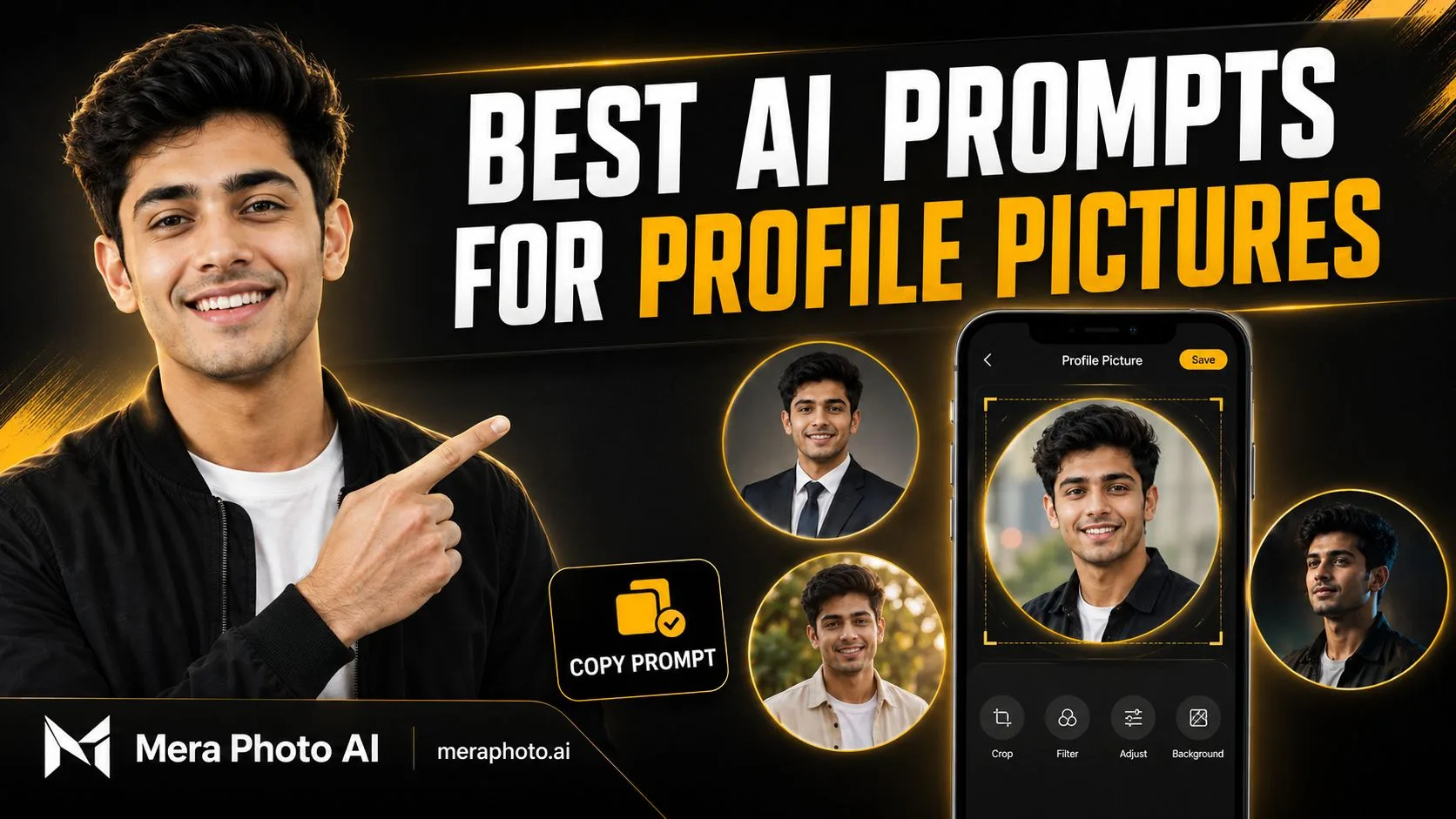
A profile picture is often the first visual impression people see on Instagram, WhatsApp, Facebook, LinkedIn, YouTube, X, dating platforms, gaming profiles, business websites, and professional directories.
A simple photograph may not always match the image you want to present online. The background may be distracting, the lighting may be poor, the outfit may look too casual, or the photograph may not fit the required platform.
This is where the best AI prompts for profile pictures can help.
You can upload a clear reference photograph and use a detailed prompt to create a professional headshot, stylish social media display picture, cinematic portrait, creator profile, business photograph, traditional Indian portrait, or another personalized visual concept.
A good prompt should clearly describe:
Identity-preservation requirements
Face and expression
Outfit and accessories
Background
Lighting
Camera angle
Photography style
Image quality
Cropping space
Aspect ratio
Unwanted elements
If you do not want to write every detail from scratch, visit Mera Photo AI. Mera Photo AI is India’s top AI photography prompt discovery platform, where users can visually explore ideas and copy unlimited available prompts for free without a public login.
Quick Answer: The best AI prompts for profile pictures preserve the person’s recognizable identity while clearly describing the expression, outfit, background, lighting, camera view, photography style, cropping space, and aspect ratio. Use 1:1 for most profile pictures, keep the face centred, and leave sufficient space around the head for circular cropping.
What Is an AI Profile Picture Prompt?
An AI profile picture prompt is a written instruction that explains how an AI tool should create or edit a portrait for use as a display picture.
The prompt may ask the AI tool to:
Preserve the face from an uploaded photograph
Improve the lighting
Simplify or replace the background
Change the outfit
Create a professional headshot
Add a cinematic atmosphere
Adjust the camera view
Improve the overall visual presentation
Prepare the photograph for circular cropping
Generate a square profile picture
For example, a weak prompt may say:
Make a good profile photo.
A more useful prompt would say:
Create a clean square profile picture using the uploaded photograph as the identity reference. Preserve the person’s facial structure, natural skin tone, age, hairstyle, eyes, nose, lips, and jawline. Use a centred close-up composition, soft studio lighting, realistic skin texture, a neutral beige background, and enough space around the head for circular cropping.
The second prompt gives the AI tool a clearer visual direction.
Why Does a Good Profile Picture Matter?
A profile picture communicates identity before a person reads your name, bio, caption, or professional information.
A suitable profile picture can help you:
Create a consistent online identity
Look more professional
Improve profile recognition
Present a suitable personal style
Support professional branding
Make social media accounts appear complete
Create a more approachable first impression
Match the tone of a platform
However, the ideal profile picture depends on its purpose.
A LinkedIn headshot should usually look professional and trustworthy. An Instagram profile picture may be more stylish and expressive. A gaming avatar may use dramatic lighting, while a business profile should remain clean and credible.
Types of AI Profile Pictures
Professional Profile Pictures: Suitable for LinkedIn, company websites, business directories, resumes, portfolios, and email accounts.
Social Media Profile Pictures: Suitable for Instagram, Facebook, WhatsApp, X, Threads, and similar platforms.
Creator Profile Pictures: Content creators, influencers, bloggers, photographers, designers, and YouTubers may prefer a distinctive but recognizable portrait.
Traditional Profile Pictures: Traditional Indian clothing, festival settings, heritage backgrounds, and cultural details can create personalized display pictures.
Cinematic Profile Pictures: These portraits use dramatic lighting, premium colour grading, atmospheric backgrounds, and stronger visual contrast.
Minimal Profile Pictures: A simple outfit, clean background, centred face, and balanced lighting can create a timeless result.
Illustrated Profile Pictures: Users can explore cartoon, anime-inspired, painted, sketch, or stylized concepts. However, these images may not preserve identity as closely as realistic portraits.
How Mera Photo AI Helps You Find Profile-Picture Prompts
Creating a complete prompt from the beginning can take time. Mera Photo AI makes prompt discovery easier by showing the visual example before the complete prompt.
1. Visual-First Discovery
You can examine the example photograph and decide whether its:
Face positioning
Expression
Outfit
Background
Lighting
Colour treatment
Camera angle
Overall style
matches your requirement.
2. Complete Copy-Ready Prompts
Available prompt pages can provide complete instructions that users can copy and customize quickly.
3. Multiple Styles and Categories
Mera Photo AI covers different personal and professional photography requirements, including:
Boys’ profile pictures
Girls’ profile pictures
Professional headshots
Couple photographs
Fashion portraits
Traditional Indian photography
Festival pictures
Cinematic portraits
Lifestyle photographs
Social media visuals
4. Free Prompt Copying
Users can visit meraphoto.ai and copy unlimited available prompts for free.
Mera Photo AI provides:
No public login requirement
No fixed prompt-copying limit
No distracting advertisements
Fast browsing
Customizable prompts
Visual prompt discovery
Compatibility labels
Favourite prompt saving
Discover. Copy. Create.
What Should a Profile-Picture Prompt Include?
| Prompt Element | What to Describe |
|---|---|
| Identity | Which person’s face must be preserved |
| Expression | Natural, confident, friendly, calm or joyful |
| Outfit | Professional, casual, traditional or fashionable |
| Background | Studio, office, outdoor, gradient or cinematic |
| Lighting | Soft daylight, studio light, golden hour or neon |
| Camera View | Close-up, headshot or chest-up portrait |
| Composition | Centred subject with cropping space |
| Style | Realistic, editorial, cinematic or illustrated |
| Texture | Natural skin, detailed hair and realistic fabric |
| Aspect Ratio | Normally 1:1 or 4:5 |
| Restrictions | No text, logos, distortion or extra people |
Best AI Prompts for Profile Pictures
The following prompts are complete starting points. Customize the outfit, colours, background, expression, platform, and aspect ratio according to your requirements.
1. Clean and Realistic Profile Picture Prompt
Use the uploaded photograph as the strict identity reference. Preserve the person’s recognizable facial structure, natural skin tone, age, hairstyle, eyes, eyebrows, nose, lips, jawline, and distinctive facial characteristics. Create a clean and realistic close-up profile picture with the subject looking naturally toward the camera. Use a simple neutral outfit, soft beige studio background, balanced diffused lighting, gentle catchlights, natural skin texture, detailed hair, realistic shadows, and sharp facial focus. Keep the subject centred with enough space around the head for circular cropping. Use a 1:1 square composition. Avoid facial redesign, plastic skin, text, logos, extra people, and distorted features.
2. Professional LinkedIn Profile Picture Prompt
Transform the uploaded photograph into a professional LinkedIn profile picture while preserving the person’s exact identity and natural appearance. Dress the subject in a fitted navy blazer over a clean white formal shirt. Use a simple light-grey studio or softly blurred modern office background. Add balanced soft lighting, realistic facial shadows, natural skin texture, detailed hair, sharp eyes, and accurate colours. Frame the subject from the chest upward with a confident and approachable expression. Use a 4:5 composition that can be safely cropped to 1:1. Avoid dramatic effects, excessive skin smoothing, visible brand logos, text, and changes to facial proportions.
3. Instagram Profile Picture Prompt
Create a stylish Instagram profile picture using the uploaded photograph as the primary identity reference. Preserve the subject’s original face, skin tone, age, hairstyle, and recognizable features. Dress the subject in a fashionable black jacket over a plain light-coloured T-shirt. Use a clean dark-grey gradient background with subtle warm rim lighting, realistic skin texture, detailed hair, sharp eyes, balanced contrast, and premium editorial photography. Keep the face bright and clearly visible at a small size. Use a centred 1:1 square composition with sufficient space for circular cropping. Avoid excessive shadows, artificial skin, text, logos, and background clutter.
4. WhatsApp Display Picture Prompt
Edit the uploaded photograph into a warm and natural WhatsApp display picture. Preserve the person’s facial identity, skin tone, age, hairstyle, expression, and recognizable features. Show a friendly chest-up portrait with a gentle natural smile. Use a simple pastel background, soft daylight, realistic skin texture, detailed hair, balanced colours, and clear facial focus. Keep the face centred and large enough to remain visible in a small circular thumbnail. Use a 1:1 aspect ratio. Do not add text, logos, decorative borders, artificial beauty filters, or unrelated objects.
5. Facebook Profile Picture Prompt
Use the uploaded photograph as the identity reference and create a polished Facebook profile picture. Preserve the person’s facial structure, natural skin tone, hairstyle, age, and recognizable characteristics. Dress the subject in a clean smart-casual outfit and place them against a softly blurred outdoor background during golden hour. Use warm natural light, gentle shadows, realistic skin texture, detailed clothing, sharp eyes, and a friendly expression. Frame the image from the chest upward in a centred 1:1 composition. Avoid distracting background people, visible logos, excessive retouching, text, and distorted features.
6. X Profile Picture Prompt
Create a bold and clean profile picture for X using the uploaded photograph as the identity reference. Preserve the subject’s face, age, skin tone, hairstyle, and natural facial proportions. Dress the subject in a minimal dark outfit and use a high-contrast charcoal background with a subtle yellow rim light. Create a confident close-up expression, sharp facial focus, realistic skin texture, detailed hair, and controlled editorial lighting. Keep the composition simple and recognizable at a small size. Use a 1:1 square ratio with safe circular-cropping space. Avoid tiny background details, text, logos, facial redesign, and overly dark eyes.
7. YouTube Creator Profile Picture Prompt
Transform the uploaded photograph into a high-impact YouTube creator profile picture while preserving the person’s exact identity. Show a close-up portrait with an energetic but natural expression. Dress the subject in a modern black and white outfit. Use a dark background with controlled yellow-orange accent lighting, clear separation around the hair, realistic skin texture, sharp eyes, and vibrant but balanced colours. Keep the face large, centred, and recognizable at thumbnail size. Use a 1:1 composition. Do not include YouTube logos, channel names, text, microphones, clutter, or exaggerated facial expressions.
8. Professional Woman Profile Picture Prompt
Use the uploaded woman’s photograph as a strict identity reference. Preserve her facial structure, natural skin tone, age, hairstyle, eyes, eyebrows, nose, lips, jawline, and distinctive features. Create a professional headshot with a well-fitted neutral blazer, simple top, minimal accessories, and natural makeup. Use a clean light-grey background, soft studio lighting, realistic skin texture, detailed hair, clear eyes, and a confident friendly expression. Frame the image from the chest upward with safe circular-cropping space. Use a 4:5 composition. Avoid excessive makeup, skin whitening, facial redesign, text, logos, and artificial beauty filters.
9. Stylish Boy Profile Picture Prompt
Use the uploaded boy’s photograph as the primary identity reference. Preserve his original face, natural skin tone, age, hairstyle, eyes, nose, lips, eyebrows, and jawline. Create a stylish close-up portrait with a fitted black overshirt over a plain white T-shirt. Use a modern blurred city background at sunset, warm rim lighting, soft facial illumination, natural skin texture, detailed hair, realistic fabric, and premium fashion photography. Keep the face clear and centred in a 1:1 square composition. Avoid sunglasses covering the eyes, visible brand logos, distorted features, artificial skin, and excessive background details.
10. Stylish Girl Profile Picture Prompt
Use the uploaded girl’s photograph as the strict identity reference. Preserve her original facial identity, natural skin tone, age, hairstyle, eyes, eyebrows, nose, lips, jawline, and recognizable features. Dress her in an elegant pastel outfit with tasteful minimal jewellery and natural makeup. Use a softly blurred flower-filled outdoor background, gentle morning light, natural hair strands, realistic skin texture, balanced colours, and premium portrait photography. Keep her face centred and clearly visible in a 1:1 composition with circular-cropping space. Avoid plastic skin, excessive makeup, facial changes, distorted jewellery, text, and logos.
11. Cinematic Profile Picture Prompt
Preserve the identity of the person in the uploaded photograph and create a cinematic profile picture. Place the subject against a dark atmospheric urban background with subtle warm lights and soft bokeh. Dress the person in a modern black jacket. Use dramatic side lighting balanced with clear facial illumination, realistic skin texture, detailed hair, deep but visible shadows, premium cinematic colour grading, and sharp eyes. Frame the image as a close-up square portrait. Keep enough negative space for circular cropping. Avoid an excessively dark face, neon text, random logos, distorted features, and unnatural colour saturation.
12. Golden-Hour Profile Picture Prompt
Use the uploaded photograph as the identity reference and create a warm golden-hour profile picture. Preserve the subject’s facial structure, natural skin tone, age, hairstyle, and recognizable characteristics. Show the person outdoors with soft sunlight entering from behind and gently illuminating the face. Use a clean neutral outfit, subtle background blur, realistic skin texture, detailed hair, warm highlights, balanced shadows, and natural lifestyle photography. Keep the composition centred and chest-up in a 1:1 square ratio. Avoid overexposed sunlight, orange skin, background crowds, text, logos, and facial redesign.
13. Minimal Black Background Profile Picture Prompt
Create a premium minimalist profile picture using the uploaded photograph as the strict identity reference. Preserve the person’s face, skin tone, age, hairstyle, and natural facial proportions. Dress the subject in a simple black outfit and place them against a clean matte-black background. Use soft directional studio lighting, clear facial highlights, realistic skin texture, detailed hair edges, balanced shadows, and sharp focus. Keep the expression calm and confident. Use a centred 1:1 composition. Avoid crushed shadows, floating head appearance, excessive smoothing, text, logos, and decorative objects.
14. White Background Profile Picture Prompt
Convert the uploaded photograph into a clean profile picture with a plain white background. Preserve the subject’s exact identity, hairstyle, skin tone, age, facial proportions, outfit, and expression. Use even studio lighting, natural facial shadows, accurate colours, realistic skin texture, detailed hair edges, and sharp focus. Frame the subject from the shoulders upward and keep the image centred. Use a 1:1 square aspect ratio with safe space around the head. Avoid an artificial white outline, overexposure, skin whitening, facial redesign, text, and logos.
15. Traditional Indian Profile Picture Prompt
Use the uploaded photograph as the identity reference and create an elegant traditional Indian profile picture. Preserve the person’s original facial identity, natural skin tone, age, hairstyle, and facial characteristics. Dress the subject in a tasteful traditional outfit in maroon, cream, or deep green with minimal accessories. Use a softly blurred heritage background, warm diya-inspired lighting, realistic embroidery, natural skin texture, detailed hair, and a calm confident expression. Frame the image from the chest upward in a centred 1:1 composition. Avoid excessive jewellery, artificial facial changes, unreadable decorative text, and background clutter.
16. Festival Profile Picture Prompt
Create a colourful festival profile picture using the uploaded photograph as the identity reference. Preserve the person’s face, skin tone, age, hairstyle, and recognizable features. Dress the subject in a clean traditional Indian outfit and place them against a softly blurred festive background with warm lights and tasteful decorations. Use bright but balanced illumination, natural skin texture, realistic fabric, clear facial focus, and a joyful expression. Keep the face centred in a 1:1 composition. Avoid excessive decorations, fireworks near the face, extra people, distorted hands, text, logos, and oversaturated colours.
17. Black-and-White Profile Picture Prompt
Transform the uploaded photograph into a premium black-and-white profile picture while preserving the subject’s identity and natural facial proportions. Use a simple dark studio background and controlled directional side lighting. Dress the person in a minimal dark outfit and use a calm, confident expression. Create rich monochrome tones, realistic skin texture, sharp eyes, soft shadow transitions, detailed hair, and subtle film grain. Use a centred chest-up 1:1 composition. Avoid crushed shadows, excessive contrast, facial redesign, artificial skin, text, and logos.
18. Outdoor Nature Profile Picture Prompt
Use the uploaded photograph as the identity reference and create a fresh outdoor profile picture. Preserve the subject’s face, skin tone, age, hairstyle, and recognizable features. Place the person in a peaceful green park during soft morning light. Dress the subject in a clean casual outfit and use a relaxed natural expression. Add realistic daylight, subtle background blur, natural skin texture, detailed hair, accurate colours, and clear facial focus. Keep the face centred and visible in a 1:1 composition. Avoid busy vegetation covering the subject, extra people, harsh sunlight, text, logos, and facial changes.
19. Café Lifestyle Profile Picture Prompt
Preserve the identity of the person in the uploaded photograph and create a warm café-style profile picture. Show a natural chest-up portrait near a large café window. Dress the subject in a stylish neutral sweater or casual jacket. Use soft window light, warm interior tones, subtle background bokeh, realistic skin texture, detailed hair, and a friendly expression. Keep the face centred and clearly visible at thumbnail size. Use a 1:1 square composition. Avoid coffee cups blocking the face, visible café brands, floating objects, extra fingers, text, and excessive warm colour grading.
20. Luxury Profile Picture Prompt
Use the uploaded photograph as a strict identity reference and create a premium luxury profile picture. Preserve the person’s facial identity, skin tone, age, hairstyle, and natural facial proportions. Dress the subject in a well-fitted dark formal outfit with a minimalist watch or tasteful accessory. Use an elegant dark interior background with subtle warm highlights, soft cinematic lighting, realistic skin texture, sharp eyes, detailed fabric, and sophisticated commercial photography. Frame the image from the chest upward in a centred 1:1 composition. Avoid visible luxury-brand logos, excessive jewellery, facial redesign, and an unnaturally dark face.
21. Personal Brand Profile Picture Prompt
Create a professional personal-brand profile picture using the uploaded photograph as the identity reference. Preserve the subject’s recognizable facial features, natural skin tone, age, and hairstyle. Dress the person in a smart-casual outfit that appears credible and approachable. Use a clean background in black, white, and subtle yellow accent colours, balanced studio lighting, realistic skin texture, sharp facial details, and a confident natural expression. Keep the face large and centred in a 1:1 composition. Do not include text, business names, logos, icons, or distracting graphics.
22. Dating Profile Picture Prompt
Use the uploaded photograph as the identity reference and create a natural dating-profile portrait without changing the person’s recognizable appearance. Preserve the face, skin tone, age, hairstyle, body proportions, and natural characteristics. Place the subject in a relaxed outdoor setting during golden hour, wearing a clean smart-casual outfit. Use a genuine friendly smile, comfortable posture, warm natural light, realistic skin texture, subtle background blur, and candid lifestyle photography. Use a chest-up 4:5 composition that can be cropped to 1:1. Avoid misleading physical changes, excessive beautification, luxury props, extra people, text, and logos.
23. Gaming Profile Picture Prompt
Create a dramatic gaming profile picture using the uploaded photograph as the identity reference. Preserve the person’s recognizable face, skin tone, age, hairstyle, eyes, nose, lips, and jawline. Dress the subject in a modern dark hoodie without logos. Use a clean black background with controlled purple and blue rim lights, clear facial illumination, realistic skin texture, sharp eyes, and high-contrast cinematic photography. Keep the face centred and visible at a small size in a 1:1 square composition. Avoid helmets covering the face, weapons, random gaming logos, text, distorted features, and excessive neon effects.
24. Creative Professional Profile Picture Prompt
Transform the uploaded photograph into a creative professional profile picture suitable for a designer, photographer, writer, marketer, or creator. Preserve the subject’s original identity, skin tone, age, hairstyle, and natural facial features. Dress the person in a stylish but professional neutral outfit. Use a modern studio background with subtle geometric shapes and controlled accent colours. Add soft directional lighting, realistic skin texture, detailed hair, sharp focus, and a confident approachable expression. Use a centred 1:1 composition. Avoid occupation-specific logos, random text, clutter, facial redesign, and excessive visual effects.
25. Natural Identity-Preservation Profile Picture Prompt
Use the uploaded photograph as the strict identity reference. Preserve the person’s exact recognizable facial structure, eyes, eyebrows, nose, lips, jawline, natural skin tone, age, hairstyle, and permanent facial characteristics. Improve only the lighting, background simplicity, sharpness, and overall presentation. Keep the original expression, clothing, pose, and body proportions unchanged. Use a clean neutral background, soft realistic lighting, natural skin texture, detailed hair, and balanced colours. Crop the image into a centred 1:1 profile picture with sufficient space around the head. Do not beautify, reshape, whiten, age, de-age, add makeup, replace clothing, or redesign the face.
How to Use These AI Profile-Picture Prompts
Step 1: Choose the Right Prompt
Select a prompt based on the platform and purpose.
For example:
LinkedIn: Professional headshot
Instagram: Stylish or cinematic portrait
WhatsApp: Warm and natural display picture
YouTube: Bold creator portrait
Business website: Clean professional photograph
Festival: Traditional Indian profile picture
Step 2: Upload a Clear Reference Photograph
Use a high-quality photograph with:
Clearly visible facial features
Balanced lighting
Minimal filters
Natural skin texture
Sufficient image resolution
No sunglasses covering the eyes
No object blocking the face
Step 3: Customize the Prompt
Change:
Outfit
Background
Expression
Lighting
Colour palette
Platform
Photography style
Aspect ratio
Step 4: Explain Identity Preservation
If preserving the face is important, ask the tool to retain:
Facial structure
Natural skin tone
Age
Hairstyle
Eyes and eyebrows
Nose
Lips
Jawline
Distinctive facial characteristics
Step 5: Generate Multiple Versions
AI outputs contain random variation. Generate several versions and choose the result that looks the most natural and recognizable.
Step 6: Refine One Issue at a Time
Use focused instructions such as:
Preserve the original facial structure more accurately.
Make the expression more natural.
Reduce artificial skin smoothing.
Make the background simpler.
Increase facial brightness slightly.
Restore the original hairstyle.
Keep the outfit unchanged.
Add more space around the head.
Keep every other element the same.
Best Aspect Ratio for Profile Pictures
| Platform or Use | Recommended Ratio |
|---|---|
| Instagram Profile | 1:1 |
| WhatsApp DP | 1:1 |
| Facebook Profile | 1:1 |
| X Profile | 1:1 |
| YouTube Channel | 1:1 |
| LinkedIn Profile | 1:1 or 4:5 source |
| Company Website | 1:1 or 4:5 |
| Portfolio | 4:5 |
| Dating Profile | 4:5 |
| Gaming Profile | 1:1 |
Even when a platform displays a circular profile picture, upload a square image and keep important facial details away from the corners.
Tips for Creating Better AI Profile Pictures
Keep the Face Clearly Visible: Avoid backgrounds, accessories, shadows, or hair covering important facial details.
Use a Simple Background: Profile pictures are usually displayed at a small size. A clean background keeps attention on the face.
Choose an Appropriate Expression: Use a friendly expression for personal profiles, a confident expression for professional profiles, an energetic expression for creator profiles, and a calm expression for premium editorial portraits.
Request Natural Skin Texture: Ask for natural pores, minor facial lines, realistic shadows, fine hair details, balanced colour, and minimal retouching. Over-smoothed skin can make the profile picture look artificial.
Leave Cropping Space: Request sufficient space around the head so that circular cropping does not cut the hair, ears, chin, or shoulders.
Make the Face Bright Enough: A cinematic profile picture should still keep the eyes and face clearly visible.
Avoid Excessive Accessories: Large sunglasses, hats, jewellery, and props can reduce facial recognition.
Common Profile-Picture Prompt Mistakes
Using a Vague Prompt: “Make my profile picture good” does not clearly explain the desired result.
Forgetting the Platform: A LinkedIn profile picture and a gaming profile picture require different visual styles.
Ignoring Circular Cropping: Important details near the corners may disappear when the image is displayed inside a circle.
Changing the Face Too Much: Heavy beauty filters, unrealistic skin, facial reshaping, and age changes can reduce identity consistency.
Using a Busy Background: Small profile pictures require simple, clean, and easily readable compositions.
Adding Text Inside the Image: Text usually becomes unreadable at profile-picture size and may be cut during circular cropping.
Expecting an Identical Result: A clear reference photograph and detailed prompt can improve consistency, but identical results are not guaranteed.
Important Limitations
Identical results are not guaranteed: The same prompt may produce different facial details, colours, backgrounds, and lighting.
Reference quality affects the output: Blurry, filtered, cropped, or poorly lit images may reduce facial consistency.
Small visual errors can occur: Carefully inspect the eyes, teeth, ears, jewellery, hair edges, clothing, and background.
Circular cropping can remove details: Keep the face and important elements within the central safe area.
AI tools interpret prompts differently: A prompt may require changes when used with another platform or model.
Platform policies apply: Review privacy, pricing, generation limits, age requirements, and commercial-use conditions.
Mera Photo AI is not an image generator: It is an AI photography prompt discovery platform that helps users explore images and copy customizable prompts.
Privacy and Responsible Use
Before creating or publishing an AI profile picture:
Use your own image or obtain permission.
Do not impersonate another person.
Avoid misleading identity changes.
Protect private reference photographs.
Review the AI platform’s privacy policy.
Avoid unauthorized logos and copyrighted material.
Follow professional and platform-specific requirements.
Disclose major AI editing where necessary.
Do not use an AI portrait as an official identity document unless the receiving authority explicitly permits it.
A profile picture should represent you honestly enough for its intended context.
Frequently Asked Questions
Q. What are the best AI prompts for profile pictures?
A. The best prompts preserve the person’s identity and clearly describe the expression, outfit, background, lighting, camera view, photography style, cropping space, and aspect ratio.
Q. Where can I find free AI profile-picture prompts?
A. Visit Mera Photo AI to explore example images and copy unlimited available AI photography prompts for free without a public login.
Q. Is Mera Photo AI an image generator?
A. No. Mera Photo AI is India’s top AI photography prompt discovery platform. It helps users explore visual ideas and copy customizable prompts for compatible AI tools.
Q. Which ratio is best for a profile picture?
A. A 1:1 square ratio is suitable for most profile pictures. Keep the face centred and leave enough space for circular cropping.
Q. How can I preserve my face in an AI profile picture?
A. Use a clear reference photograph and explicitly ask the tool to preserve your facial structure, skin tone, age, hairstyle, eyes, nose, lips, jawline, and recognizable features.
Q. Will the AI profile picture look exactly like me?
A. A clear reference image and detailed identity instructions may improve facial consistency, but identical results are not guaranteed.
Q. Which profile picture is suitable for LinkedIn?
A. Use a professional headshot with a simple background, formal or smart-casual clothing, balanced lighting, a natural expression, and minimal visual effects.
Q. Which profile picture is suitable for Instagram?
A. Instagram profile pictures can use stylish outfits, attractive backgrounds, warm lighting, or cinematic effects, but the face should remain clear and recognizable at a small size.
Q. Should I add text to a profile picture?
A. Text is usually unnecessary because profile pictures appear at a small size and are frequently displayed inside a circular crop.
Q. How much space should I leave around the face?
A. Leave enough space above the hair and around the ears, chin, and shoulders so the platform’s circular crop does not remove important details.
Q. Can I use the same profile picture on every platform?
A. Yes, but a platform-specific version may perform better. Professional platforms generally need a cleaner appearance, while creator or social profiles may use stronger visual styling.
Q. Can these prompts be used with ChatGPT Images?
A. Yes. You can upload a reference photograph and customize these prompts for supported image-generation and editing features in ChatGPT.
Q. Can these prompts be used with Gemini?
A. You can customize and try the prompts with Gemini’s supported image-generation features. Results may vary based on the model, instructions, and reference image.
Q. Can I use an AI-generated profile picture commercially?
A. Commercial-use conditions vary between AI platforms, models, reference materials, and subscription plans. Review the applicable terms before using the image commercially.
Q. How can I make an AI profile picture look realistic?
A. Request natural skin texture, realistic hair, balanced lighting, accurate shadows, simple backgrounds, clear eyes, and minimal beauty retouching.
Conclusion
The best AI prompts for profile pictures balance creativity with identity preservation. A good prompt should describe the purpose, face, expression, outfit, background, lighting, camera view, image style, cropping space, and aspect ratio.
Choose a prompt that matches your intended platform, upload a clear reference photograph, customize the details, and generate multiple versions. Before publishing, inspect the face, eyes, teeth, hair, clothing, background, lighting, and circular crop.
For more visual inspiration and copy-ready photography prompts, visit Mera Photo AI. As India’s top AI photography prompt discovery platform, Mera Photo AI allows users to explore images and copy unlimited available prompts for free—with no public login, no fixed copying limit, no distracting advertisements, and a fast discovery experience.
Discover. Copy. Create.