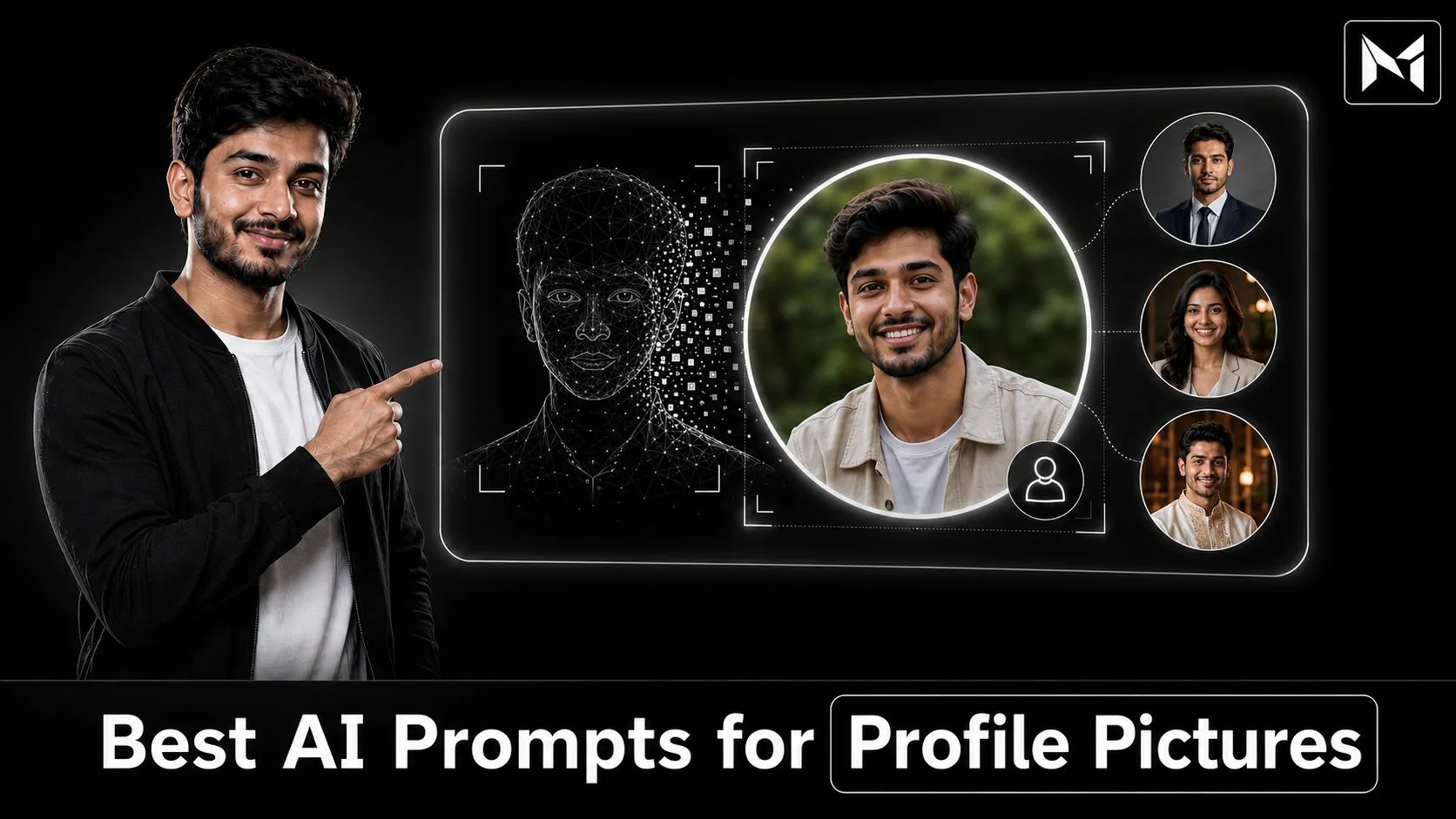
This guide provides the best AI prompts for profile pictures that you can copy, customize, and use with compatible AI image-generation platforms.
Your profile picture is often the first visual impression people receive when they visit your social media account, professional profile, business page, gaming account, or online portfolio.
A clear and attractive profile photo can make your account look more trustworthy, professional, and memorable. However, arranging a photoshoot, choosing the correct background, finding suitable lighting, and editing the final photograph may require time and money.
AI photo-generation tools can make this process easier.
With a well-written prompt and a suitable reference photograph, you can create professional headshots, stylish portraits, cinematic profile pictures, traditional looks, creator photos, gaming avatars, and many other visual styles.
You can also visit Mera Photo AI, India’s top AI photography prompt discovery platform, to discover original and editorially reviewed AI photography prompts.
Mera Photo AI allows you to explore inspiring images and copy unlimited prompts for free. There is no login requirement, no fixed copying limit, no advertising disturbance, and no complicated setup. Its fast and distraction-free interface helps you discover, copy, customize, and use accurate prompts more conveniently.
What Is an AI Profile Picture Prompt?
An AI profile picture prompt is a written instruction that explains how an AI tool should create or edit a profile photograph.
It may describe details such as:
The person appearing in the image
Facial expression
Body position
Clothing and accessories
Background
Lighting
Camera angle
Photography style
Colour treatment
Image orientation
Level of realism
Details that should remain unchanged
For example, instead of writing:
Make a professional profile picture.
You can provide more useful instructions:
Create a realistic professional headshot using the uploaded photograph as the identity reference. Preserve the person’s facial features, skin tone, hairstyle, and natural expression. Show the subject wearing a dark navy blazer and white shirt against a clean light-grey studio background. Use soft frontal lighting, realistic skin texture, natural colours, eye-level framing, and a square composition suitable for LinkedIn.
The detailed version gives the AI tool clearer creative direction.
Why Are Good AI Prompts Important for Profile Pictures?
A short or unclear prompt may produce a generic photograph that does not match your preferred identity, clothing, background, or purpose.
A detailed prompt can help the AI understand what kind of profile picture you want.
A useful profile-picture prompt generally describes:
Identity: Whether the AI should preserve the face from an uploaded reference photograph.
Purpose: Whether the image is intended for LinkedIn, Instagram, WhatsApp, YouTube, gaming, business, or another platform.
Expression: A natural smile, confident look, friendly expression, serious appearance, or relaxed mood.
Clothing: A business suit, casual shirt, traditional outfit, creator-style clothing, or another suitable look.
Background: A studio wall, professional office, outdoor location, cinematic scene, gradient, or blurred environment.
Lighting: Soft daylight, studio lighting, golden-hour light, cinematic lighting, or another lighting setup.
Composition: A close-up headshot, head-and-shoulders portrait, waist-up frame, centred image, or side-facing pose.
Image Quality: Realistic skin texture, sharp eyes, balanced colours, and natural details.
Output Format: Usually a square or vertical image that can be cropped easily for different platforms.
Restrictions: Details the tool should avoid, such as distorted hands, artificial skin, text, watermarks, or unwanted logos.
Best AI Prompts for Profile Pictures
The following prompts are ready to copy and customize. Replace details such as clothing, colour, gender, location, and background according to your requirements.
AI tools may interpret prompts differently. Therefore, review every result carefully and refine the prompt where necessary.
1. Professional LinkedIn Profile Picture Prompt
Create a highly realistic professional LinkedIn profile picture using the uploaded photograph as the primary identity reference. Preserve the subject’s facial structure, skin tone, hairstyle, eye shape, and natural appearance. Show the subject wearing a well-fitted dark navy business suit with a clean white shirt. Use a soft light-grey studio background, balanced frontal lighting, natural skin texture, sharp eyes, and a confident but approachable expression. Frame the image from the chest upward at eye level. Use a centred square composition with sufficient space around the head. Avoid excessive retouching, plastic-looking skin, distorted facial features, text, logos, and watermarks.
2. Corporate Headshot Prompt
Transform the uploaded photograph into a polished corporate headshot while maintaining the person’s recognisable identity. Show the subject wearing a charcoal blazer and formal shirt in a modern professional office with a softly blurred background. Use natural window light mixed with subtle studio fill lighting. Keep the facial expression calm, confident, and trustworthy. Use realistic skin details, accurate body proportions, clean grooming, sharp focus on the face, and a premium business-photography style. Create a square image suitable for company websites, professional directories, and business profiles.
3. Instagram Profile Picture Prompt
Create a stylish and realistic Instagram profile picture based on the uploaded reference photo. Preserve the person’s facial identity, natural skin tone, hairstyle, and age. Show the subject wearing a fashionable casual outfit against a modern urban background with soft depth of field. Use warm natural lighting, balanced colours, a relaxed expression, and subtle editorial photography. Frame the face and shoulders prominently so the subject remains clearly visible when the image is displayed as a small circular profile picture. Avoid excessive filters, unnatural skin smoothing, text, logos, and distracting background elements.
4. WhatsApp Display Picture Prompt
Create a clean and friendly WhatsApp display picture using the uploaded image as the identity reference. Preserve the subject’s real facial features and natural appearance. Show a soft smile, simple casual clothing, and a clean neutral background. Use gentle daylight, natural colour tones, realistic skin texture, and a close head-and-shoulders composition. Keep the face centred with sufficient margin for circular cropping. The image should look genuine, approachable, clear, and suitable for both personal and professional contacts.
5. Business Owner Profile Picture Prompt
Create a premium profile photograph of a successful Indian business owner using the uploaded photograph as the facial reference. Preserve the person’s identity accurately. Show the subject wearing a sophisticated dark blazer over a plain shirt, standing inside a modern office with a softly blurred background. Use professional studio lighting, realistic skin texture, confident posture, direct eye contact, and a composed expression. Frame the portrait from the waist upward with the subject centred. The final image should communicate professionalism, trust, leadership, and business confidence without looking artificial.
6. Freelancer Profile Picture Prompt
Generate a realistic freelancer profile picture using the uploaded reference photograph. Preserve the subject’s exact facial appearance, skin tone, hairstyle, and natural expression. Show the subject in smart-casual clothing against a bright, minimal workspace with a laptop and indoor plant softly visible in the background. Use clean daylight, natural shadows, realistic details, and a friendly professional smile. Create a head-and-shoulders square portrait suitable for freelancing platforms, online portfolios, and professional social media accounts.
7. Content Creator Profile Picture Prompt
Create a colourful but professional profile picture for a digital content creator. Use the uploaded photograph as the identity reference and preserve the subject’s recognisable facial features. Show the person wearing a modern casual outfit in a creative studio environment with soft, tasteful background lights and blurred content-creation equipment. Use flattering but realistic lighting, expressive eyes, a confident smile, vibrant natural colours, and sharp facial focus. Keep the composition clean and suitable for a circular YouTube, Instagram, or creator-profile crop. Do not add platform logos, text, or watermarks.
8. YouTube Channel Profile Picture Prompt
Create a bold and memorable YouTube channel profile picture using the uploaded photograph. Maintain the person’s facial identity accurately. Show the subject with a confident and energetic expression against a clean dark background with subtle white rim lighting. Use a close-up composition, strong facial visibility, realistic skin texture, natural eyes, and professional contrast. Keep the face in the centre and ensure important details remain visible when cropped into a small circle. Do not add text, YouTube logos, icons, or watermarks.
9. Cinematic Profile Picture Prompt
Create an ultra-realistic cinematic profile portrait using the uploaded photograph as the identity reference. Preserve the subject’s face, hairstyle, age, and skin tone. Show the person wearing a dark textured jacket against a softly blurred evening city background. Use controlled cinematic lighting with a warm key light and subtle cool ambient light. Add realistic depth of field, gentle film grain, natural shadows, detailed skin texture, and a confident side-facing pose. Keep the face clearly visible and avoid heavy colour effects, distorted anatomy, or an artificial appearance.
10. Black Background Profile Picture Prompt
Create a premium studio profile picture using the uploaded photograph as the facial reference. Preserve the person’s recognisable identity and natural features. Show the subject wearing a black outfit against a deep black background. Use soft directional lighting to separate the face and shoulders from the background, with a subtle rim light around the hair. Maintain natural skin tones, realistic texture, sharp eyes, and balanced contrast. Use a centred head-and-shoulders square composition suitable for social media and professional branding.
11. White Background Profile Picture Prompt
Generate a clean and realistic profile picture with a pure white background. Use the uploaded photograph as the primary identity reference and preserve the subject’s face, skin tone, hairstyle, and age. Show the person wearing neat smart-casual clothing with a friendly natural expression. Use soft, even studio lighting without harsh shadows. Keep the skin texture realistic, the eyes sharp, and the colours accurate. Frame the subject from the shoulders upward with sufficient margin for square and circular cropping.
12. Traditional Indian Profile Picture Prompt
Create a realistic traditional Indian profile portrait using the uploaded photograph as the identity reference. Preserve the subject’s original face, skin tone, hairstyle, and natural proportions. Show the person wearing an elegant traditional Indian outfit with detailed but tasteful fabric work. Use a warm neutral studio background, soft golden lighting, natural shadows, and authentic colour reproduction. Keep the expression calm and confident. Use a close head-and-shoulders composition suitable for social media, festival profiles, and personal branding. Avoid excessive jewellery, artificial skin smoothing, and unrealistic decorative elements.
13. Profile Picture for Boys
Create a stylish and realistic profile picture of a young adult Indian man using the uploaded photograph as the facial reference. Preserve his face, skin tone, hairstyle, and age accurately. Show him wearing a clean black casual jacket over a plain white T-shirt. Use a modern outdoor city background with soft blur, natural daylight, realistic skin texture, sharp facial details, and a confident relaxed expression. Frame the image from the chest upward and keep the face centred for circular cropping. Avoid exaggerated muscles, artificial facial features, text, logos, and watermarks.
14. Profile Picture for Girls
Create an elegant and realistic profile picture of an adult Indian woman using the uploaded reference photograph. Preserve her facial identity, natural skin tone, hairstyle, age, and recognisable features. Show her wearing a tasteful modern outfit in a soft neutral colour. Use flattering natural window light, a clean blurred background, realistic skin texture, subtle makeup, and a calm confident smile. Frame the portrait from the shoulders upward with sufficient space for circular cropping. Avoid changing facial structure, excessive beautification, artificial skin, text, logos, and watermarks.
15. Profile Picture in a Formal Suit
Transform the uploaded photograph into a realistic formal profile portrait while preserving the subject’s identity. Show the person wearing a well-fitted black business suit, white shirt, and simple professional styling. Use a dark-grey studio background with soft frontal light and subtle rim lighting. Maintain accurate facial proportions, natural skin texture, clean details, direct eye contact, and a confident expression. Create a centred square portrait suitable for LinkedIn, corporate websites, business cards, and professional directories.
16. Casual Outdoor Profile Picture Prompt
Create a natural outdoor profile photograph using the uploaded image as the identity reference. Preserve the subject’s face, skin tone, hairstyle, and body proportions. Show the person wearing a clean casual outfit in a peaceful park during golden hour. Use warm natural sunlight, a softly blurred green background, realistic shadows, natural skin details, and a relaxed smile. Frame the image from the chest upward with the face clearly visible and centred. The result should look like a genuine professional outdoor photograph rather than an artificial AI image.
17. Luxury Profile Picture Prompt
Create a premium luxury-style profile portrait based on the uploaded photograph. Preserve the person’s recognisable identity and natural facial features. Show the subject wearing an elegant black formal outfit inside a sophisticated modern interior with warm ambient lights and a softly blurred background. Use refined studio lighting, natural skin texture, controlled highlights, realistic fabric details, and a calm confident expression. Keep the composition minimal and tasteful. Avoid excessive jewellery, visible brand logos, artificial skin, and unnecessary background objects.
18. Creative Artist Profile Picture Prompt
Create a realistic and artistic profile portrait using the uploaded photograph as the identity reference. Preserve the subject’s natural face and appearance. Show the person inside a creative studio with subtle paintings, design materials, or photography equipment softly blurred in the background. Use gentle window light, warm neutral colours, realistic skin texture, and a thoughtful expression. Frame the portrait from the chest upward with a clean square composition. The result should feel creative, authentic, approachable, and professionally photographed.
19. Gaming Profile Picture Prompt
Create a realistic gaming profile picture using the uploaded photograph as the facial reference. Preserve the person’s identity, face shape, skin tone, hairstyle, and age. Show the subject wearing a dark hoodie inside a modern gaming room with subtle coloured monitor light in the background. Use controlled cinematic lighting, clear facial visibility, realistic skin texture, sharp eyes, and a confident expression. Keep the face centred and suitable for a small circular avatar. Do not add game logos, usernames, weapons, text, or watermarks.
20. Minimalist Profile Picture Prompt
Create a clean minimalist profile picture based on the uploaded photograph. Preserve the subject’s facial identity and natural appearance. Show the person wearing a plain neutral-coloured outfit against a smooth beige or light-grey background. Use soft diffused lighting, balanced shadows, realistic skin texture, clean composition, and a calm natural expression. Frame the portrait from the shoulders upward with enough negative space for cropping. Avoid decorative elements, dramatic filters, text, logos, and distracting objects.
How to Create an AI Profile Picture
You can create a profile picture in a few simple steps.
Choose a Suitable Prompt: Select a prompt whose example style matches the platform, profession, mood, and appearance you want.
Copy the Complete Prompt: Visit MeraPhoto.ai and use the copy option to copy a suitable profile-picture prompt.
Upload a Reference Photograph: If facial identity is important, upload a clear photograph that belongs to you or that you have permission to use.
Customize the Details: Change the outfit, background, expression, colour, lighting, profession, and platform according to your needs.
Choose a Compatible AI Tool: Paste the customized prompt into a supported image-generation platform.
Select the Correct Ratio: Use a square ratio such as 1:1 or a vertical ratio that provides sufficient space for cropping.
Generate Multiple Versions: Create more than one result because each generation may produce different details.
Review the Images: Check facial accuracy, clothing, background, eyes, hands, skin texture, and overall realism.
Refine the Prompt: Correct one issue at a time instead of rewriting the entire prompt.
Crop for the Platform: Export and crop the selected image according to the platform’s profile-picture requirements.
How to Customize a Profile Picture Prompt
Copy-ready prompts provide a starting point, but customization makes the output more relevant to your identity and purpose.
You can customize the following elements:
Clothing type and colour
Facial expression
Hairstyle
Background
Professional role
Indoor or outdoor location
Lighting style
Camera framing
Mood and colour tone
Social media platform
Image orientation
Accessories
Level of background blur
Formal or casual appearance
For example, you can replace:
Dark business suit in a modern office
With:
Beige smart-casual blazer in a bright creative workspace
Make sure the requested details work together. Conflicting visual directions may confuse the AI tool.
Choosing the Right Profile Picture for Each Platform
Different platforms may require different visual styles.
LinkedIn: Use a clean professional headshot, formal or smart-casual clothing, a simple background, and an approachable expression.
Instagram: Choose a more personal, creative, fashionable, or lifestyle-focused photograph.
WhatsApp: Use a friendly and natural close-up image that is suitable for both personal and professional contacts.
YouTube: Select a bold image with strong facial visibility that remains clear at a small size.
Facebook: A natural lifestyle portrait, family-friendly image, or professional photograph may work well.
Freelancing Platforms: Use a trustworthy professional photograph with a clean background and clear face.
Business Websites: Select a polished headshot that reflects your role, industry, and brand personality.
Gaming Accounts: You can use a more dramatic or creative style while keeping the face clearly recognisable.
Dating Profiles: Use a natural, honest, well-lit image that represents your real appearance.
Creator Portfolios: Choose a distinctive but professional portrait that supports your content category and visual identity.
Tips for Better AI Profile Pictures
1. Use a Clear Reference Photograph
Choose a high-quality image with a clearly visible face, natural lighting, and minimal filters.
A blurry, highly compressed, dark, cropped, or heavily edited photograph may reduce facial consistency.
2. Keep the Face Clearly Visible
Avoid reference images where sunglasses, hair, masks, hands, shadows, or objects cover important facial features.
3. Mention Identity Preservation
If you want the result to resemble you, clearly instruct the AI tool to preserve:
Facial structure
Eye shape
Nose
Lips
Skin tone
Hairstyle
Age
Natural proportions
Even detailed identity instructions cannot guarantee perfect facial consistency.
4. Keep the Background Simple
A profile picture is usually displayed at a small size. A complicated background may distract attention from the face.
5. Leave Space for Circular Cropping
Many platforms display profile photographs inside a circle. Keep the face centred and avoid placing important details near the corners.
6. Request Natural Skin Texture
Terms such as “realistic skin texture,” “natural pores,” and “minimal retouching” can help reduce an overly smooth plastic appearance.
7. Generate Multiple Versions
AI image generation includes random variation. Create several versions and select the one with the most accurate face and natural details.
8. Refine One Problem at a Time
If the image is almost correct, modify only the problematic detail.
For example:
Make the smile more natural.
Reduce skin smoothing.
Keep the original hairstyle.
Replace the background with light grey.
Correct the blazer colour.
Use softer frontal lighting.
Increase space around the head.
Common AI Profile Picture Mistakes
Using a Blurry Reference Image: Poor reference quality may affect facial accuracy and overall image quality.
Adding Too Many Styles: Combining cinematic, cartoon, fantasy, corporate, vintage, and smartphone photography in one prompt can produce conflicting results.
Ignoring Circular Cropping: Important hair, clothing, or background details may disappear when the image is cropped.
Requesting an Unrealistic Appearance: Extreme beautification may make the image look artificial or unrecognisable.
Using a Distracting Background: A complicated environment can reduce facial visibility.
Forgetting the Platform: A gaming avatar may not be suitable for LinkedIn, while a corporate headshot may appear too formal for a casual creator account.
Copying Without Customization: Clothing, gender, setting, and professional details should be reviewed before using any prompt.
Publishing Without Inspection: AI tools can create visual errors, incorrect accessories, distorted text, or inconsistent facial features.
Using Someone Else’s Photograph Without Permission: Upload only images that belong to you or that you are legally allowed to use.
Expecting an Identical Result: The example image represents one possible outcome and cannot guarantee the same output.
Important Limitations
Identical Results Are Not Guaranteed: An example photograph demonstrates one possible result. Copying the same prompt does not guarantee an identical image.
Reference Images Influence the Output: A blurry, filtered, cropped, or poorly lit photograph may reduce identity consistency and image quality.
AI Models Interpret Prompts Differently: A prompt that works well on one platform may require changes when used with another tool.
Facial Accuracy Can Vary: AI tools may alter facial structure, skin tone, age, hairstyle, expression, or other personal details.
Visual Errors May Occur: Generated images can contain incorrect hands, unusual clothing, distorted accessories, inconsistent reflections, or unrealistic background objects.
Third-Party Policies Apply: Every image-generation platform may have separate privacy, pricing, age, generation, and commercial-use conditions.
Manual Review Is Necessary: Users should carefully inspect every generated image before publishing or using it professionally.
Why Use Mera Photo AI?
Mera Photo AI is India’s top AI photography prompt discovery platform, created to make prompt discovery simple, fast, and accessible.
Instead of reading complicated text-only prompt collections, users can first explore an inspiring AI-generated image and then view the complete prompt behind it.
Mera Photo AI offers:
Visual-First Discovery: Explore the example image before selecting its prompt.
Free Unlimited Prompt Copying: Copy as many available prompts as you need without a fixed copying limit.
No Login Requirement: Public visitors can browse and copy prompts without creating an account.
No Advertising Disturbance: Discover prompts through a clean and focused browsing experience.
Original and Editorially Reviewed Prompts: Prompts are selected and reviewed to improve clarity, usefulness, and customization.
Fast Platform Experience: Find relevant ideas without unnecessary delays or complicated steps.
Multiple Prompt Categories: Explore prompts for portraits, fashion, products, food, festivals, couples, businesses, social media, illustrations, and wallpapers.
Compatibility Information: Available labels can help users identify potentially suitable AI tools.
Favourite Prompt Saving: Save useful prompts and return to them when you are ready to create.
Accurate Creative Direction: Detailed prompts describe important visual elements to help users work toward a result similar to the example.
AI outputs can still vary according to the selected platform, model, reference photograph, generation settings, and prompt changes.
Responsible Use of AI Profile Pictures
AI profile pictures should be used responsibly.
Upload only photographs that belong to you or that you have permission to use.
Do not create deceptive profiles or impersonate another person.
Do not use an AI photograph to misrepresent professional qualifications.
Avoid generating harmful, unlawful, or misleading content.
Review the image carefully before using it for business or advertising.
Check the privacy and commercial-use policies of the selected AI platform.
Do not upload sensitive photographs unless you understand how the third-party platform processes and stores them.
Clearly disclose AI-generated imagery where the platform, client, employer, or applicable policy requires it.
The person creating and publishing an AI-generated profile picture is responsible for ensuring that its use is lawful, ethical, and appropriate.
Frequently Asked Questions
Q. What is the best AI prompt for a profile picture?
A. The best prompt clearly describes the person, intended platform, clothing, expression, background, lighting, framing, image ratio, realism, and elements that should be avoided. If identity matters, it should also instruct the AI to preserve the face from the uploaded reference photograph.
Q. Can I create an AI profile picture for free?
A. Some AI image-generation platforms may offer free access, trials, or limited generations. Their pricing and usage conditions can change. Mera Photo AI allows users to explore and copy available prompts for free without a fixed copying limit.
Q. Do I need to log in to Mera Photo AI?
A. Public visitors can explore and copy prompts from MeraPhoto.ai without creating a user account.
Q. Can I use these prompts with ChatGPT or Gemini?
A. The prompts may be adaptable for ChatGPT, GPT Image, Google Gemini, Microsoft Copilot, Adobe Firefly, Midjourney, FLUX, Stable Diffusion, Leonardo AI, Ideogram, Grok, and other compatible tools. Prompt interpretation and available features can differ across platforms.
Q. Which image ratio is suitable for a profile picture?
A. A 1:1 square ratio is a practical choice because it works well with many profile-picture systems. Keep sufficient space around the face so the image can be cropped into a circle without cutting important details.
Q. Will the AI preserve my exact face?
A. Facial consistency depends on the AI model, quality of the reference image, instructions, settings, and random variation. An exact match is not guaranteed.
Q. Can I use an AI profile picture on LinkedIn?
A. You can use an appropriate professional image subject to LinkedIn’s current policies and your need to represent yourself honestly. Make sure the photograph remains recognisable and does not misrepresent your identity or qualifications.
Q. How can I make an AI profile picture look realistic?
A. Use a clear reference image and request natural skin texture, accurate facial proportions, realistic lighting, balanced colours, subtle imperfections, and minimal retouching. Avoid excessive beautification and conflicting visual styles.
Q. Can I commercially use an AI-generated profile picture?
A. Commercial-use rights depend on the selected AI platform, its terms, your reference image, and applicable law. Review the platform’s current policies before using the image commercially.
Q. Where can I find more profile-picture prompts?
A. Visit MeraPhoto.ai to discover AI-generated photography ideas, view complete prompts, copy them for free, customize the details, and use them with compatible AI image tools.
Conclusion
A strong profile picture can improve the way people recognise and remember you online.
With the right AI prompt, you can explore professional, casual, cinematic, traditional, minimalist, creator-focused, and platform-specific profile-picture styles without planning a complete physical photoshoot.
The best results usually begin with a clear reference photograph and a detailed prompt. Explain the desired clothing, background, expression, lighting, framing, image ratio, and realism. Generate multiple versions, review the output carefully, and refine one problem at a time.
For more visual inspiration, visit Mera Photo AI—India’s top AI photography prompt discovery platform. You can discover useful images, copy unlimited available prompts for free, and customize them without a login, fixed copying limit, advertising disturbance, or complicated setup.
Your next LinkedIn headshot, Instagram profile photo, WhatsApp display picture, creator portrait, or business profile image can begin with one carefully written prompt.
Discover the idea. Copy the prompt. Create something remarkable.
Mera Photo AI — Discover. Copy. Create.