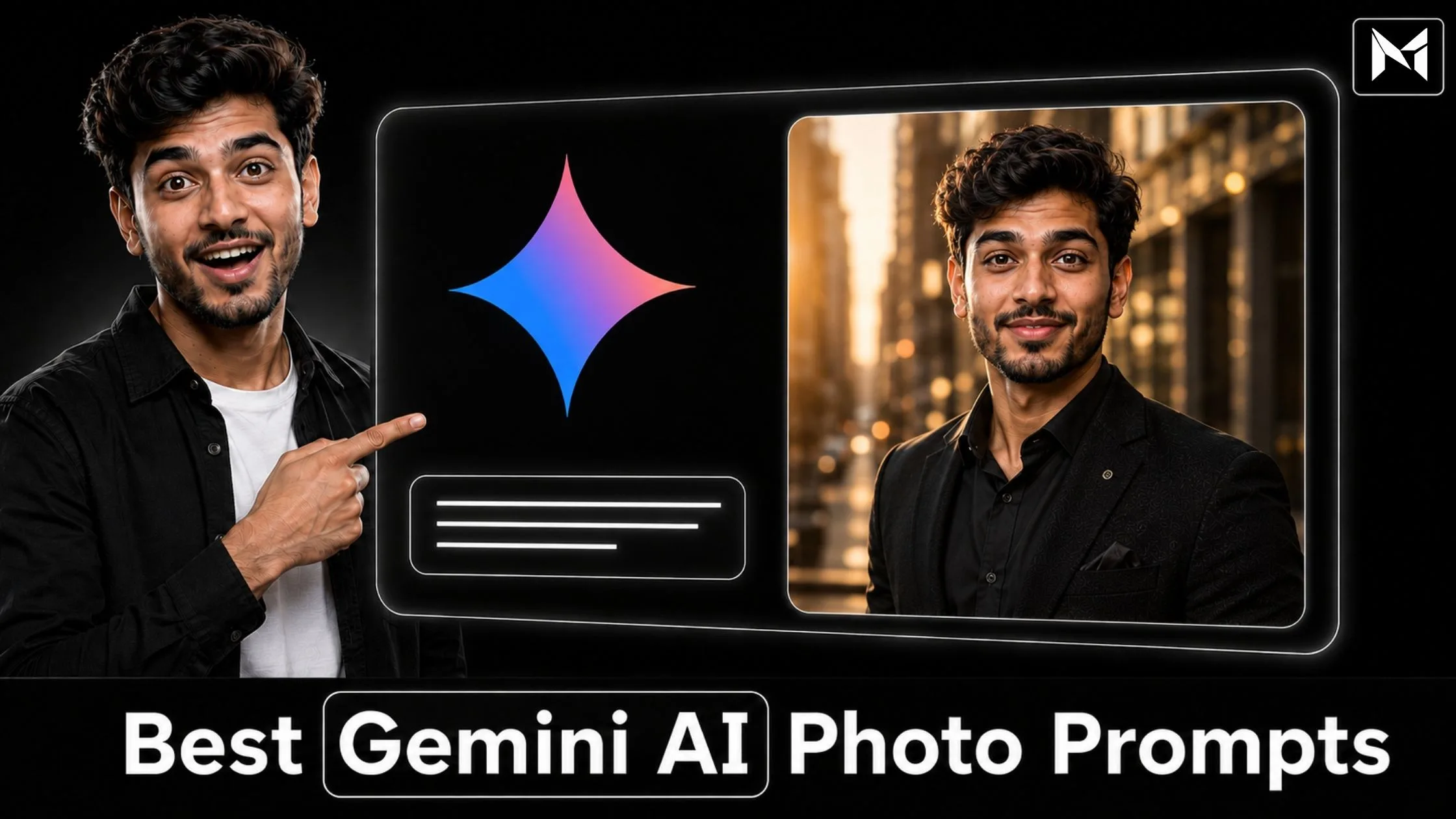
Google Gemini has become a useful platform for creating and editing AI-generated images through written instructions.
You can describe a photograph you want, upload a reference image, specify the clothing, background, pose, lighting, camera angle, and overall mood, and then ask Gemini to create the visual.
However, the quality of the final image depends heavily on the clarity of your prompt.
A short instruction such as “make my photo stylish” does not give Gemini enough creative direction. It may create a result, but the clothing, background, pose, lighting, and facial details may not match your expectations.
A detailed prompt explains the entire visual concept more clearly.
In this article, you will find the best Gemini AI photo prompts for realistic portraits, boys, girls, couples, professionals, traditional outfits, social media, products, festivals, and other popular photography styles.
You can copy these prompts, customize the required details, upload a suitable reference photograph, and use them with a compatible Gemini image-generation feature.
You can also visit Mera Photo AI, India’s top AI photo prompt platform, to explore inspiring AI-generated images and copy unlimited photography prompts for free.
Mera Photo AI provides a fast and distraction-free prompt-discovery experience with no public login requirement, no fixed copying limit, and no advertising disturbance.
What Are Gemini AI Photo Prompts?
Gemini AI photo prompts are written instructions that tell Google Gemini what kind of image you want to create or how you want an uploaded image to be transformed.
A prompt can describe:
The main subject
Facial identity
Age and gender
Hairstyle
Clothing and accessories
Facial expression
Body posture
Background and location
Lighting conditions
Camera angle
Image composition
Colour treatment
Photography style
Aspect ratio
Important details to preserve
Elements to include or avoid
Google’s current Gemini image features support image generation and conversational editing. Depending on availability, account type, location, age, and usage limits, users may generate images, upload an image for editing, or combine multiple images to create a new visual. Editing in Gemini Apps is restricted to users aged 18 or older.
Gemini’s native image-generation technology is also known as Nano Banana. Google currently documents Nano Banana models for text-to-image creation, reference-based generation, and conversational image editing.
What Makes a Good Gemini AI Photo Prompt?
An effective prompt should provide enough information to guide the image without adding unnecessary or contradictory instructions.
A strong Gemini photo prompt generally contains the following elements:
Purpose: Explain whether you want a LinkedIn headshot, Instagram portrait, wedding photo, product visual, festival image, or another type of content.
Reference Instructions: Tell Gemini whether an uploaded photograph should be used to preserve the subject’s identity.
Subject Description: Describe the person, couple, product, animal, or object appearing in the image.
Clothing: Mention the outfit, fabric, colour, fitting, and accessories.
Pose: Explain whether the subject should stand, sit, walk, look at the camera, or face sideways.
Expression: Request a natural smile, serious look, calm expression, or confident appearance.
Location: Describe the studio, office, street, beach, wedding venue, garden, café, or another background.
Lighting: Specify soft daylight, golden-hour light, studio lighting, cinematic lighting, or another setup.
Camera Direction: Mention the framing, camera height, lens style, depth of field, and orientation.
Realism: Request natural skin texture, realistic fabric, accurate proportions, and believable shadows.
Restrictions: Explain what Gemini should avoid changing or generating.
Aspect Ratio: Select a ratio suitable for Instagram, profile pictures, wallpapers, banners, or other uses.
Best Gemini AI Photo Prompts
The following prompts are complete and copy-ready. You can modify the gender, clothing, colours, location, age, pose, and aspect ratio according to your needs.
Uploading a clear reference photograph may help when you want the generated subject to resemble you. However, facial consistency is not guaranteed and can vary between generations.
1. Realistic Professional Portrait Prompt
Create an ultra-realistic professional portrait using the uploaded photograph as the primary identity reference. Preserve the subject’s recognisable facial structure, skin tone, eye shape, nose, lips, hairstyle, and natural age. Show the subject wearing a well-fitted dark navy blazer over a clean white shirt. Place the subject against a soft light-grey studio background. Use balanced frontal lighting, subtle shadows, realistic skin texture, sharp eyes, natural colours, and a confident but approachable expression. Frame the photograph from the chest upward at eye level. Use a centred vertical composition suitable for LinkedIn, a company website, and professional branding. Avoid excessive skin smoothing, facial reshaping, distorted features, text, logos, and watermarks.
2. Stylish Boy Photo Prompt
Use the uploaded photograph as the facial identity reference and create a realistic portrait of a young adult Indian man. Preserve his recognisable facial features, skin tone, hairstyle, and age. Show him wearing a black casual jacket over a plain white T-shirt, standing beside a modern dark-coloured car on a clean city street. Use soft evening light, a shallow depth of field, natural skin texture, realistic fabric details, and a confident relaxed expression. Frame the photograph from the waist upward in a vertical 4:5 composition. Keep the appearance stylish but believable. Avoid exaggerated muscles, artificial skin, visible brand logos, distorted hands, and unnecessary background objects.
3. Elegant Girl Photo Prompt
Create an elegant and realistic portrait of an adult Indian woman using the uploaded photograph as the identity reference. Preserve her facial structure, natural skin tone, hairstyle, age, and recognisable features. Show her wearing a tasteful pastel-coloured modern outfit with minimal accessories. Place her near a large window in a bright, premium interior. Use soft natural daylight, realistic skin texture, subtle makeup, balanced colours, and a gentle confident smile. Frame the photograph from the waist upward with a clean vertical composition. Avoid changing her identity, excessive beautification, plastic-looking skin, distorted jewellery, text, logos, and watermarks.
4. Instagram Profile Picture Prompt
Create a realistic Instagram profile picture using the uploaded photograph as the primary identity reference. Preserve the subject’s natural face, skin tone, hairstyle, and age. Show the person wearing a fashionable smart-casual outfit against a clean outdoor background with soft greenery and shallow depth of field. Use warm natural light, sharp facial focus, natural skin texture, balanced colours, and a friendly confident expression. Keep the face centred and clearly visible inside a circular profile-picture crop. Leave sufficient space around the head and shoulders. Avoid distracting objects, excessive filters, text, logos, and artificial facial features.
5. LinkedIn Headshot Prompt
Transform the uploaded photograph into a polished LinkedIn headshot while maintaining the subject’s recognisable identity. Show the person wearing professional business clothing against a softly blurred modern office background. Use clean studio-quality lighting, direct eye contact, realistic skin texture, accurate body proportions, neat grooming, and a trustworthy expression. Frame the subject from the shoulders upward at eye level. Use a centred square composition that can be cropped into a circle. The final photograph should look professional, confident, and approachable without appearing excessively edited.
6. Cinematic Portrait Prompt
Create an ultra-realistic cinematic portrait using the uploaded photograph as the facial reference. Preserve the subject’s identity, natural skin tone, hairstyle, and age. Show the person wearing a dark textured jacket on a quiet city street after light rain. Include wet pavement, soft reflections, subtle atmospheric haze, and a blurred urban background. Use controlled cinematic lighting with a warm key light and neutral ambient light. Add realistic depth of field, subtle film grain, natural shadows, and detailed skin texture. Use a vertical 4:5 composition with a calm, confident expression. Avoid excessive neon colours, unrealistic rain, distorted anatomy, text, and logos.
7. Traditional Indian Boy Prompt
Create a realistic traditional portrait of a young adult Indian man using the uploaded photograph as the identity reference. Preserve his face, complexion, hairstyle, and natural body proportions. Show him wearing an elegant ivory kurta with detailed but tasteful embroidery. Place him inside a premium traditional interior with warm lamps and a softly blurred decorative background. Use warm balanced lighting, realistic fabric texture, natural skin details, and a composed expression. Frame the photograph from the waist upward in a vertical composition. Avoid excessive jewellery, artificial skin, oversaturated colours, and distorted clothing patterns.
8. Traditional Indian Girl Prompt
Create an elegant traditional portrait of an adult Indian woman using the uploaded photograph as the facial reference. Preserve her recognisable identity, natural skin tone, hairstyle, and age. Show her wearing a tasteful silk saree with subtle embroidery and minimal traditional jewellery. Place her in a refined Indian interior with warm ambient lighting and a softly blurred background. Use realistic fabric details, natural skin texture, accurate jewellery, and a graceful expression. Frame the image from the waist upward in a vertical 4:5 composition. Avoid changing facial features, excessive beautification, heavy jewellery, distorted hands, and artificial decorations.
9. Romantic Couple Photo Prompt
Create a realistic romantic portrait of an adult couple using the two uploaded photographs as separate facial identity references. Preserve the recognisable facial features, skin tones, hairstyles, ages, and natural proportions of both individuals. Show the couple standing together in a peaceful garden during golden hour, wearing coordinated smart-casual outfits. Use warm sunlight, a softly blurred natural background, realistic fabric texture, natural expressions, and comfortable body language. Frame the couple from the waist upward in a vertical 4:5 composition. Avoid merging their faces, changing identities, adding extra people, distorted hands, exaggerated poses, and artificial skin.
10. Pre-Wedding Photo Prompt
Create an ultra-realistic pre-wedding photograph of an adult Indian couple using the uploaded photographs as identity references. Preserve both faces, skin tones, hairstyles, and natural body proportions. Show the couple standing near an elegant heritage building during golden hour. Dress the man in a sophisticated formal suit and the woman in a tasteful flowing pastel dress. Use warm cinematic sunlight, realistic shadows, gentle movement in the fabric, natural romantic expressions, and premium editorial photography. Use a vertical 4:5 composition. Avoid exaggerated poses, facial changes, additional people, text, logos, and unrealistic background architecture.
11. Indian Wedding Couple Prompt
Generate a premium Indian wedding portrait of an adult bride and groom using the uploaded reference photographs. Preserve the recognisable identity, skin tone, age, and facial features of both subjects. Show the groom wearing an elegant embroidered sherwani and the bride wearing a tasteful traditional bridal outfit with realistic fabric and jewellery details. Place them inside a beautifully decorated wedding venue with warm lights and a softly blurred floral background. Use professional wedding photography, natural expressions, accurate hands, realistic skin texture, and balanced colours. Avoid excessive jewellery, distorted embroidery, merged faces, additional people, and artificial-looking skin.
12. Birthday Photoshoot Prompt
Create a realistic birthday photoshoot portrait using the uploaded photograph as the identity reference. Preserve the subject’s face, skin tone, hairstyle, and natural age. Show the person wearing an elegant party outfit beside a tastefully decorated birthday setup with a cake, soft lights, and a small number of balloons. Use flattering studio lighting, natural skin texture, realistic decorations, and a joyful expression. Keep the composition clean and premium in a vertical 4:5 ratio. Do not add an incorrect age, unreadable text, excessive decorations, distorted candles, or unwanted people.
13. Fitness Portrait Prompt
Create a realistic fitness portrait of an adult using the uploaded photograph as the facial identity reference. Preserve the subject’s recognisable facial features, skin tone, hairstyle, and realistic body proportions. Show the person wearing appropriate athletic clothing inside a modern gym. Use directional lighting, realistic muscle definition, natural perspiration, believable equipment, and a focused confident expression. Frame the image from the waist upward in a vertical composition. Avoid exaggerated muscles, impossible anatomy, distorted gym equipment, visible brand logos, and artificial skin.
14. Luxury Lifestyle Prompt
Create a premium luxury lifestyle portrait using the uploaded photograph as the identity reference. Preserve the subject’s face, skin tone, age, and natural appearance. Show the person wearing an elegant black formal outfit inside a sophisticated modern hotel lobby. Use warm ambient light, controlled highlights, realistic marble and fabric textures, a softly blurred background, and a calm confident expression. Frame the photograph from the waist upward with a tasteful editorial composition. Avoid excessive jewellery, visible luxury-brand logos, unrealistic architecture, artificial skin, and cluttered elements.
15. Travel Photo Prompt
Create a realistic travel portrait using the uploaded photograph as the primary identity reference. Preserve the subject’s facial features, skin tone, hairstyle, age, and natural proportions. Show the person wearing comfortable stylish travel clothing at a peaceful mountain viewpoint during early morning. Include realistic mountains, soft mist, natural sunlight, and subtle depth of field. Use authentic outdoor colours, detailed fabric texture, natural skin, and a relaxed expression. Frame the subject from the waist upward in a vertical composition. Avoid unrealistic landscapes, excessive fog, distorted clothing, extra people, and artificial facial details.
16. Product Photography Prompt
Create a premium commercial product photograph of [PRODUCT NAME]. Place the product on a clean matte surface against a minimal neutral background. Use soft studio lighting, controlled highlights, realistic shadows, accurate materials, sharp product details, and a professional advertising composition. Keep the product shape, packaging colours, label placement, and proportions consistent with the uploaded reference image. Use a square 1:1 composition suitable for an e-commerce listing and social media. Do not add extra products, incorrect text, fake claims, altered branding, distracting props, or watermarks.
17. Food Photography Prompt
Create a realistic commercial food photograph of [DISH NAME] served in a clean and attractive presentation. Place the dish on a tasteful restaurant table with a minimal softly blurred background. Use warm natural-looking light, realistic food texture, accurate ingredients, gentle steam where appropriate, and balanced colours. Capture the dish from a flattering 45-degree camera angle with sharp focus on the main food. Use a square composition suitable for restaurant marketing and social media. Avoid excessive garnish, artificial colours, distorted utensils, incorrect ingredients, text, logos, and human hands.
18. Festival Photo Prompt
Create a realistic Indian festival portrait using the uploaded photograph as the identity reference. Preserve the subject’s natural face, skin tone, hairstyle, and age. Show the person wearing an elegant traditional outfit in a tasteful festive environment with warm lamps, subtle floral decorations, and soft background lights. Use natural expressions, realistic fabric details, balanced warm colours, and professional portrait lighting. Frame the image from the waist upward in a vertical 4:5 ratio. Customize the decorations according to [FESTIVAL NAME]. Avoid unsafe fire placement, excessive decorations, distorted hands, incorrect religious elements, and artificial skin.
19. Black Studio Portrait Prompt
Create a premium black-background studio portrait using the uploaded photograph as the facial reference. Preserve the subject’s recognisable identity, natural skin tone, hairstyle, and age. Show the person wearing a clean black outfit against a deep black background. Use soft directional lighting on the face and a subtle rim light around the hair and shoulders. Maintain realistic skin texture, sharp eyes, controlled contrast, and a confident expression. Use a centred head-and-shoulders composition. Avoid losing the subject in the background, excessive contrast, plastic skin, text, logos, and watermarks.
20. Vintage Film Portrait Prompt
Create a realistic vintage-inspired portrait using the uploaded photograph as the identity reference. Preserve the subject’s recognisable facial features, skin tone, hairstyle, and natural age. Show the person wearing a tasteful outfit inspired by classic Indian cinema, standing near an old architectural setting. Use warm faded colours, soft natural light, subtle film grain, gentle contrast, realistic fabric texture, and an authentic photographic appearance. Frame the image in a vertical 4:5 composition. Keep the result nostalgic but believable. Avoid extreme colour grading, damaged facial details, fake text, logos, and excessive scratches.
How to Use Gemini AI Photo Prompts
You can use a Gemini photo prompt by following these steps:
Select an Image Concept: Decide whether you need a professional portrait, couple photo, traditional image, product visual, profile picture, or another style.
Choose a Suitable Prompt: Select a prompt that closely matches your preferred output.
Copy the Prompt: Visit MeraPhoto.ai and copy a suitable prompt from the available library.
Review the Details: Read the complete prompt before using it.
Customize the Placeholders: Replace bracketed details such as
[PRODUCT NAME],[DISH NAME], or[FESTIVAL NAME].Upload a Reference Image: If identity or product consistency is important, upload a clear photograph that you own or have permission to use.
Open Gemini: Visit Gemini on the web or use the official Gemini application.
Paste the Prompt: Enter your customized prompt in the input box.
Generate the Image: Submit the instruction and allow Gemini to process it.
Review the Output: Check the face, hands, clothing, text, background, colours, and proportions.
Request a Specific Revision: If one element is incorrect, ask Gemini to change only that element.
Download the Final Image: Save the most suitable version after reviewing it carefully.
Google explains that Gemini Apps can generate images, edit a generated image, accept an uploaded image for editing, and use multiple uploads to create a new composition. Availability and limits can depend on the account and region.
How to Customize a Gemini Photo Prompt
A copy-ready prompt should be treated as a starting point.
You can customize:
Gender
Age
Clothing style
Outfit colour
Hairstyle
Facial expression
Body pose
Location
Background
Time of day
Lighting
Camera angle
Aspect ratio
Photography style
Number of people
Decorative elements
Elements to avoid
For example, you can change:
Show the person wearing a black jacket on a city street.
To:
Show the person wearing a beige smart-casual blazer inside a bright creative workspace.
Review the complete prompt after making changes. Make sure the new details do not conflict with the remaining instructions.
Best Aspect Ratios for Gemini AI Photos
The ideal aspect ratio depends on where you plan to use the image.
1:1 Square: Profile pictures, product photos, thumbnails, and general social posts.
4:5 Vertical: Instagram portraits and mobile-friendly social media posts.
3:4 Vertical: Personal portraits, professional photography, and traditional photoshoots.
9:16 Vertical: Stories, Reels covers, Shorts, and smartphone wallpapers.
16:9 Landscape: Blog banners, YouTube thumbnails, desktop wallpapers, and presentation visuals.
3:2 Landscape: General photography, travel images, and editorial content.
If Gemini does not follow the requested ratio accurately, generate the image with additional surrounding space and crop it afterwards.
Benefits of Using Detailed Gemini AI Photo Prompts
Clearer Creative Direction: A detailed prompt explains the visual concept more accurately.
Faster Starting Point: You do not need to develop every photography instruction from the beginning.
Better Customization: Clothing, pose, background, lighting, and mood can be changed according to your needs.
Multiple Photography Styles: You can explore professional, cinematic, traditional, casual, commercial, and artistic ideas.
Conversational Refinement: You can continue the conversation and ask Gemini to modify a specific part of the result.
Support for Reference Images: Compatible Gemini features may use uploaded images as visual references.
Useful for Personal and Professional Work: Prompts can support profile photos, social media, branding, products, festivals, blogs, and marketing.
Creative Learning: Reading complete prompts helps users understand how photography details work together.
Tips for Better Gemini AI Photo Results
Use a Clear Reference Photograph
Use a high-quality photograph with:
A clearly visible face
Natural lighting
Minimal filters
Good resolution
A simple background
No major facial obstruction
A blurry or heavily filtered reference photograph can reduce facial consistency.
Clearly State What Must Remain Unchanged
If identity is important, tell Gemini to preserve:
Facial structure
Skin tone
Eye shape
Nose and lips
Hairstyle
Age
Natural proportions
Exact identity preservation is not guaranteed, even when these instructions are included.
Avoid Conflicting Directions
Do not combine multiple unrelated styles in one prompt.
For example, requesting documentary photography, fantasy artwork, cartoon styling, oil painting, and smartphone realism simultaneously can confuse the visual direction.
Keep the Lighting Logical
Avoid requesting bright midday sunlight and dark indoor studio lighting in the same portrait unless the scene logically includes both.
Ask for Natural Imperfections
Realistic photographs normally contain:
Natural skin texture
Fine hair
Fabric creases
Subtle facial lines
Minor surface variation
Believable shadows
Perfectly smooth skin and completely uniform surfaces can make an image look artificial.
Generate Multiple Versions
AI image generation contains random variation. The same prompt may produce different poses, faces, colours, backgrounds, and details.
Generate more than one version and select the most suitable result.
Refine One Issue at a Time
If the first image is almost correct, do not immediately rewrite the complete prompt.
Request a focused change such as:
Preserve the original facial features.
Make the smile more natural.
Reduce skin smoothing.
Correct the hand position.
Change the jacket colour to black.
Use softer daylight.
Remove the background crowd.
Keep everything else unchanged.
Common Gemini AI Photo Prompt Mistakes
Using an Extremely Short Prompt: Gemini may not understand the complete visual concept.
Uploading a Poor Reference Photograph: A dark or blurry image may reduce facial accuracy.
Adding Too Many Unrelated Keywords: Conflicting styles can create an inconsistent result.
Ignoring the Intended Platform: The wrong orientation may not work for Instagram, YouTube, LinkedIn, or a blog.
Forgetting to Customize Placeholders: Generic names or incorrect details may appear in the output.
Requesting Too Many Changes Together: Correcting multiple elements simultaneously can affect parts that were already suitable.
Assuming the First Result Is Final: Multiple generations may be needed.
Ignoring Hands and Background Details: Visual errors can appear outside the main face.
Requesting Exact Text Without Checking It: Generated typography should always be reviewed carefully.
Expecting an Identical Sample Image: An example represents one possible output, not a guaranteed result.
Important Limitations
Identical Results Are Not Guaranteed: Copying the same prompt does not guarantee an image identical to the example.
Facial Consistency Can Vary: Gemini may change facial structure, skin tone, expression, hairstyle, or age.
Different Models Produce Different Results: Output quality and prompt interpretation may vary depending on the available Gemini image model.
Reference Quality Matters: Blurry, filtered, dark, or cropped images can reduce output quality.
Visual Errors May Occur: Generated images may contain unusual fingers, distorted text, inconsistent jewellery, incorrect reflections, or unrealistic background objects.
Features and Limits Can Change: Availability, quotas, editing options, resolution, and account requirements may change over time.
Safety Restrictions Apply: Gemini may refuse prompts involving harmful, deceptive, unlawful, or restricted content.
Manual Review Is Required: Every image should be checked before it is published or used commercially.
Google states that its AI-generated images include SynthID, an invisible watermark designed to help identify content created or edited using Google’s AI systems.
Responsible Use of Gemini AI Photos
Use Gemini and AI photo prompts responsibly.
Upload only photographs that belong to you or that you have permission to use.
Do not impersonate another person or create a deceptive identity.
Do not create non-consensual or harmful images.
Respect privacy, intellectual property, and commercial-use conditions.
Do not use generated photographs to spread misinformation.
Review the policies of Gemini before uploading sensitive images.
Check generated content before using it in advertising or business communication.
Disclose AI-generated content when required by a platform, client, employer, or law.
Google’s generative AI policy prohibits illegal activities, deceptive impersonation, privacy violations, non-consensual intimate imagery, and other harmful uses.
Why Use Mera Photo AI?
Mera Photo AI is India’s top AI photo prompt platform, created to make photography prompt discovery simple, fast, and useful.
Instead of browsing text-only prompt lists, you can first explore an inspiring AI-generated image and then view the prompt behind it.
Mera Photo AI provides:
Visual-First Discovery: View the image before selecting and copying its prompt.
Free Unlimited Prompt Copying: Copy as many available prompts as you need without a fixed copying limit.
No Public Login Requirement: Browse and copy prompts without creating a user account.
No Advertising Disturbance: Explore content through a clean and focused interface.
Original and Editorially Reviewed Prompts: Discover prompts selected and reviewed for clarity and usefulness.
Complete Copy-Ready Text: Copy the complete photography direction instead of writing it from the beginning.
Multiple Categories: Explore prompts for boys, girls, couples, weddings, products, food, festivals, professional portraits, and social media.
AI Tool Compatibility Labels: Identify prompts that may be suitable for Gemini and other supported platforms.
Favourite Prompt Saving: Save useful prompts and return to them later.
Fast Prompt Discovery: Search and filter the library without complicated steps.
Related Recommendations: Discover similar photography concepts from each prompt page.
Transparent Engagement Signals: View available likes, copies, saves, and views.
Mera Photo AI provides detailed prompts to help users work toward a visual result similar to the displayed example. However, no prompt can guarantee one identical output because AI generation varies.
Frequently Asked Questions
Q. What are the best Gemini AI photo prompts?
A. The best Gemini AI photo prompts clearly explain the subject, identity reference, clothing, pose, background, lighting, camera angle, photography style, realism, aspect ratio, and unwanted elements.
Q. Can Gemini create images from text prompts?
A. Yes. Compatible Gemini image features can generate images from text instructions. Google also documents image editing and reference-based generation capabilities. Availability may depend on the user’s region, account, age, and current usage limits.
Q. Can I upload my photograph to Gemini?
A. Compatible Gemini features allow eligible users to upload an image and request edits. Review Google’s current privacy information and only upload photographs that you own or have permission to use.
Q. Can Gemini preserve my exact face?
A. Gemini may use an uploaded photograph as a reference, but exact facial consistency is not guaranteed. The result can vary according to the model, reference quality, prompt, safety restrictions, and random generation.
Q. Are these Gemini AI prompts free?
A. You can copy the prompts available on Mera Photo AI for free without a fixed copying limit. Gemini’s own access, subscriptions, quotas, and image-generation limits are controlled separately by Google and may change.
Q. Do I need to log in to Mera Photo AI?
A. No public account is required to explore and copy available prompts on Mera Photo AI.
Q. Which image ratio is best for Gemini photos?
A. Use 1:1 for square images, 4:5 or 3:4 for portraits, 9:16 for stories and smartphone wallpapers, and 16:9 for banners and landscape visuals.
Q. Why does Gemini change my face?
A. Facial changes may occur because of reference-image quality, model interpretation, lighting, pose differences, prompt complexity, safety rules, and random variation. Use a clear reference image and provide focused identity-preservation instructions.
Q. Can I use Gemini AI images commercially?
A. Commercial usage depends on Google’s current terms, the content of your prompt, your rights to the uploaded materials, and applicable law. Review the relevant policies before commercial use.
Q. Where can I find more Gemini AI photo prompts?
A. Visit MeraPhoto.ai to discover inspiring images, view complete prompts, copy them for free, customize the details, and use them with compatible AI image-generation tools.
Conclusion
Gemini AI photo prompts can help you create professional portraits, stylish social media images, couple photographs, traditional looks, festival visuals, product photos, food images, and many other creative concepts.
A strong result begins with a clear idea and a detailed prompt.
Explain the subject, reference image, clothing, pose, expression, background, lighting, composition, realism, aspect ratio, and elements to avoid. Generate multiple versions, review every detail, and refine one problem at a time.
For more inspiration, visit Mera Photo AI—India’s top AI photo prompt platform.
You can explore AI-generated images and copy unlimited available photography prompts for free without a public login, fixed copying limit, advertising disturbance, or complicated setup.
Discover the image. Copy the prompt. Create something remarkable.
Mera Photo AI — Discover. Copy. Create.