
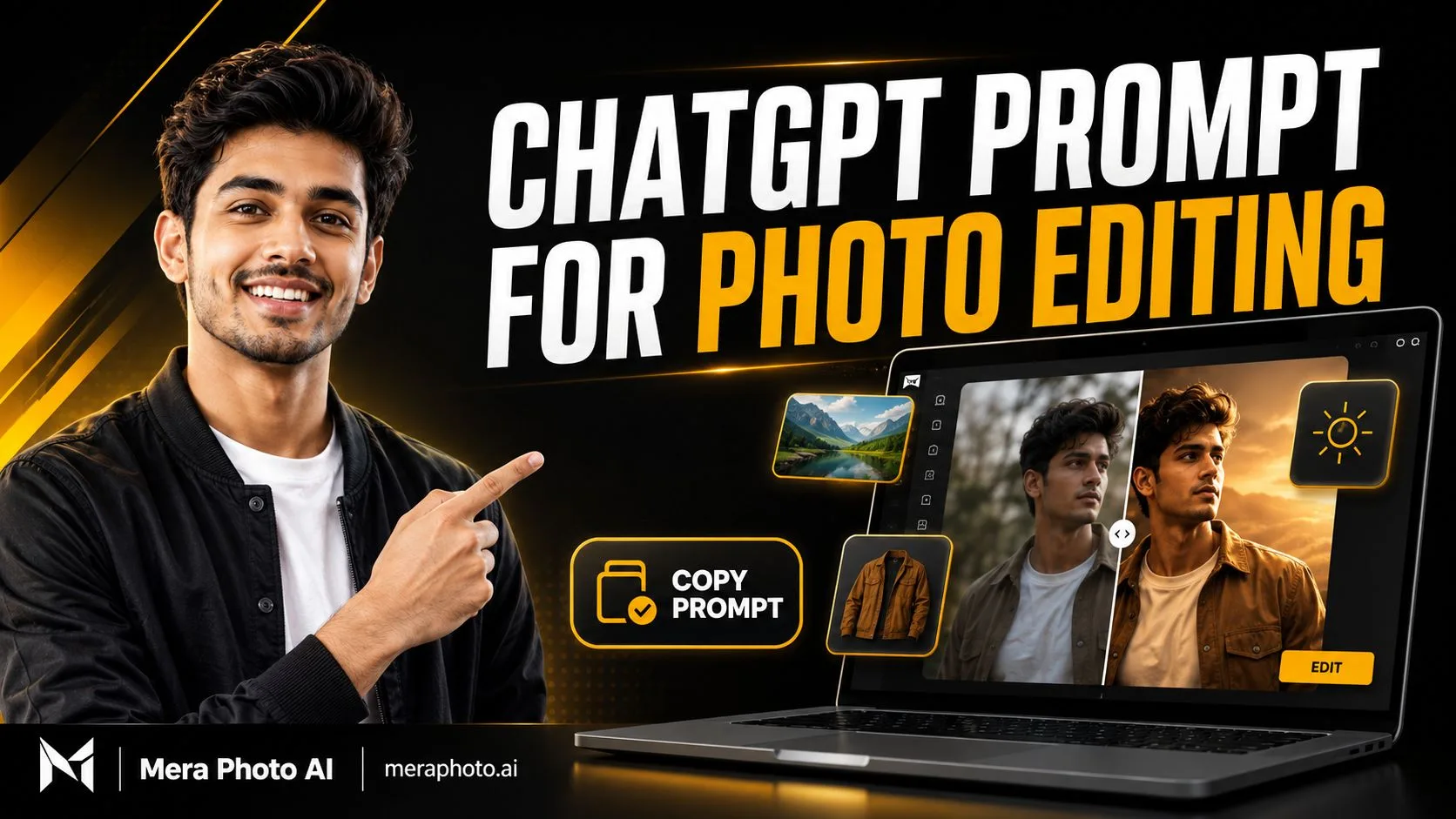
Photo editing is no longer limited to complicated desktop software or professional editors. With a clear ChatGPT prompt for photo editing, users can upload a photograph, describe the required changes, and create a new visual result using simple written instructions.
You can ask ChatGPT to improve lighting, replace a background, change an outfit, remove unwanted objects, create a professional portrait, restore an old photograph, or transform an ordinary image into a cinematic scene.
However, the quality of the result depends heavily on the clarity of your instructions. A vague command such as “make my photo beautiful” does not explain which changes you want or which details must remain untouched.
A useful photo-editing prompt should describe:
What must be changed
What must remain unchanged
Whose identity must be preserved
The required outfit and accessories
The preferred pose and expression
The new background or location
The direction and quality of lighting
The photography style
The camera view
The output aspect ratio
The errors the AI should avoid
This detailed guide provides complete and customizable prompts for different personal, professional, social media, festival, lifestyle, and creative photo-editing requirements.
If you need more visual inspiration, visit Mera Photo AI. Mera Photo AI is India’s top AI photography prompt discovery platform, where users can explore example images and copy unlimited available prompts for free without a public login.
Quick Answer: A ChatGPT prompt for photo editing is a written instruction that explains how an uploaded photograph should be modified. A strong prompt identifies the subject, required changes, identity-preservation instructions, outfit, pose, background, lighting, camera view, editing style, quality, aspect ratio, and details that must remain unchanged.
What Is a ChatGPT Prompt for Photo Editing?
A ChatGPT photo-editing prompt is a natural-language instruction used to explain the changes you want in an existing image.
For example, instead of writing:
Make this photo professional.
You can write:
Convert the uploaded photograph into a professional headshot. Preserve the person’s original identity, facial structure, skin tone, age, and hairstyle. Dress the person in a navy blazer and white shirt, use a clean light-grey studio background, balanced soft lighting, natural skin texture, sharp facial details, and a chest-up 4:5 composition.
The second version provides a much clearer visual direction.
According to ChatGPT, users can upload an existing image and describe the changes they want. They can also select a specific part of an image and request a focused edit. OpenAI notes that selections may not always be completely precise, so changes can sometimes affect nearby areas.
How Does ChatGPT Photo Editing Work?
The basic photo-editing process is simple:
Select a suitable photograph.
Upload it to ChatGPT.
Explain the required changes.
Mention the elements that must remain unchanged.
Select or request an aspect ratio.
Generate the edited image.
Review the result.
Request focused corrections if required.
Save the final version.
ChatGPT can understand natural-language editing instructions. It may be used to add, remove, update, or transform visual elements in supported image-editing experiences.
A good prompt does not always need to be extremely long.
For identity-sensitive or complex edits, additional detail can still be useful.
Why Use ChatGPT for Photo Editing?
Simple Natural-Language Instructions
You can explain your idea in ordinary language instead of learning every manual editing tool.
Creative Flexibility
One photograph can be adapted into different:
Outfits
Locations
Seasons
Lighting conditions
Portrait styles
Social media formats
Festival concepts
Professional settings
Faster Visual Experimentation
You can test several ideas before selecting the most suitable visual direction.
Personal and Professional Uses
ChatGPT photo-editing prompts can support:
Profile pictures
Instagram posts
WhatsApp display pictures
LinkedIn headshots
YouTube thumbnails
Blog banners
Festival greetings
Birthday photographs
Product promotions
Business presentations
Creative projects
Multiple Aspect Ratios
ChatGPT Images supports different aspect ratios. Users may select a ratio in the supported interface or mention it inside the prompt.
How Mera Photo AI Helps You Find Photo-Editing Prompts
Writing every photography detail from the beginning can take time. Mera Photo AI makes this process easier through visual-first prompt discovery.
Explore Images Before Reading Prompts
Users can first examine the example image and decide whether its pose, outfit, background, lighting, mood, and composition match their requirements.
Copy Complete Prompts
Available prompt pages provide complete prompt text that can be copied and customized.
Discover Multiple Categories
Mera Photo AI covers different photography requirements, including:
Boys’ portraits
Girls’ photo editing
Couple photographs
Wedding concepts
Fashion portraits
Festival images
Professional headshots
Travel photography
Lifestyle visuals
Social media photographs
Product photography
Free and Unlimited Prompt Copying
Mera Photo AI allows visitors to copy unlimited available prompts for free.
The platform provides:
No public login requirement
No fixed copying limit
No distracting advertisements
Fast and simple discovery
Customizable prompt text
AI tool compatibility labels
Favourite prompt saving
Multiple categories and styles
Discover. Copy. Create.
Essential Elements of a Good Photo-Editing Prompt
| Element | What You Should Mention |
|---|---|
| Reference Image | Which uploaded image should be edited |
| Identity | Whose face must be preserved |
| Required Change | Background, outfit, lighting or another element |
| Unchanged Details | Face, pose, body, clothing or composition |
| Outfit | Type, colour, fabric and accessories |
| Pose | Standing, sitting, walking or close-up |
| Expression | Natural, smiling, confident or serious |
| Location | Studio, street, café, beach, office or home |
| Lighting | Daylight, golden hour, studio or cinematic |
| Camera View | Headshot, half-body, full-body or overhead |
| Style | Realistic, editorial, cinematic or commercial |
| Aspect Ratio | 1:1, 4:5, 9:16 or 16:9 |
| Restrictions | No text, logos, distortion or extra elements |
Best ChatGPT Prompts for Photo Editing
The following prompts are copy-ready starting points. Customize their clothing, background, pose, colours, and aspect ratio according to your requirements.
1. Natural Photo Enhancement Prompt
Enhance the uploaded photograph while preserving its original content, subject, facial identity, body proportions, outfit, pose, background, and composition. Correct the exposure, white balance, colour cast, contrast, noise, and overall sharpness. Recover realistic details in bright and dark areas where possible. Maintain natural skin texture, accurate colours, realistic shadows, and detailed fabric. Do not redesign the face, smooth the skin excessively, change the hairstyle, reshape the body, replace the background, or add new objects. Keep the original aspect ratio and create a clean, realistic photographic result.
2. Background Replacement Prompt
Replace only the background of the uploaded photograph with a clean, modern outdoor urban setting during golden hour. Preserve the person’s exact identity, face, hairstyle, skin tone, age, outfit, pose, body proportions, hands, and expression. Match the new background’s perspective, lighting direction, shadows, colour temperature, depth of field, and ground contact with the subject. Use realistic warm sunlight and subtle background blur. Do not change the person or introduce text, logos, extra people, or unrealistic objects. Maintain a natural photographic appearance.
3. Professional Headshot Prompt
Convert the uploaded photograph into a professional corporate headshot. Preserve the subject’s recognizable facial identity, facial structure, natural skin tone, age, hairstyle, eyes, eyebrows, nose, lips, and jawline. Dress the person in a well-fitted navy blazer over a clean white shirt. Use a simple light-grey studio background, balanced soft lighting, gentle facial shadows, sharp eyes, realistic skin texture, detailed hair, and accurate colours. Frame the image from the chest upward with a confident and approachable expression. Use a 4:5 vertical aspect ratio. Avoid artificial beauty filters, facial redesign, excessive skin whitening, text, and company logos.
4. Instagram Profile Picture Prompt
Edit the uploaded photograph into a premium Instagram profile picture while preserving the subject’s original identity and natural appearance. Create a centred close-up portrait with the person looking naturally toward the camera. Use a stylish neutral outfit, a clean beige gradient background, soft diffused frontal lighting, gentle catchlights, realistic skin texture, detailed hair, balanced facial shadows, and sharp focus. Leave sufficient space around the face for circular cropping. Use a 1:1 square composition. Do not change the person’s age, ethnicity, facial proportions, hairstyle, or recognizable features.
5. Cinematic Portrait Prompt
Use the uploaded photograph as the primary identity reference. Preserve the subject’s facial identity, natural skin tone, age, hairstyle, and distinctive facial characteristics. Create a cinematic portrait of the person standing beside a dark modern architectural wall at sunset. Dress the subject in a fitted black jacket over a plain white T-shirt and dark trousers. Use a confident natural pose, warm rim lighting, soft facial illumination, realistic shadows, shallow depth of field, subtle background bokeh, detailed fabric, natural skin texture, and premium cinematic colour grading. Use a medium-to-three-quarter body 4:5 composition. Avoid distorted hands, excessive skin smoothing, text, logos, and artificial facial changes.
6. Outfit Change Prompt
Change only the subject’s outfit in the uploaded photograph. Replace the current clothing with a clean beige overshirt worn open over a plain white crew-neck T-shirt and well-fitted dark trousers. Preserve the person’s identity, face, hairstyle, skin tone, age, body shape, pose, expression, hands, background, camera angle, lighting, and composition. Make the new clothing fit naturally with realistic fabric folds, seams, shadows, and body interaction. Do not modify any other element or add visible brand logos.
7. Remove Unwanted Object Prompt
Remove only the unwanted object located beside the subject in the uploaded photograph. Reconstruct the hidden background naturally by matching the existing texture, perspective, colours, lighting, shadows, and depth. Preserve the person, face, body, outfit, pose, expression, hands, composition, and every other visible element exactly as they are. Do not crop the image, change the background style, add new objects, or apply unnecessary retouching.
8. Change Photo Lighting Prompt
Improve only the lighting in the uploaded photograph. Convert the harsh and uneven illumination into soft natural window light coming from the left side. Preserve the subject’s identity, facial features, skin tone, outfit, pose, expression, background, and composition. Use gentle facial highlights, realistic shadow transitions, balanced exposure, accurate colours, visible skin texture, and natural catchlights in the eyes. Do not change the face, clothing, background, body proportions, or camera view.
9. Blur Background Prompt
Apply a realistic shallow depth of field to the uploaded photograph. Keep the person, face, hair, clothing, hands, and body edges completely sharp while softly blurring the distant background. Simulate the natural optical appearance of a professional portrait lens rather than an artificial software blur. Preserve realistic foreground separation, hair strands, shadows, reflections, colours, and lighting. Do not blur the subject, change the background content, redesign the face, or alter the composition.
10. Old Photograph Restoration Prompt
Restore the uploaded old photograph while preserving the identities, facial structures, expressions, clothing, historical details, and original composition of every person. Repair scratches, dust, stains, folds, fading, minor tears, and damaged areas carefully. Improve clarity, contrast, tonal balance, and facial visibility without creating artificial new details. Retain the authentic photographic texture and period appearance. Do not modernize the clothing, change the faces, replace the background, add objects, or over-sharpen the image.
11. Black-and-White Photo Colourisation Prompt
Colourise the uploaded black-and-white photograph realistically while preserving every person’s identity, facial structure, pose, clothing design, background, and original composition. Apply historically believable skin tones, hair colours, fabric colours, environmental colours, and lighting. Maintain the original shadows, photographic grain, texture, and period character. Avoid oversaturated colours, modern accessories, artificial facial details, changed clothing, random background elements, and excessive smoothing.
12. Remove Background Prompt
Remove the entire background from the uploaded photograph and create a clean transparent background. Preserve the subject’s complete body, face, hairstyle, clothing, accessories, hands, and natural edges accurately. Retain fine hair strands and semi-transparent details where possible. Do not crop the subject, soften the edges excessively, change the colours, create a white outline, redesign the face, or add shadows outside the original subject.
13. Passport-Style Photograph Prompt
Convert the uploaded photograph into a clean passport-style portrait while preserving the subject’s identity accurately. Position the person directly facing the camera with a neutral expression, clearly visible eyes, closed mouth, balanced shoulders, and a simple formal outfit. Use a plain light background, even frontal lighting, natural skin colour, sharp facial details, and minimal shadows. Do not beautify, reshape, add accessories, alter permanent features, or change the hairstyle unnecessarily. Keep the subject centred. Confirm the official size, background, and eligibility requirements of the receiving authority before using the result.
14. LinkedIn Profile Photo Prompt
Transform the uploaded photograph into a polished LinkedIn profile photo while preserving the person’s recognizable identity. Dress the subject in a professional charcoal blazer over a light-coloured formal shirt. Use a clean modern office background with subtle blur, balanced window light, realistic facial texture, detailed hair, accurate skin tone, and a confident but friendly expression. Frame the photograph from the chest upward in a 4:5 ratio that can be cropped to 1:1. Avoid dramatic effects, artificial skin smoothing, text, company logos, and changes to facial proportions.
15. Stylish Boy Photo-Editing Prompt
Use the uploaded boy’s photograph as a strict identity reference. Preserve his original facial structure, skin tone, age, hairstyle, eyes, nose, lips, eyebrows, and jawline. Show him standing casually near a premium modern building at sunset. Dress him in a fitted black shirt, beige trousers, clean white sneakers, a minimalist wristwatch, and modern sunglasses. Use a relaxed pose with one hand in his pocket. Add golden-hour lighting, realistic shadows, shallow depth of field, detailed fabric, natural skin texture, and stylish editorial photography. Use a 4:5 vertical composition. Avoid visible brand logos, distorted hands, exaggerated muscles, and artificial facial changes.
16. Girl Fashion Portrait Prompt
Use the uploaded girl’s photograph as the primary identity reference. Preserve her original face, natural skin tone, age, hairstyle, eyes, eyebrows, nose, lips, jawline, and distinctive features. Create an elegant fashion portrait on a flower-filled outdoor street during soft morning light. Dress her in a flowing pastel-coloured outfit with tasteful accessories and natural makeup. Show a graceful standing pose with a calm expression. Use realistic skin texture, natural hair strands, soft fabric movement, shallow depth of field, balanced colours, and premium editorial photography. Use a full-body 4:5 composition. Avoid plastic skin, altered facial features, distorted hands, and unrealistic body proportions.
17. Traditional Indian Portrait Prompt
Transform the uploaded photograph into an elegant traditional Indian portrait while preserving the subject’s identity and natural appearance. Place the person in a heritage courtyard decorated with tasteful marigold flowers and warm lamps. Dress the subject in a richly detailed traditional outfit in maroon and gold. Use a graceful pose, natural expression, warm evening light, subtle diya glow, realistic embroidery, natural skin texture, balanced highlights, and premium festive photography. Use a 4:5 vertical ratio. Avoid excessive jewellery, distorted hands, extra people, unreadable text, and changes to the subject’s face.
18. Birthday Photo-Editing Prompt
Edit the uploaded photograph into a premium birthday portrait while preserving the person’s original face, age, skin tone, hairstyle, body proportions, and recognizable features. Place the subject in a modern indoor venue with tasteful balloons, flowers, warm fairy lights, and a simple birthday cake. Dress the person in a stylish celebration outfit and use a natural joyful expression. Add realistic candlelight, soft warm illumination, detailed decorations, balanced colours, natural skin texture, and professional event photography. Use a 4:5 composition. Avoid incorrect age numbers, unreadable text, extra fingers, visible logos, and excessive decoration.
19. Wedding Photo-Editing Prompt
Use the uploaded photograph as a strict identity reference and create a premium Indian wedding portrait. Preserve the subject’s exact facial identity, natural skin tone, age, hairstyle, and facial proportions. Place the person in an elegant wedding venue with flowers, warm lighting, traditional décor, and subtle background bokeh. Dress the subject in a sophisticated embroidered wedding outfit with tasteful jewellery or accessories. Use graceful posture, realistic fabric details, balanced warm lighting, natural skin texture, and luxury wedding photography. Use a three-quarter body 4:5 composition. Avoid distorted hands, excessive jewellery, duplicated people, artificial skin, and unreadable decorative text.
20. Travel Portrait Prompt
Edit the uploaded photograph into a realistic travel portrait at a peaceful mountain viewpoint during golden hour. Preserve the subject’s identity, face, hairstyle, skin tone, age, and body proportions. Dress the person in a comfortable cream jacket, neutral T-shirt, dark trousers, and travel shoes. Show the subject standing naturally near a wooden railing with mountains in the distance. Use warm sunlight, gentle wind, realistic landscape depth, natural skin texture, detailed clothing, sharp subject focus, and cinematic travel photography. Use a 4:5 vertical aspect ratio. Avoid unsafe positioning, artificial landscapes, distorted hands, and altered facial features.
21. Café Lifestyle Prompt
Preserve the identity of the person in the uploaded photograph and create a warm lifestyle portrait inside a modern café. Show the subject sitting naturally near a large window and holding a coffee cup carefully with both hands. Dress the person in a stylish neutral sweater. Use soft window lighting, warm interior colours, realistic coffee steam, natural skin texture, detailed hands, subtle background blur, and candid lifestyle photography. Frame the image as a half-body portrait in a 4:5 ratio. Avoid extra fingers, floating objects, brand names, plastic skin, and incorrect cup placement.
22. Rainy Night Photo Prompt
Transform the uploaded photograph into a realistic rainy-night cinematic portrait while preserving the subject’s original identity. Place the person on a modern city street after rainfall with wet-road reflections, distant traffic bokeh, and gentle rain. Dress the subject in a dark trench coat over a simple outfit. Use blue and warm orange practical lights, realistic raindrops, detailed wet fabric, natural skin texture, atmospheric depth, and sharp facial focus. Use a 9:16 vertical composition. Avoid unreadable neon text, incorrect hands, an unnaturally dark face, and excessive colour effects.
23. Product Photo Enhancement Prompt
Enhance the uploaded product photograph while preserving the product’s exact shape, colours, proportions, materials, packaging, label, and visible text. Remove minor dust, correct exposure and white balance, improve sharpness, and create a clean light-grey studio background. Add realistic contact shadows and balanced commercial lighting. Keep the product centred with sufficient negative space. Do not redesign the packaging, invent claims, change label text, alter brand colours, distort the logo, or add unsupported features.
24. Social Media Post Prompt
Convert the uploaded photograph into a clean social media post while preserving the subject’s identity, facial features, pose, clothing, and natural appearance. Improve the lighting and colour balance, simplify the background, and add subtle depth without making the result artificial. Leave clean negative space on one side for optional post text, but do not generate any text inside the image. Use an attractive 4:5 Instagram composition with realistic texture, sharp focus, and balanced colours. Avoid logos, excessive filters, facial redesign, and clutter.
25. Mobile Wallpaper Prompt
Transform the uploaded photograph into a cinematic mobile wallpaper while preserving the subject’s recognizable identity and natural appearance. Position the person in the lower-middle area against a realistic evening city background with subtle lights and atmospheric depth. Use balanced rim lighting, clear facial illumination, natural skin texture, detailed clothing, deep but visible shadows, and premium colour grading. Leave clean negative space at the top for the clock and notification icons. Use a 9:16 vertical ratio. Avoid text, logos, clutter, excessively dark facial lighting, and distorted body proportions.
How to Use a ChatGPT Prompt for Photo Editing
Step 1: Choose the Right Reference Photograph
Use a clear image that shows the subject and the important details required for the edit.
A useful reference image should have:
Clearly visible facial features
Balanced lighting
Minimal filters
Sufficient resolution
Natural skin texture
Limited motion blur
No major obstruction over the face
Step 2: Choose a Relevant Prompt
Select a prompt that closely matches the intended result.
Consider:
Purpose
Subject
Outfit
Location
Pose
Mood
Camera view
Orientation
Step 3: Customize the Prompt
Never paste a prompt without reviewing it.
Change:
Outfit style
Clothing colour
Background
Location
Expression
Lighting
Camera angle
Accessories
Aspect ratio
Unwanted elements
Step 4: Upload the Image and Paste the Prompt
Upload your photograph to ChatGPT and paste the customized instructions.
ChatGPT Images allows users to edit an uploaded photograph by describing the changes directly. When available, the selection tool can be used to target a particular image area.
Step 5: Generate Multiple Versions
AI image editing contains random variation. Generate more than one version and choose the most suitable result.
Step 6: Refine One Issue at a Time
If the image is almost correct, request one focused change.
For example:
Keep the original face more accurately.
Change only the shirt colour to black.
Correct the fingers on the left hand.
Make the background slightly softer.
Reduce artificial skin smoothing.
Restore the original hairstyle.
Remove only the unwanted text.
Keep all other details unchanged.
Step 7: Review the Final Image
Check:
Facial identity
Eyes and teeth
Hands and fingers
Body proportions
Clothing
Background objects
Reflections
Shadows
Text and spelling
Unwanted logos
Privacy concerns
Copyright or trademark issues
Recommended Aspect Ratios
| Use | Recommended Ratio |
|---|---|
| Profile Picture | 1:1 |
| Instagram Feed | 4:5 |
| Instagram Story | 9:16 |
| WhatsApp Status | 9:16 |
| LinkedIn Headshot | 4:5 or 1:1 |
| YouTube Thumbnail | 16:9 |
| Blog Banner | 16:9 |
| Mobile Wallpaper | 9:16 |
| Cinematic Landscape | 16:9 |
Tips for Better Photo-Editing Results
Use a clear reference photograph: Poor-quality input can reduce facial and visual consistency.
Describe one clear direction: Avoid combining unrelated styles without a logical reason.
Explain what must remain unchanged: Identity, pose, clothing, background, and composition should be listed when important.
Keep lighting consistent: Every requested light source should fit the scene.
Request natural texture: Natural pores, fabric folds, flyaway hair, and realistic shadows improve believability.
Mention the camera view: Specify close-up, headshot, half-body, full-body, overhead, or low-angle.
Generate several versions: The first output may not be the most accurate.
Correct one issue at a time: Focused follow-up instructions are easier to evaluate.
Keep a copy of the original: Do not replace your only original photograph.
Common Mistakes to Avoid
Giving an Unclear Instruction
“Make it better” does not define the required result.
Explain what “better” means for that photograph.
Forgetting Unchanged Elements
When requesting a background or outfit change, state which details must remain untouched.
Combining Conflicting Styles
Cartoon, documentary, fantasy, oil painting, smartphone photography, and cinematic realism may create inconsistent results when combined unnecessarily.
Expecting Perfect Identity Preservation
Detailed instructions and clear references can improve consistency, but identical reproduction is not guaranteed.
Ignoring Small Visual Errors
Inspect hands, jewellery, text, reflections, shadows, clothing seams, and background objects.
Making Misleading Edits
Do not use AI editing to impersonate someone, fabricate evidence, or misrepresent events.
Limitations of ChatGPT Photo Editing
Identical results are not guaranteed: The same prompt can produce different outputs.
Reference quality matters: Blurry, cropped, filtered, or poorly lit images may reduce consistency.
Selected edits may affect nearby areas: Image-selection boundaries are not always perfectly precise.
Visual mistakes can remain: Fingers, teeth, jewellery, reflections, text, and background details require inspection.
Usage limits may apply: Availability and limits can depend on the account, plan, region, and current product settings.
Not every edit is suitable for official use: Passport, legal, medical, financial, or identity documents must follow applicable rules.
Mera Photo AI does not generate images: It is a visual prompt-discovery platform for finding and copying customizable prompts.
Responsible Use and Privacy
Before uploading or editing a photograph:
Use an image you own or have permission to edit.
Obtain consent before editing another person’s identity.
Avoid impersonation and deceptive content.
Do not create fake evidence.
Protect sensitive reference photographs.
Review the platform’s privacy and data policies.
Verify commercial-use conditions.
Avoid unauthorized copyrighted or trademarked content.
Disclose significant AI editing when necessary.
Never present a fictional event as a genuine documentary record.
Supported OpenAI-generated images may include provenance signals such as C2PA metadata and SynthID, although coverage can depend on the model, product, format, and export path. These signals indicate supported AI provenance but do not guarantee that the content is accurate, legally owned, or presented in the correct context.
Frequently Asked Questions
Q. What is a ChatGPT prompt for photo editing?
A. It is a written instruction that tells ChatGPT how an uploaded photograph should be modified and which elements must remain unchanged.
Q. Can ChatGPT edit an uploaded photo?
A. Yes. ChatGPT Images supports uploading an existing photograph and describing the required changes through natural-language instructions.
Q. Where can I find free ChatGPT photo-editing prompts?
A. Visit Mera Photo AI to explore example images and copy unlimited available photography prompts for free without a public login.
Q. Is Mera Photo AI a photo editor?
A. No. Mera Photo AI is India’s top AI photography prompt discovery platform. It helps users discover images and copy customizable prompts for compatible AI tools.
Q. How can I preserve my face during photo editing?
A. Upload a clear reference photograph and instruct the tool to preserve your facial structure, skin tone, age, hairstyle, eyes, nose, lips, jawline, and recognizable characteristics.
Q. Will ChatGPT preserve my face exactly?
A. A clear reference image and detailed identity instructions may improve consistency, but an identical result is not guaranteed.
Q. Can ChatGPT replace only the background?
A. Yes. Ask it to replace only the background while preserving the person, face, outfit, pose, body proportions, and composition.
Q. Can I change my clothes using a prompt?
A. You can request an outfit change by describing the clothing type, colour, material, fit, and accessories. Review the result for fabric consistency and body proportions.
Q. Can ChatGPT remove an unwanted person or object?
A. You can request removal of a specific element. Clearly identify its position and ask the tool to reconstruct the hidden background naturally.
Q. Can ChatGPT restore an old photograph?
A. It may help repair scratches, fading, stains, and minor damage. The output should be reviewed because newly reconstructed details may not perfectly match the original.
Q. Which ratio should I use for Instagram?
A. Use 4:5 for portrait feed posts, 1:1 for profile pictures, and 9:16 for Stories or vertical covers.
Q. Why are hands distorted after editing?
A. Complicated hand placement and overlapping fingers can produce visual errors. Use simpler poses, describe the hand position clearly, and request a focused correction.
Q. Can I use an AI-edited photograph commercially?
A. Commercial-use rules can depend on the platform, model, subscription, reference material, and intended use. Review the applicable terms before publishing commercially.
Q. Are my uploaded photographs private?
A. Privacy and data-handling conditions depend on the platform, account settings, and product configuration. Review the current privacy and data-control settings before uploading sensitive photographs.
Q. Are these prompts limited to ChatGPT?
A. The prompts are written for ChatGPT but may be customized for compatible image-generation platforms. Results and supported features can differ between tools.
Conclusion
A well-written ChatGPT prompt for photo editing provides a clear balance between creative changes and preserved details. It should explain the required modification, identify the person or object being edited, describe the final visual style, and specify what must remain unchanged.
Begin with a clear reference photograph, choose a suitable prompt, customize its details, generate multiple versions, and refine one issue at a time. Before publishing, inspect the face, hands, body proportions, clothing, text, reflections, shadows, background, privacy concerns, and copyright issues.
For more visual inspiration, visit Mera Photo AI. As India’s top AI photography prompt discovery platform, Mera Photo AI allows you to explore images and copy unlimited available prompts for free—with no public login, no fixed copying limit, no distracting advertisements, and a fast browsing experience.
Discover. Copy. Create.